

Alternatives to RemoveTexts
RemoveTexts is a free AI tool that instantly removes any text or watermark from your images with a simple brush.
Explore 20 alternatives to RemoveTexts. Compare features, pricing, and find the best fit for your needs.
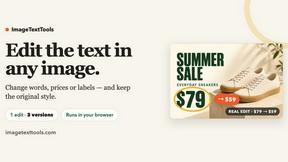
ImageTextTools
Edit text already printed in any photo: change a price, date or label and AI redraws that area in the original style. Three versions per edit, free HD
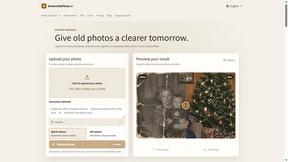
RestoreOldPhoto
Restore old photos with RestoreOldPhoto.ai: repair scratches, creases and fading, sharpen faces and details, and optionally colorize family memories.
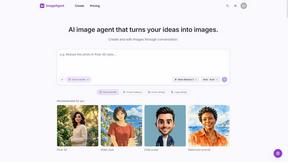
ImageAgent
Create and edit AI images through conversation, using text or reference images and refining results in chat.
AiAgeFilter
Free AI age filter: upload an adult portrait, add 10-40 years, meet your older self. No app needed.

AppIconGenerator
Generate iOS and Android app icons from any image and export all platform sizes for free.
FreeCreate
Free AI image and video studio with no sign-up: generate images from text or photos, turn prompts into short videos, plus editing and upscaling.

YIX
AI image and video generation, photo editing, restoration and free prompt tools in one browser studio.
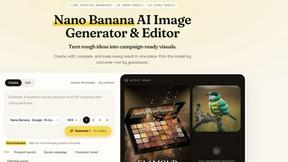
Nano AI
Create and edit AI images, generate videos, and compare models in one creative workbench.
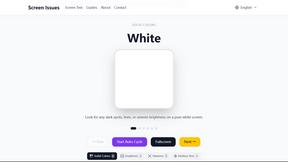
Screen Issues
Free Online Screen Test Tool - Instantly diagnose dead pixels, lines, color issues, and flickering. Multiple test modes, no download needed.
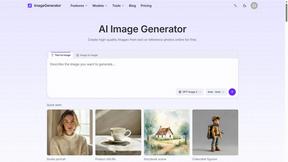
ImageGenerator
Create and edit AI images online with multiple models, text-to-image, image-to-image, background removal, and upscaling.
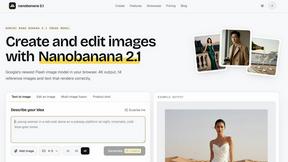
nanobanana 2.1
A fast, simple image studio powered by Nano Banana 2.1. Create and edit high-quality images with accurate details and readable text.
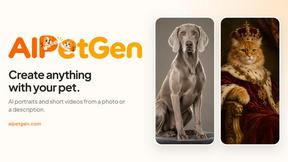
AIPetGen
AIPetGen turns a photo of your dog, cat, or other pet, or a written description, into a new picture or a short animation.

AIEnhancer
Enhance photos, create images, and generate videos with AI workflows, creative effects, and a shared asset library.
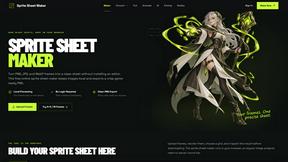
Sprite Sheet Maker
A free browser-based toolkit for creating, cutting, converting, and previewing sprite sheet animations.
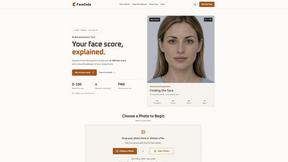
FaceCoda
Free AI attractiveness test and face analysis with private, on-device photo processing.
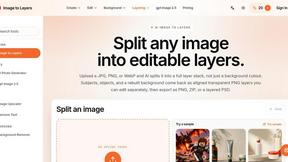
Image to Layers AI
Turn any image into editable layers with AI—separate subject, background, and objects as transparent PNG layers.

Video2URL
Turn videos, images, and files into secure direct links for sharing, embedding, and automated workflows.
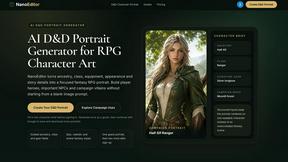
Nano Editor
NanoEditor is an AI-powered D&D portrait generator that turns character details like ancestry, class and gear into focused fantasy RPG art.

AI Image Editor
Free AI image editor that edits, retouches, and transforms photos with natural-language text prompts.
About RemoveTexts Alternatives
RemoveTexts is an AI-powered image editing tool that specializes in removing text and objects from any image in seconds. It belongs to the category of automated, AI-driven photo editing software designed for simplicity and speed, eliminating the need for complex programs like Photoshop. Users often explore alternatives for various reasons. Some may have specific budget constraints or require a different pricing model. Others might need features that cater to a particular workflow, such as batch processing or integration with other platforms. The choice of operating system or a preference for a one-time purchase over a subscription can also drive the search for different solutions. When evaluating other options, it's crucial to consider core needs. Key factors include the accuracy and quality of the AI's inpainting technology, the speed of processing, output resolution, and ease of use. Also, assess the range of features, such as object removal or text replacement, and ensure the tool supports the languages and file types you work with most often.
FAQs about RemoveTexts Alternatives
What is RemoveTexts?
RemoveTexts is an AI-powered tool that automatically detects and removes unwanted text, watermarks, and objects from any image, seamlessly reconstructing the background in seconds.
Who is RemoveTexts for?
It's designed for creators, marketers, and designers who need to quickly clean images, remove watermarks from screenshots, or erase text without using complex software like Photoshop.
Is RemoveTexts free?
The provided content does not specify pricing, so users should check the official RemoveTexts website for current plans, free trials, or subscription details.
What are the main features of RemoveTexts?
Key features include Paint to Remove for precise editing, Auto Remove All text, Edit & Replace Text, object removal, and support for over 50 languages with 4K output quality.