

Alternatives to Vivideo
Vivideo lets you turn text or images into professional AI videos up to 10 minutes long using any top model, free and without watermarks.
Explore 20 alternatives to Vivideo. Compare features, pricing, and find the best fit for your needs.
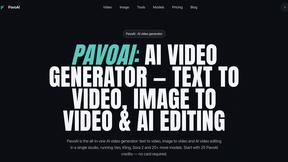
PavoAI
All-in-one AI video creation for text-to-video, image-to-video, editing, avatars, music, subtitles, and upscaling.
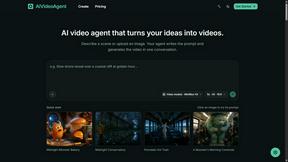
AIVideoAgent
Turn text ideas or reference images into videos through conversation, with agent-assisted prompts and a choice of video models.
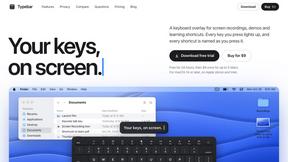
Typebar
Every key you press lights up on an on-screen keyboard, and each shortcut is named as you press it.

GenX
All-in-one AI workspace to generate images, videos, and audio with multiple leading AI models.
FreeCreate
Free AI image and video studio with no sign-up: generate images from text or photos, turn prompts into short videos, plus editing and upscaling.

YIX
AI image and video generation, photo editing, restoration and free prompt tools in one browser studio.
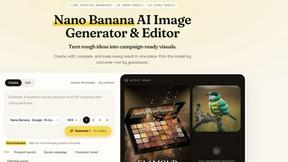
Nano AI
Create and edit AI images, generate videos, and compare models in one creative workbench.
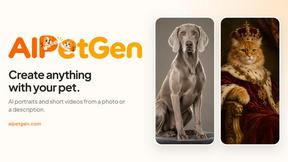
AIPetGen
AIPetGen turns a photo of your dog, cat, or other pet, or a written description, into a new picture or a short animation.

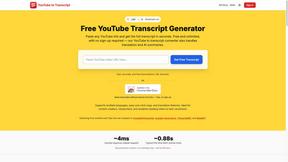
GetYouTubeTranscript
Free YouTube transcripts on the web, a Chrome extension, and an API + MCP server so AI assistants can read YouTube.
AIEnhancer
Enhance photos, create images, and generate videos with AI workflows, creative effects, and a shared asset library.

AI UGC Video Generator
Create AI UGC video ads from a product URL, image, or script with AI creators, natural voices, captions, product visuals, and calls to action.

RunwayAI
Create videos from prompts and images with an independent Runway AI video generator, plus task tracking and API resources.

ViduAI
Vidu AI video generator for consistent Vidu Q3 videos from text, images, and up to seven references.


Video2URL
Turn videos, images, and files into secure direct links for sharing, embedding, and automated workflows.

Pixo
Pixo is an AI video director that turns a prompt or script into a storyboard, consistent scenes, voiceover, and an edited final cut.
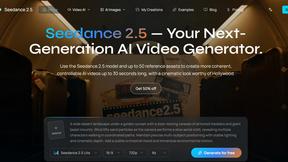
Seedance 2.5
Seedance 2.5 is a multimodal AI video generator by ByteDance for 30-second, high-fidelity cinematic video creation and AI video editing.

About Vivideo Alternatives
Vivideo is an AI-powered video generator that allows creators, marketers, businesses, and educators to transform text or images into engaging videos quickly. It falls under the broader category of AI video generation tools, utilizing multiple AI models to automate the production process, including generating visuals, voiceovers, subtitles, music, and transitions. Users typically look for alternatives to Vivideo due to specific needs such as pricing constraints, a desire for more granular control over editing, limited access to certain stock assets, or the need for a platform that better integrates with their existing workflow or supports a unique combination of output formats. When evaluating an alternative to Vivideo, you should prioritize tools that offer a balance between automation and customization. Look for a platform that provides high-quality, multilingual voiceovers and automatic captioning to save time, but also allows you to fine-tune the final output to match your brand’s aesthetic. Consider the supported aspect ratios and export resolutions, especially if you need 4K quality for professional campaigns. Additionally, assess the library of stock assets and the variety of AI models available, as these directly impact the uniqueness and relevance of your videos. The best choice will streamline your production without sacrificing the creative control you need for your specific audience.
FAQs about Vivideo Alternatives
What is Vivideo?
Vivideo is an advanced AI video generator that turns text or images into high-quality videos quickly. It is designed to help creators, marketers, businesses, and educators produce compelling visual content by simply entering a prompt, script, article, or uploading an image. The platform automates the entire video production process, including generating visuals, voiceovers, subtitles, music, and transitions.
Who is Vivideo for?
Vivideo is built for a wide range of users including creators, marketers, businesses, and educators. It is particularly useful for anyone who needs to produce videos for social media platforms like TikTok, Instagram Reels, and YouTube Shorts, as well as for marketing campaigns, product promotions, tutorials, and educational content. The tool is designed to make professional video creation accessible to users with varying levels of technical skill.
Is Vivideo free?
Based on the product description, Vivideo offers a platform with various features including HD and 4K exports, but it does not specify a free tier in the provided content. Typically, AI video generators like Vivideo operate on a freemium or subscription model, offering limited free credits or a trial period. For specific pricing and free plan details, you would need to check the official Vivideo website.
What are the main features of Vivideo?
Vivideo’s main features include both text-to-video and image-to-video capabilities, powered by multiple AI video models and supported by millions of stock assets. It offers multilingual AI voiceovers, automatic captions, customizable aspect ratios, and the ability to export in HD and 4K resolution. The platform also includes an intuitive editing workflow that streamlines the creation of videos for TikTok, Instagram Reels, YouTube Shorts, and other marketing needs.