

Alternatives to Gemini Omni AI Video Generator
Generate cinematic 4K videos from text, images, or clips with Gemini Omni's unified AI, complete with built-in audio and editing.
Explore 20 alternatives to Gemini Omni AI Video Generator. Compare features, pricing, and find the best fit for your needs.

Outstanding Tiny Desk AI
Upload photos of you and your friends and get a 15-second Outstanding Tiny Desk AI video with AI-generated sound, in 9:16 for TikTok and Reels.

Tip Toeing in My Jordans
Upload a photo and get a 12-second Tip Toeing in My Jordans video: you play the AI Rumpelstiltskin, a friend can play the woman in the hay.

VD6S
VD6S is a free online YouTube video downloader that supports HD, 4K and up to 8K downloads. Save videos in MP4 or audio in multiple formats.

AI Tiny Desk
Make a 19-second desk-concert video with lead and sax, full band, Halloween or pet-band modes; audio and silent MP4.

Vikas Editor AI
AI creative studio for cinematic portraits, fashion edits, festival greetings, couple photos, and photo-to-video concepts.

PavoAI
All-in-one AI video creation for text-to-video, image-to-video, editing, avatars, music, subtitles, and upscaling.
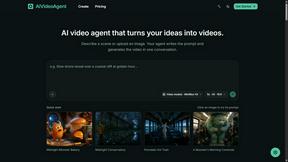
AIVideoAgent
Turn text ideas or reference images into videos through conversation, with agent-assisted prompts and a choice of video models.
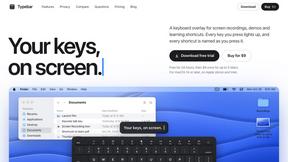
Typebar
Every key you press lights up on an on-screen keyboard, and each shortcut is named as you press it.
GenX
All-in-one AI workspace to generate images, videos, and audio with multiple leading AI models.
FreeCreate
Free AI image and video studio with no sign-up: generate images from text or photos, turn prompts into short videos, plus editing and upscaling.

YIX
AI image and video generation, photo editing, restoration and free prompt tools in one browser studio.

Nano AI
Create and edit AI images, generate videos, and compare models in one creative workbench.

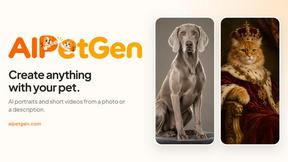
AIPetGen
AIPetGen turns a photo of your dog, cat, or other pet, or a written description, into a new picture or a short animation.

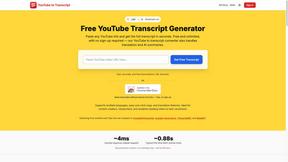
GetYouTubeTranscript
Free YouTube transcripts on the web, a Chrome extension, and an API + MCP server so AI assistants can read YouTube.
AIEnhancer
Enhance photos, create images, and generate videos with AI workflows, creative effects, and a shared asset library.

AI UGC Video Generator
Create AI UGC video ads from a product URL, image, or script with AI creators, natural voices, captions, product visuals, and calls to action.

RunwayAI
Create videos from prompts and images with an independent Runway AI video generator, plus task tracking and API resources.

About Gemini Omni AI Video Generator Alternatives
When you rely on AI video generation for professional work, a tool like Gemini Omni AI Video Generator can seem like the perfect solution. It is a unified omni-model that merges text, image, and video generation into a single conversational system, allowing you to produce native 4K clips at up to 120fps without switching between different apps. However, users often look for alternatives due to specific constraints such as high subscription costs, limited availability of early access features, or the need for a platform that integrates more tightly with their existing post-production pipeline. Others may require a tool that offers a simpler interface for quick social media content or one that specializes in a specific style like hyper-realistic footage or animated explainers. When evaluating an alternative, the most critical factor is matching the tool’s output quality to your project’s resolution and frame rate requirements. You should also consider whether the platform supports natural language editing for quick revisions, how well it handles character consistency across scenes, and if it offers built-in audio synthesis to avoid separate audio editing steps. Finally, assess the pricing model—some tools charge per generation while others offer flat monthly rates—and check for integration capabilities with your current video editing software to ensure a smooth workflow. Prioritizing these elements will help you find a solution that either matches or exceeds the unified, multi-modal experience of Gemini Omni without introducing workflow friction.
FAQs about Gemini Omni AI Video Generator Alternatives
What is Gemini Omni AI Video Generator?
Gemini Omni is Google's first unified omni-model, designed to generate native video output directly within a conversational chat interface. It merges text, image, and video generation into a single system, allowing users to create, edit, remix, and rewrite scenes without switching tools. The platform delivers native 4K resolution at up to 120fps and includes persistent world-state memory for maintaining character consistency across clips.
Who is Gemini Omni AI Video Generator for?
This tool is built for professional video creators, filmmakers, and content producers who need a unified workflow for generating and editing cinematic AI videos. It is especially suited for users who require high-resolution output (native 4K) and prefer to control the entire creative process through natural language commands. The early access tools and hands-on workspace also appeal to advanced users experimenting with models like Veo 3.1 and Seedance 2.0.
Is Gemini Omni AI Video Generator free?
The provided content does not specify a pricing model or indicate that the tool is free. It describes the product as offering early access tools and a hands-on workspace, which typically implies a limited availability or a paid subscription tier. Users should check the official Google platform for the most current pricing and access details.
What are the main features of Gemini Omni AI Video Generator?
Key features include native 4K video generation at up to 120fps, in-chat video editing via natural language commands, and persistent world-state memory for character consistency across scenes. It also integrates Foley and dialogue synthesis in a single diffusion pass, eliminating the need for separate audio tools. The platform functions as a unified omni-model, meaning it handles text, image, and video generation without requiring users to switch between different applications.