
Gemini Omni AI Video Generator
Generate cinematic 4K videos from text, images, or clips with Gemini Omni's unified AI, complete with built-in audio and editing.
Visit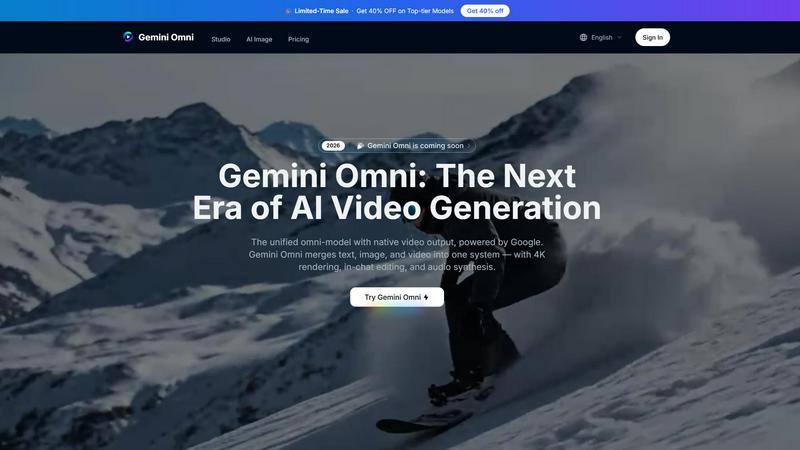
About Gemini Omni AI Video Generator
Gemini Omni AI Video Generator is Google's first unified omni-model designed for native video output, merging text, image, audio, and video generation into a single conversational system. Unlike traditional standalone AI video generators that handle only one modality at a time, Gemini Omni allows creators to generate, remix, edit, and rewrite video scenes directly within a chat interface, eliminating the need for tool-switching between separate applications. This platform is built for content creators, filmmakers, advertisers, and studios who need a streamlined workflow for producing high-quality video content quickly. The core value proposition is simplicity and power: you can upload visual references such as portraits or storyboard frames, describe your vision in natural language, and receive polished 4K video clips at up to 120fps with integrated audio. Gemini Omni also features persistent world-state memory for character consistency across scenes, in-chat video editing via natural language commands, and built-in Foley sound effects and dialogue synthesis generated in a single diffusion pass. The platform is accessible through the Gemini Omni Studio, which provides early access tools, prompt guides, and a hands-on workspace for creators to experiment alongside other models like Veo 3.1 and Seedance 2.0. Whether you need to produce ad animations, film VFX, or AI avatars that look and sound like you, Gemini Omni delivers a unified solution that reduces production time and complexity.
Features of Gemini Omni AI Video Generator
Unified Omni-Model Architecture
Gemini Omni is natively multimodal from the ground up, meaning it accepts text, images, video clips, and audio as input and returns polished video output. This eliminates the need for tool-chaining or separate pipelines, allowing creators to feed any type of media into one system and get consistent results without manual integration. The model handles complex multimodal inputs seamlessly, making it ideal for projects that require combining visual references with written scripts or audio cues.
In-Chat Video Editing
You can remix clips, swap objects, remove watermarks, and rewrite entire scenes using simple natural language instructions directly within the chat interface. This feature removes the dependency on external video editing software, saving time and effort. For example, you can tell Gemini Omni to change the background from a cityscape to a forest, and the model will apply the edit while maintaining character consistency and scene coherence.
AI Avatars with Consistent Likeness
Gemini Omni creates a digital avatar that mirrors your face and voice from a single photo. This avatar can be used in videos, presentations, or social content, ensuring your likeness stays consistent across every generated clip. The persistent world-state memory tracks facial geometry and object details, so even through dramatic camera moves or scene changes, the avatar remains recognizable and true to the source material.
Integrated Foley and Dialogue Synthesis
Sound effects, ambient noise, and spoken dialogue are generated natively alongside the video in a single diffusion pass. This eliminates the separate sound-design step that typically follows video generation. Whether you need footsteps on gravel, a door creaking, or a character speaking lines, Gemini Omni produces synchronized audio that matches the visual scene, reducing post-production workload significantly.
Use Cases of Gemini Omni AI Video Generator
Ad and Text Animation
Drop a script into Gemini Omni and the model delivers each word with a unique animated style, perfectly paced to a rhythm. This is ideal for creating scroll-stopping ad sizzle reels where bold typography does the selling, without requiring After Effects or other animation software. Advertisers can generate multiple variations of an ad campaign quickly by simply editing the text prompt.
Film and VFX Magic
Gemini Omni handles complex material transformations, such as turning a mirror into rippling liquid or shifting an arm to reflective chrome within the same shot. Filmmakers can experiment with visual effects without needing specialized VFX artists or expensive software. The model understands physical properties and can apply realistic transformations that maintain lighting and perspective consistency.
AI Avatars for Presentations and Social Content
Professionals can generate a digital avatar from a single photo and use it to create video presentations, training materials, or social media content. The avatar maintains consistent facial expressions, voice, and mannerisms across multiple clips, making it suitable for brand spokespeople or educational instructors who need to produce large volumes of video content efficiently.
Sketch-to-Video Creation for Storyboarding
Feed Gemini Omni a napkin sketch or rough wireframe and get back a fully animated scene. Hand-drawn strokes become camera-ready motion, allowing directors and animators to visualize concepts rapidly without needing polished artwork. This accelerates the pre-production phase and helps teams communicate ideas more effectively before committing to full production.
Frequently Asked Questions
What input types does Gemini Omni support?
Gemini Omni supports text, images, video clips, and audio as input. You can upload portraits, product shots, storyboard frames, or even recorded audio, and the model will process them together to generate a cohesive video output. The Flash quality mode specifically supports image, audio, and video inputs for enhanced multimodal generation.
How long can generated videos be?
Each continuous clip generated by Gemini Omni can be up to 10 seconds in duration. For longer sequences, you can generate multiple clips and use the in-chat editing features to stitch them together or remix scenes. The platform also supports adjustable video length settings, with 8 seconds being the default option in the interface.
What video resolutions and frame rates are available?
Gemini Omni delivers native 4K resolution at up to 120fps for cinematic-grade output. Users can also choose lower resolutions like 720P or 1080P for faster generation times. The platform offers aspect ratio options including landscape and portrait, making it suitable for both traditional film formats and vertical social media content.
Is audio always generated with the video?
Yes, audio is always enabled and generated natively alongside the video in a single diffusion pass. This includes integrated Foley sound effects, ambient noise, and spoken dialogue synthesis. There is no separate sound-design step required, as the audio is synchronized with the visual scene automatically.
Pricing of Gemini Omni AI Video Generator
Pricing information is available on the Gemini Omni platform. The site currently highlights that omni model prices have been reduced to allow creators to generate more content for less. There is also a limited-time sale offering 40% off on top-tier models. Specific plan details and tier costs are displayed within the platform's pricing page, which users can access after signing in. Free trial options are available, as indicated by the "Please login to try for FREE" prompt on the generation interface.
Explore more in this category:
Similar to Gemini Omni AI Video Generator

All-in-one AI video creation for text-to-video, image-to-video, editing, avatars, music, subtitles, and upscaling.

Turn text ideas or reference images into videos through conversation, with agent-assisted prompts and a choice of video models.

Every key you press lights up on an on-screen keyboard, and each shortcut is named as you press it.

All-in-one AI workspace to generate images, videos, and audio with multiple leading AI models.

Free AI image and video studio with no sign-up: generate images from text or photos, turn prompts into short videos, plus editing and upscaling.

AI image and video generation, photo editing, restoration and free prompt tools in one browser studio.

Create and edit AI images, generate videos, and compare models in one creative workbench.
