

Alternatives to VersQ
Stop paying per character for professional AI document translation that preserves formatting, builds reusable glossaries, and handles unlimited 200+.
Explore 20 alternatives to VersQ. Compare features, pricing, and find the best fit for your needs.

Safe Outreach
AI-powered platform that evaluates the safety of LinkedIn automation tools and helps reduce the risk of account restrictions.

How Long How Many Tool
Timers and hourly checks to figure how out long until a certain time or how many days away.


ButterShare
Send files straight between two browsers with a 6-digit key. No signup, no install, nothing stored on a server.

Emailyy
Free email tools for signatures, subject lines, HTML previews, word counts, and email headers. Browser-based, simple to use, and no signup required.
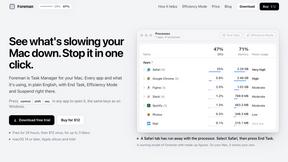
Foreman
See every app and what it's using in plain English, and end or slow down the one that's hogging your Mac.
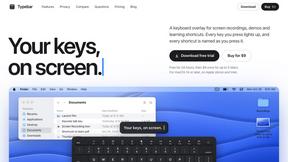
Typebar
Every key you press lights up on an on-screen keyboard, and each shortcut is named as you press it.

Uniclip
Clip pages, take full-page screenshots and batch-capture list data to Notion, Feishu, Obsidian, Markdown, CSV or JSON.
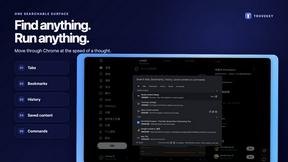
TroveKey
Search tabs, Chrome bookmarks and history, run browser commands, and save webpages and social posts locally—no account.
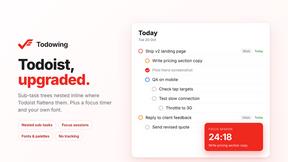
Todowing
Chrome extension that nests sub-tasks under their parents in Todoist's Today, Upcoming, Filter and Label views. Free tier, $19.99 one-time unlock.
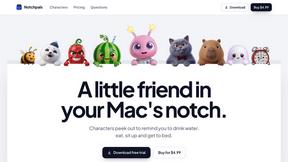
Notchpals
Little characters peek out of your Mac's notch to remind you to drink water, eat, sit up and get to bed. Quiet during calls. $4.99 once.

LightScreen
Free fullscreen light screen tool online. Turn any display into a flashlight, ambient light, or solid-color screen. No download or sign-up.
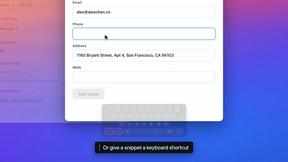

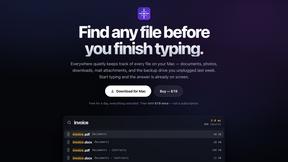
Everywhere
Fast file search for the Mac. Results as you type, files inside Mail and Photos, works with Wi-Fi off. $19 once.
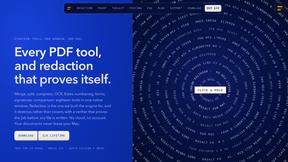
Basalt
Eighteen PDF tools in one native Mac window: merge, split, compress, OCR, Bates numbering, forms, signing and redaction. Offline. $29 once.
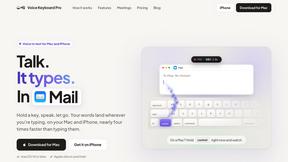
Voice Keyboard Pro
Hold a key, say what you mean, let go. Clean, punctuated text lands at the cursor in any app on your Mac or iPhone.
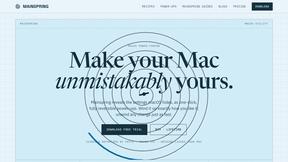
Mainspring
Mainspring turns the settings macOS hides into 90+ one-click, fully reversible power-ups for Finder, Dock, screenshots and more. $29 once.
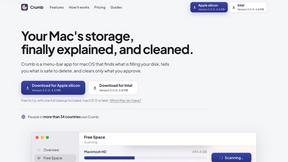
Crumb
A Mac menu bar app for a full disk. See what is using your space, read whether it comes back on its own, and remove only what you tick.

About VersQ Alternatives
VersQ is an AI-powered document translation platform designed for professionals in legal, medical, and international business fields who need to translate complex documents while preserving the original formatting. It falls into the Productivity & Management category, serving teams that frequently handle PDFs, DOCX files, and other structured formats where layout and context are critical. Users commonly look for alternatives to VersQ due to concerns over pricing models, the need for specialized integrations, or a desire for a simpler interface that does not require selecting from dozens of AI models. Others may seek more robust collaboration features or a platform that offers a free tier for occasional use. When evaluating an alternative to VersQ, focus on three key factors: format preservation accuracy, translation quality for your specific industry, and cost transparency. Look for a tool that reliably reconstructs tables, footers, and complex layouts from your most-used file types, as this is the core value of any professional translation platform. Also consider whether the service supports the specific language pairs you need and whether it offers a choice of translation engines or relies on a single model. Finally, check for security certifications if you handle sensitive documents, and ensure the pricing scales predictably with your team’s volume of work.
FAQs about VersQ Alternatives
What is VersQ?
VersQ is an AI-powered document translation platform built for professionals who need accurate, context-aware translations without losing document structure. It supports over 15 file formats, including PDFs, DOCX, and XLSX, and offers a choice of 50+ AI models for translation.
Who is VersQ for?
VersQ is designed for legal, medical, and international business teams who frequently translate complex documents. It is ideal for professionals who require precise translations that maintain original formatting, tables, and layout in the output file.
Is VersQ free?
VersQ operates on a paid subscription model and does not offer a permanent free tier. Pricing is based on usage volume and features, making it suitable for organizations with recurring translation needs rather than casual or one-time users.
What are the main features of VersQ?
VersQ features semantic section splitting, support for 15+ file formats, and the ability to choose from over 50 AI models including GPT-4, Claude, and Gemini. It automatically preserves formatting, tables, and layout in translated documents, ensuring professional output without manual rework.