

Alternatives to ytskim
Stop wasting time on clunky editors and get background-free, WebP-ready images in one click with BgFox.
Explore 20 alternatives to ytskim. Compare features, pricing, and find the best fit for your needs.


GigUp
GigUp helps freelancers discover relevant Upwork jobs through AI matching, automated monitoring, and instant alerts.
Greatooly
Greatooly is a curated directory of small, useful apps — discover focused tools for art, learning, money, health, travel and everyday life.

Safe Outreach
AI-powered platform that evaluates the safety of LinkedIn automation tools and helps reduce the risk of account restrictions.

How Long How Many Tool
Timers and hourly checks to figure how out long until a certain time or how many days away.

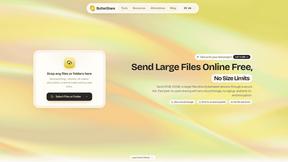
ButterShare
Send files straight between two browsers with a 6-digit key. No signup, no install, nothing stored on a server.

Emailyy
Free email tools for signatures, subject lines, HTML previews, word counts, and email headers. Browser-based, simple to use, and no signup required.
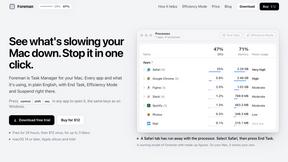
Foreman
See every app and what it's using in plain English, and end or slow down the one that's hogging your Mac.
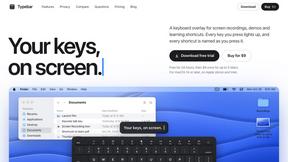
Typebar
Every key you press lights up on an on-screen keyboard, and each shortcut is named as you press it.

Uniclip
Clip pages, take full-page screenshots and batch-capture list data to Notion, Feishu, Obsidian, Markdown, CSV or JSON.
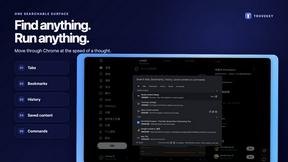
TroveKey
Search tabs, Chrome bookmarks and history, run browser commands, and save webpages and social posts locally—no account.
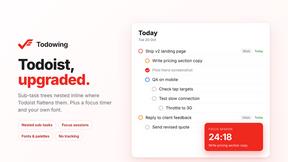
Todowing
Chrome extension that nests sub-tasks under their parents in Todoist's Today, Upcoming, Filter and Label views. Free tier, $19.99 one-time unlock.
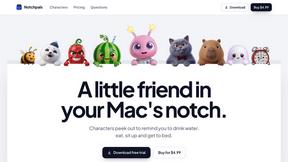
Notchpals
Little characters peek out of your Mac's notch to remind you to drink water, eat, sit up and get to bed. Quiet during calls. $4.99 once.

LightScreen
Free fullscreen light screen tool online. Turn any display into a flashlight, ambient light, or solid-color screen. No download or sign-up.
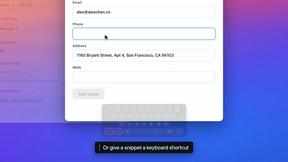

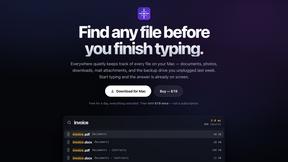
Everywhere
Fast file search for the Mac. Results as you type, files inside Mail and Photos, works with Wi-Fi off. $19 once.
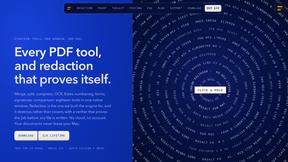
Basalt
Eighteen PDF tools in one native Mac window: merge, split, compress, OCR, Bates numbering, forms, signing and redaction. Offline. $29 once.
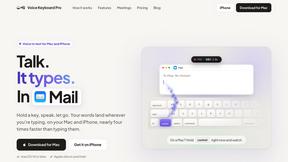
Voice Keyboard Pro
Hold a key, say what you mean, let go. Clean, punctuated text lands at the cursor in any app on your Mac or iPhone.
About ytskim Alternatives
If you regularly work with video content, you have likely encountered tools designed to streamline the process of digesting information. ytskim fits into the Productivity & Management category, serving as a dedicated solution for transcribing and summarizing YouTube videos. Its core promise is to save you time by converting lengthy video content into accurate text transcripts and structured summaries. While this functionality is incredibly useful for researchers, students, and content creators, many users begin searching for alternatives due to specific friction points. Common reasons include limitations on the number of videos processed per day under a free tier, a desire for more advanced summarization styles (like bullet points vs. paragraphs), or the need for integration with other workflow tools like note-taking apps or project management software. When evaluating a replacement for a tool like ytskim, you should prioritize three key factors: output accuracy, format flexibility, and platform compatibility. First, assess how well the tool handles different accents, technical jargon, and background noise, as transcript quality directly impacts the usefulness of the summary. Second, consider whether you need the output in plain text, markdown, or a format that can be directly imported into a spreadsheet or document. Finally, think about your specific use case—whether you need to summarize a single lecture, batch process a playlist, or extract timestamps for specific sections. A good alternative will not only perform the core task but also fit seamlessly into your existing digital ecosystem without requiring manual copying and pasting.
FAQs about ytskim Alternatives
What is ytskim?
ytskim is a productivity tool designed to transcribe and summarize YouTube videos. It falls under the Productivity & Management category, helping users quickly extract written content from video sources. The service provides accurate transcripts and structured summaries from any YouTube video in a matter of seconds.
Who is ytskim for?
ytskim is ideal for students, researchers, journalists, and content creators who need to efficiently process video information without watching the entire clip. It is also useful for professionals who need to review meeting recordings or educational content in a written format. Anyone who wants to save time by skimming the key points of a video rather than watching it end-to-end will benefit from this tool.
Is ytskim free?
Based on the provided product description, ytskim offers a service that delivers results in seconds, though specific pricing details (such as a free tier or paid plans) are not explicitly listed in the given content. Typically, tools in this category offer a limited number of free transcriptions per month before requiring a subscription. You should check the official ytskim website for the most current pricing structure and any free trial availability.
What are the main features of ytskim?
The primary features of ytskim include generating accurate transcripts and creating structured summaries from any YouTube video. The process is designed to be fast, delivering results in seconds to save you time. It focuses on converting spoken content into readable, organized text that highlights the core information, making it easier to review and reference later.