Image to 3D AI vs TrafficClaw
Side-by-side comparison to help you choose the right product.

Image to 3D AI
Instantly convert any 2D image into a detailed 3D model for free with AI.
Last updated: February 28, 2026

TrafficClaw
Talk to your SEO & Analytics data - it finally talks back
Visual Comparison
Image to 3D AI

TrafficClaw
Overview
About Image to 3D AI
Image to 3D AI, powered by ImgTo3D.ai, is a revolutionary web-based platform designed to eliminate the most significant bottleneck in 3D content creation: the slow, manual, and skill-intensive process of 3D modeling. This tool leverages advanced deep learning algorithms to instantly convert any 2D image, photograph, or hand-drawn sketch into a fully textured, production-ready 3D model in a matter of seconds. It directly addresses the pain points of time, cost, and technical expertise, making professional 3D asset generation accessible to a much wider audience.
The platform is built for a diverse range of users including game developers needing rapid prototyping, 3D printing enthusiasts creating custom objects, e-commerce managers requiring product visualizations, XR/VR creators populating virtual worlds, and artists bringing concepts to life. Its core value proposition is delivering high-quality, usable 3D models at an unprecedented speed, which can reduce prototyping costs by up to 90% and accelerate asset creation by 8x for indie studios. With a completely free tier that requires no sign-up, download, or credit card, Image to 3D AI dramatically lowers the barrier to entry, while its Pro tier offers unlimited, queue-free access for professionals and studios requiring high-volume, high-fidelity output.
About TrafficClaw
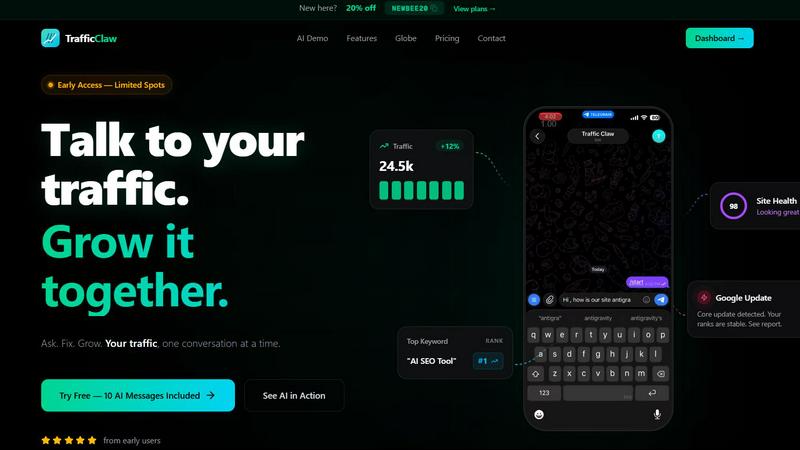
Your traffic dropped. Google Analytics says nothing useful. Search Console shows graphs. Cool. Now what? TrafficClaw lets you just ask - "Why did my traffic drop?" and actually get an answer. Backed by your real data, not some generic blog post advice. Connect GA4 + Search Console. Ask questions. Get fixes. That's it.