
Interactive Circle of Fifths vs Lyria 3 Pro
Side-by-side comparison to help you choose the right product.

Interactive Circle of Fifths
Master music theory and composition with an interactive tool for scales, chords, and progressions.
Last updated: March 1, 2026

Lyria 3 Pro
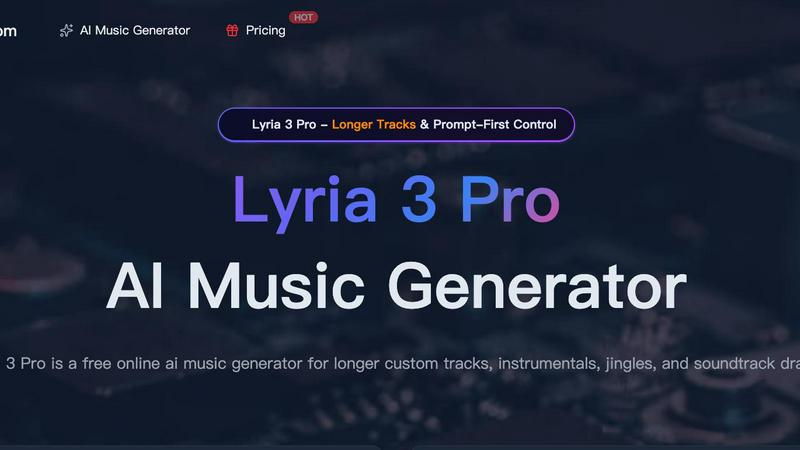
Lyria 3 Pro is a free AI music generator that creates longer, structured custom tracks for videos and creator projects.
Last updated: April 4, 2026
Visual Comparison
Interactive Circle of Fifths

Lyria 3 Pro
Feature Comparison
Interactive Circle of Fifths
Dynamic Key and Chord Exploration
Instantly explore the complete harmonic landscape of any key. By selecting a root note, the circle updates to display all seven diatonic chords (I, ii, iii, IV, V, vi, vii°) for that key, such as C, Dm, Em, F, G, Am, and B° for C major. This feature solves the problem of memorizing chord families by providing an interactive, color-coded map. Clicking any chord plays its sound, helping you internalize its quality and function within the key's context, making theory a tangible, auditory experience.
Multi-Instrument Fingering Visualizers
Overcome the hurdle of translating theory to your instrument with dedicated piano and guitar visualizers. When you select a chord or scale, the software displays the precise fingering positions on a virtual piano keyboard and guitar fretboard. This direct visual connection eliminates guesswork, allowing you to learn chord shapes, scale patterns, and their relationships on your specific instrument, accelerating muscle memory and practical skill development during practice sessions.
Comprehensive Scale Library and Harmonization
Move beyond basic major and minor scales with an integrated library of essential musical colors. The inner ring provides instant access to the Pentatonic, Blues, Diatonic, and Diminished scales from any root. The "Harmonized Scale" panel shows how each note of a scale translates into a chord, demystifying how melodies and harmonies are built. This feature is a powerful solution for composers and improvisers looking to understand which scales work over which chord progressions and how to create richer, more informed musical ideas.
Chord Sequencer and Functional Analysis
Build and experiment with chord progressions effortlessly using the Chord Sequencer. Drag and drop chords from the harmonized scale panel to create sequences and hear how they flow together. The "Function" labels (like "Scale Degree" and "Resolves To") teach you the role each chord plays, solving the problem of creating aimless progressions. This hands-on tool empowers you to craft professional-sounding progressions, understand cadences, and learn the rules of harmonic movement through direct experimentation.
About Lyria 3 Pro
Prompt-First Control for Precise Results
Lyria 3 Pro is built around a detailed prompting system that gives you direct control over the output. Instead of vague ideas, you guide the AI with specific parameters like genre, tempo (BPM), key, instrumentation, and desired mood. You can even define song structure with section labels and timestamp cues. This ensures the generated music is highly tailored to your project's needs, saving you time from sifting through irrelevant results and allowing for precise creative direction.
Longer, Structurally Complete Tracks
Move beyond short, repetitive loops. Lyria 3 Pro is engineered to create expansive musical pieces up to three minutes in length. The AI understands and implements full song architecture, crafting tracks with distinct intros, verses, choruses, bridges, and endings. This feature is essential for projects that require a sense of narrative progression, such as film scores, video game soundtracks, podcast themes, or complete song demos that feel like finished drafts.
Dual-Mode Generation: Instrumental & Lyrical
Whether you need a backing track for a video voiceover or a full song with vocals, Lyria 3 Pro has you covered. Switch between instrumental and lyrical modes to match your project. The instrumental mode is perfect for background music in tutorials, vlogs, or study sessions. The lyrical mode can generate vocal melodies and ideas, making it a powerful tool for songwriters seeking inspiration or creators needing a complete audio piece.
Visual Inspiration with Reference Image Upload
Enhance your creative brief by uploading up to 10 reference images. This unique feature allows the AI to interpret visual cues—such as color palettes, atmospheres, and overall aesthetic—to influence the mood and style of the generated music. It’s an ideal solution for syncing music with visual media, ensuring the audio complements the look and feel of your video, game scene, or brand identity directly from the concept stage.
Use Cases
Interactive Circle of Fifths
Accelerating Music Theory Comprehension for Beginners
For new musicians, traditional theory can feel like learning a foreign language from a textbook. This tool makes it visual and interactive. A beginner can click on "C Major" and immediately see and hear all the chords that belong to that key, then see where to play them on a guitar or piano. This transforms abstract concepts like the "I-IV-V" progression into a clear, audible, and playable pattern, dramatically shortening the learning curve and building a solid foundational understanding from day one.
Songwriting and Chord Progression Development
Songwriters often hit creative blocks or rely on the same few chords. Using the Chord Sequencer, a writer can select a key, explore its related chords, and drag different combinations (like I-V-vi-IV) to build a progression. Hearing it play back instantly allows for rapid experimentation with different emotional feels. The functional analysis (e.g., "V resolves to I") provides the "why" behind what sounds good, empowering writers to break out of creative ruts and compose with more intention and variety.
Instrument-Specific Practice and Fretboard/Keyboard Mastery
Guitarists and pianists struggling to learn scales or chord inversions across the entire instrument can use the visualizers for targeted practice. A guitarist wanting to master the blues scale in A can select it and see the pattern across the entire fretboard, not just one box position. A pianist can explore different voicings for a G7 chord. This turns the tool into a personalized, interactive practice companion for mastering the geography of your instrument in any key or mode.
Improvisation and Solo Construction
Improvisers can quickly find the correct scales and arpeggios to play over any chord change. By setting up a chord progression in the sequencer (e.g., C - Am - F - G), a musician can then select the "Diatonic Scale" to see the parent C major scale, or click on individual chords to see their related arpeggios or pentatonic variations. This provides an instant, reliable roadmap for constructing solos that are harmonically appropriate, solving the common problem of "getting lost" during a solo.
Lyria 3 Pro
Video Content and Social Media Soundtracks
Create custom, royalty-free background music that perfectly matches the pacing and emotion of your YouTube videos, Instagram Reels, TikTok clips, and vlogs. Define the exact mood and energy needed for each scene—upbeat for intros, suspenseful for reveals, calm for tutorials—to produce professional-sounding audio that elevates your content and keeps viewers engaged without copyright concerns.
Songwriting and Musical Demos
Songwriters and composers can use Lyria 3 Pro to quickly sketch out ideas and overcome creative blocks. Input a genre, key, and structure to generate a complete instrumental base or a song with vocal melodies. It’s an efficient tool for prototyping choruses, experimenting with different musical styles, and producing polished demos to share with collaborators or use as a foundation for further production.
Brand Audio and Commercial Jingles
Develop unique audio branding for businesses, podcasts, or online courses. Lyria 3 Pro enables the rapid iteration of short, catchy jingles, intro/outro music, and sonic logos. By specifying a brand’s desired tone (professional, playful, trustworthy) and instruments, you can generate multiple options quickly, ensuring the final music aligns perfectly with the brand’s identity and resonates with its target audience.
Game Development and Indie Film Scoring
Indie game developers and filmmakers can draft original scores without a composer's budget. Generate thematic music for different game levels, character themes, or cinematic moments by prompting for specific atmospheres (epic, mysterious, tense). The ability to create longer, structured tracks makes it suitable for building a cohesive auditory experience that supports the narrative and emotional arc of the project.
Overview
About Interactive Circle of Fifths
The Interactive Circle of Fifths is a dynamic, all-in-one music theory platform designed to solve the common problem of abstract and disconnected theory learning. It transforms the classic Circle of Fifths from a static diagram into an interactive, auditory, and visual learning environment. This tool is built for musicians of all levels—beginners who find theory daunting, intermediate players looking to deepen their understanding, and advanced performers/composers seeking a quick reference for improvisation and songwriting. Its core value proposition lies in making complex harmonic relationships instantly understandable and audible. By allowing users to click on any key and instantly see, hear, and play the associated chords and scales, it bridges the gap between theoretical knowledge and practical application. The integration of piano and guitar fingerboard visualizers directly ties theory to your instrument, ensuring you can immediately apply what you learn. Whether your goal is to understand why certain chords work together, memorize scales, build chord progressions, or improvise solos, this software provides the practical, hands-on solution to move your musicianship forward efficiently.
About Lyria 3 Pro
Lyria 3 Pro is a revolutionary AI music generator designed to solve a common creative bottleneck: the need for high-quality, custom music that fits specific projects without requiring extensive musical expertise or a large budget. It empowers songwriters, video editors, content creators, and marketers to turn their musical ideas into polished, original tracks in minutes. At its core, Lyria 3 Pro leverages advanced artificial intelligence with a unique "Prompt-First Control" system. This approach prioritizes user intent, allowing you to guide the generation with concrete musical language like genre, mood, instruments, BPM, and song structure. The result is music that lands closer to your vision, not just random AI output. Unlike tools that produce short loops, Lyria 3 Pro specializes in generating longer, structured tracks up to three minutes, complete with intros, verses, choruses, and bridges. This makes it an indispensable tool for creating complete soundtrack drafts, video background scores, brand jingles, and full song sketches, all through an intuitive online interface.
Frequently Asked Questions
Interactive Circle of Fifths FAQ
Is the Interactive Circle of Fifths suitable for complete beginners?
Absolutely. The tool is designed specifically to demystify music theory for beginners. By making relationships visual and audible, it provides an intuitive entry point. You don't need prior theory knowledge to start clicking on keys and hearing chords. The instrument visualizers then show you exactly how to play those concepts, making it an ideal all-in-one starting resource for learning the fundamentals in a practical, non-intimidating way.
Can I use this tool for instruments other than piano and guitar?
While the dedicated visualizers are for piano and guitar, the core theory concepts are universal. The Circle of Fifths, chord functions, scale relationships, and chord progressions apply to all melodic instruments (like saxophone, violin, or voice) and music production (DAWs). Musicians on other instruments can use the tool to deeply understand harmony and theory, then apply that knowledge to their instrument's specific fingering system.
How does the "Resolves To" function help me?
The "Resolves To" label identifies the natural harmonic tendency of chords, most importantly showing that the V chord (dominant) strongly resolves to the I chord (tonic). This is the foundation of musical tension and release. Understanding this helps you create satisfying chord progressions, craft better bass lines that follow these movements, and improvise solos that highlight these key harmonic moments, making your music sound more coherent and purposeful.
What is the difference between the Diatonic Scale and the Harmonized Scale panel?
The Diatonic Scale (e.g., C D E F G A B) shows you the raw notes of the scale for a chosen key. The Harmonized Scale panel shows you what chord is built on each of those scale degrees (C, Dm, Em, etc.). Essentially, the Diatonic Scale is the melody notes, while the Harmonized Scale is the chords you get from stacking notes from that scale. This panel is crucial for understanding how chords are derived from scales and how they function together.
Lyria 3 Pro FAQ
What kind of prompts work best with Lyria 3 Pro?
For the best results, use clear, concrete musical language. Instead of "a happy song," try "Upbeat pop ballad, 120 BPM, major key, featuring acoustic guitar and piano, with a soaring vocal melody. Structure: 30-second intro, verse, chorus, verse, chorus, bridge, final chorus." Including genre, tempo, instruments, mood, and a basic structure helps the AI understand your intent precisely.
Can I use the music I generate for commercial projects?
Yes, music generated by Lyria 3 Pro can be used in commercial projects, including videos, podcasts, and games. It is designed to provide royalty-free audio for creator workflows. It is always recommended to review the specific Terms of Service for the latest licensing details, especially regarding redistribution of the music as a standalone file.
How long does it take to generate a track?
Generation time varies based on the length and complexity of the requested track, but it typically takes just a few minutes. The process is significantly faster than traditional music production, allowing for rapid iteration and experimentation. You can preview the track once generation is complete before downloading.
Do I need a musical background to use Lyria 3 Pro?
No, you do not need formal musical training. Lyria 3 Pro features an intuitive interface and prompting system designed to be accessible to everyone. The key is describing what you want to hear in simple terms. The platform also provides example prompts and a gallery of ideas to help you get started and learn effective prompting techniques.
Alternatives
Interactive Circle of Fifths Alternatives
The Interactive Circle of Fifths is a comprehensive music theory software designed for education and learning. It helps musicians visualize and understand chord relationships, scales, and fingerings to improve their composition and improvisation skills. Users often explore alternatives for various reasons. These can include budget constraints, a need for different features like specific instrument focus or songwriting tools, or compatibility with a preferred device or operating system. Some may seek simpler, more specialized tools or more advanced, professional-grade suites. When evaluating other options, consider your primary learning goals. Look for tools that clearly explain music theory concepts, offer practical visualizations for your instrument, and provide interactive features that encourage active practice. The right alternative should match your skill level and help you solve specific musical challenges.
Lyria 3 Pro Alternatives
Lyria 3 Pro is a powerful AI music generator in the audio and music software category. It stands out for its prompt-first control, allowing detailed musical direction, and its ability to create longer, more complex tracks suitable for various creative projects. Users often explore alternatives for several practical reasons. Budget constraints, specific feature requirements not met, or the need for a different platform compatibility can all lead to a search for other options. Some may seek a different user experience or a tool better aligned with a particular workflow. When evaluating alternatives, consider your primary needs. Key factors include the level of creative control offered, the maximum track length, the diversity of sound libraries, and overall ease of use. Matching these core functionalities to your specific project goals will help you find the best solution.