Lyria 3 Pro vs Melograph
Side-by-side comparison to help you choose the right product.

Lyria 3 Pro
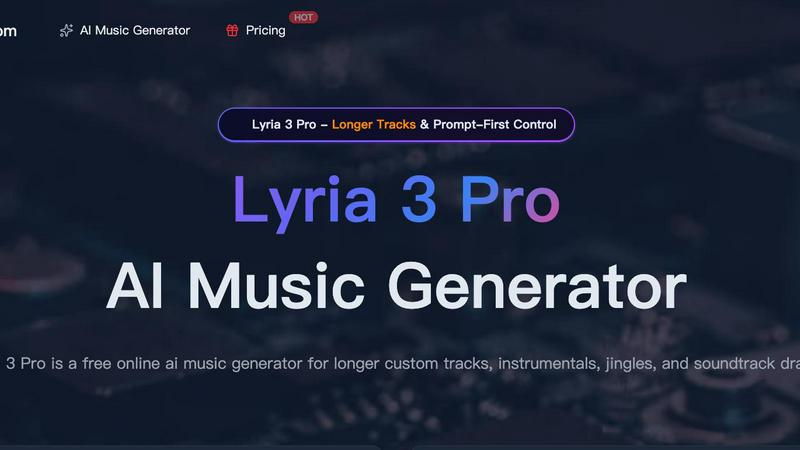
Lyria 3 Pro is a free AI music generator that creates longer, structured custom tracks for videos and creator projects.
Last updated: April 4, 2026

Melograph
Melograph instantly turns your music tracks into professional, ready-to-post videos with no editing required.
Last updated: February 28, 2026
Visual Comparison
Lyria 3 Pro
Melograph

Feature Comparison
Lyria 3 Pro
Prompt-First Control for Precise Results
Lyria 3 Pro is built around a detailed prompting system that gives you direct control over the output. Instead of vague ideas, you guide the AI with specific parameters like genre, tempo (BPM), key, instrumentation, and desired mood. You can even define song structure with section labels and timestamp cues. This ensures the generated music is highly tailored to your project's needs, saving you time from sifting through irrelevant results and allowing for precise creative direction.
Longer, Structurally Complete Tracks
Move beyond short, repetitive loops. Lyria 3 Pro is engineered to create expansive musical pieces up to three minutes in length. The AI understands and implements full song architecture, crafting tracks with distinct intros, verses, choruses, bridges, and endings. This feature is essential for projects that require a sense of narrative progression, such as film scores, video game soundtracks, podcast themes, or complete song demos that feel like finished drafts.
Dual-Mode Generation: Instrumental & Lyrical
Whether you need a backing track for a video voiceover or a full song with vocals, Lyria 3 Pro has you covered. Switch between instrumental and lyrical modes to match your project. The instrumental mode is perfect for background music in tutorials, vlogs, or study sessions. The lyrical mode can generate vocal melodies and ideas, making it a powerful tool for songwriters seeking inspiration or creators needing a complete audio piece.
Visual Inspiration with Reference Image Upload
Enhance your creative brief by uploading up to 10 reference images. This unique feature allows the AI to interpret visual cues—such as color palettes, atmospheres, and overall aesthetic—to influence the mood and style of the generated music. It’s an ideal solution for syncing music with visual media, ensuring the audio complements the look and feel of your video, game scene, or brand identity directly from the concept stage.
Melograph
Audio-Reactive Visual Templates
Melograph provides a curated library of premium templates where the visuals are dynamically driven by your audio. Once you upload your track, the waveform and graphical elements within the template pulse, move, and react in real-time to the music's frequencies and amplitude. This creates a perfect, seamless sync between sound and image that is difficult and tedious to achieve manually, ensuring your visuals feel like a natural extension of your music.
No-Timeline, Quick Customization
The interface is built for speed, not complex editing. There is no timeline to manage. Customization happens through simple input fields: you upload your audio, type in your artist name and song title, and can add your logo or album art on supported templates. This streamlined approach means you go from idea to finished video in just a few clicks, bypassing the steep learning curve of conventional video editing software entirely.
Platform-Optimized Exports
Understanding that content is shared across different channels, Melograph generates export-ready videos in universally compatible 1080p MP4 format. The tool ensures that critical elements like text remain clean and readable even on small mobile screens, making the outputs perfect for platforms like TikTok, Instagram Reels, YouTube Shorts, and more without requiring any additional resizing or tweaking.
Fast, Local Browser Rendering
All processing happens directly in your web browser. This means your audio file doesn't need to be uploaded to a remote server for rendering, which significantly speeds up the export process and enhances privacy. You get a fast local render, resulting in a quick download of your final high-quality video file without long waits or concerns about file security.
Use Cases
Lyria 3 Pro
Video Content and Social Media Soundtracks
Create custom, royalty-free background music that perfectly matches the pacing and emotion of your YouTube videos, Instagram Reels, TikTok clips, and vlogs. Define the exact mood and energy needed for each scene—upbeat for intros, suspenseful for reveals, calm for tutorials—to produce professional-sounding audio that elevates your content and keeps viewers engaged without copyright concerns.
Songwriting and Musical Demos
Songwriters and composers can use Lyria 3 Pro to quickly sketch out ideas and overcome creative blocks. Input a genre, key, and structure to generate a complete instrumental base or a song with vocal melodies. It’s an efficient tool for prototyping choruses, experimenting with different musical styles, and producing polished demos to share with collaborators or use as a foundation for further production.
Brand Audio and Commercial Jingles
Develop unique audio branding for businesses, podcasts, or online courses. Lyria 3 Pro enables the rapid iteration of short, catchy jingles, intro/outro music, and sonic logos. By specifying a brand’s desired tone (professional, playful, trustworthy) and instruments, you can generate multiple options quickly, ensuring the final music aligns perfectly with the brand’s identity and resonates with its target audience.
Game Development and Indie Film Scoring
Indie game developers and filmmakers can draft original scores without a composer's budget. Generate thematic music for different game levels, character themes, or cinematic moments by prompting for specific atmospheres (epic, mysterious, tense). The ability to create longer, structured tracks makes it suitable for building a cohesive auditory experience that supports the narrative and emotional arc of the project.
Melograph
Indie Artists Promoting New Releases
Independent musicians can use Melograph to create eye-catching video content for their new singles or albums instantly. By generating a professional visualizer, they can share their music on social media with engaging visuals that capture attention, helping their track stand out in crowded feeds and driving streams without needing a budget for a graphic designer or video editor.
DJs and Producers Creating Visual Backdrops
DJs and electronic music producers can quickly generate custom visual loops or full-length visualizers for their live sets, online mixes, or visualizer channels. By matching a template to the genre's vibe, they can have a consistent and reactive visual identity that enhances the audience's listening and viewing experience during performances or online uploads.
Record Labels Maintaining Brand Consistency
Small to medium record labels can standardize the visual presentation for their artists' releases. By using Melograph's templates, they can ensure a cohesive and professional look across multiple music videos and social clips for different artists, saving significant production costs and time while maintaining a high-quality brand image.
Content Creators Enhancing Music-Related Posts
Bloggers, streamers, and social media creators who feature music in their content can use Melograph to create custom visuals for song reviews, background music in vlogs, or promotional posts. It allows them to add a layer of polished, original video content that is directly synced to the audio, making their posts more dynamic and engaging for their audience.
Overview
About Lyria 3 Pro
Lyria 3 Pro is a revolutionary AI music generator designed to solve a common creative bottleneck: the need for high-quality, custom music that fits specific projects without requiring extensive musical expertise or a large budget. It empowers songwriters, video editors, content creators, and marketers to turn their musical ideas into polished, original tracks in minutes. At its core, Lyria 3 Pro leverages advanced artificial intelligence with a unique "Prompt-First Control" system. This approach prioritizes user intent, allowing you to guide the generation with concrete musical language like genre, mood, instruments, BPM, and song structure. The result is music that lands closer to your vision, not just random AI output. Unlike tools that produce short loops, Lyria 3 Pro specializes in generating longer, structured tracks up to three minutes, complete with intros, verses, choruses, and bridges. This makes it an indispensable tool for creating complete soundtrack drafts, video background scores, brand jingles, and full song sketches, all through an intuitive online interface.
About Melograph
Melograph is a specialized, web-based tool designed to solve a specific and time-consuming problem for music creators: generating professional, engaging video content for their tracks without needing video editing skills. It eliminates the complexity of traditional video software, where musicians often waste hours learning timelines, plugins, and export settings. Instead, Melograph offers a streamlined, template-driven process. Users simply select a visual style that matches their music's vibe, upload their audio file, add basic text like artist and song name, and export a high-quality, audio-reactive video. The core value proposition is immense time savings and accessibility, enabling indie artists, producers, labels, DJs, and content creators to produce consistent, platform-ready visuals that enhance their releases and social media presence. By focusing solely on the needs of musicians, Melograph turns a multi-hour task into a matter of minutes, allowing creators to invest their energy back into making music while still having captivating visuals to promote it.
Frequently Asked Questions
Lyria 3 Pro FAQ
What kind of prompts work best with Lyria 3 Pro?
For the best results, use clear, concrete musical language. Instead of "a happy song," try "Upbeat pop ballad, 120 BPM, major key, featuring acoustic guitar and piano, with a soaring vocal melody. Structure: 30-second intro, verse, chorus, verse, chorus, bridge, final chorus." Including genre, tempo, instruments, mood, and a basic structure helps the AI understand your intent precisely.
Can I use the music I generate for commercial projects?
Yes, music generated by Lyria 3 Pro can be used in commercial projects, including videos, podcasts, and games. It is designed to provide royalty-free audio for creator workflows. It is always recommended to review the specific Terms of Service for the latest licensing details, especially regarding redistribution of the music as a standalone file.
How long does it take to generate a track?
Generation time varies based on the length and complexity of the requested track, but it typically takes just a few minutes. The process is significantly faster than traditional music production, allowing for rapid iteration and experimentation. You can preview the track once generation is complete before downloading.
Do I need a musical background to use Lyria 3 Pro?
No, you do not need formal musical training. Lyria 3 Pro features an intuitive interface and prompting system designed to be accessible to everyone. The key is describing what you want to hear in simple terms. The platform also provides example prompts and a gallery of ideas to help you get started and learn effective prompting techniques.
Melograph FAQ
Do I need video editing experience to use Melograph?
No, you absolutely do not need any prior editing experience. Melograph is specifically designed for musicians and creators who want to avoid complex software. If you can select a template, upload an audio file, and type in text, you have all the skills needed to create and export a professional-looking music visualizer.
Will the exported videos work for TikTok, Reels, and Shorts?
Yes. Melograph exports videos in a 1080p MP4 format that is perfectly suited for all major social media platforms, including TikTok, Instagram Reels, and YouTube Shorts. The tool is built with mobile viewing in mind, ensuring text and graphics stay readable on smaller screens.
Can I use Melograph for multiple songs?
Yes. You can create visualizers for as many songs as you like. Your ability to export the final videos depends on your chosen plan. The subscription plans offer multiple export credits per month, while the pay-as-you-go option provides a single export credit for a one-time purchase, allowing you to create videos for different tracks as needed.
Is Melograph a web-based application?
Yes, Melograph is entirely web-based. It runs in your browser, so there is no software to download or install. You can access it from any computer with an internet connection, and all rendering is done locally on your machine for speed and privacy.
Alternatives
Lyria 3 Pro Alternatives
Lyria 3 Pro is a powerful AI music generator in the audio and music software category. It stands out for its prompt-first control, allowing detailed musical direction, and its ability to create longer, more complex tracks suitable for various creative projects. Users often explore alternatives for several practical reasons. Budget constraints, specific feature requirements not met, or the need for a different platform compatibility can all lead to a search for other options. Some may seek a different user experience or a tool better aligned with a particular workflow. When evaluating alternatives, consider your primary needs. Key factors include the level of creative control offered, the maximum track length, the diversity of sound libraries, and overall ease of use. Matching these core functionalities to your specific project goals will help you find the best solution.
Melograph Alternatives
Melograph is a web-based music visualizer maker, a tool designed to transform audio tracks into professional video content quickly. It falls into the category of automated video creation software, specifically tailored for musicians and creators who need to produce engaging visuals without deep video editing expertise. Users often explore alternatives for several practical reasons. These can include budget constraints, the need for different feature sets like more advanced customization or 3D effects, or a requirement for software that works on a specific platform like a desktop application or mobile app. The search for the right tool is a common step in finding the perfect fit for one's creative workflow and technical needs. When evaluating other options, key considerations should include the ease of use, the quality and style of available templates, export resolution and format support, and the overall cost structure. The goal is to find a solution that balances powerful visual output with an efficient process, allowing you to dedicate more time to your music.