
MindMap AI vs Zovo
Side-by-side comparison to help you choose the right product.

MindMap AI
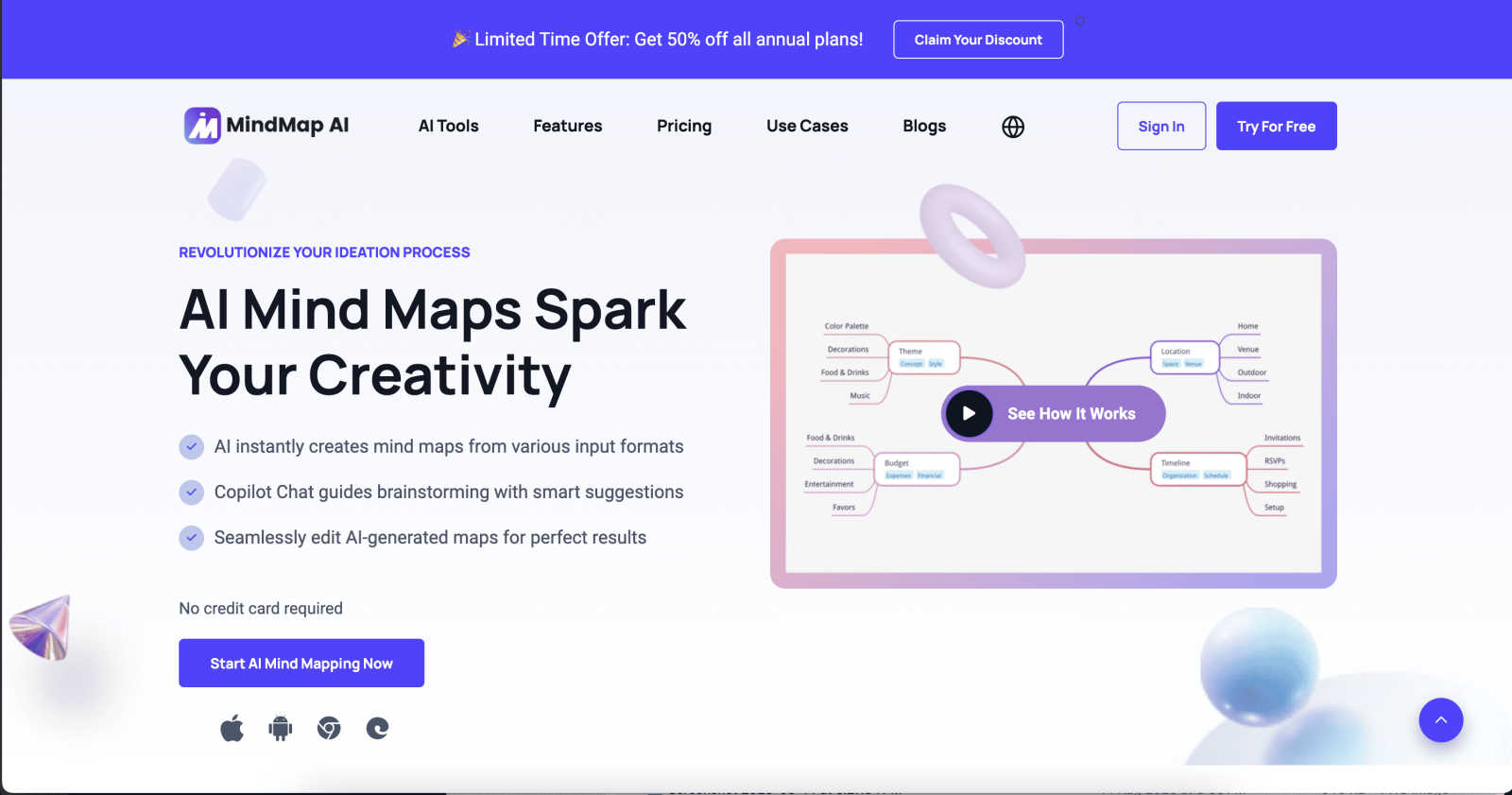
Transform ideas into structured mind maps effortlessly with MindMap AI's intuitive, co-editing capabilities.
Last updated: March 1, 2026

Unlock 20 privacy-first Chrome extensions for developers and writers, built by a solo developer with your needs in mind.
Last updated: February 26, 2026
Visual Comparison
MindMap AI
Zovo

Feature Comparison
MindMap AI
AI Thinking Mode for Accuracy
MindMap AI employs a sophisticated step-by-step reasoning engine that grasps context, hierarchy, and relationships before generating mind maps. This ensures that every mind map produced is structured, meaningful, and accurate from the outset, avoiding the pitfalls of random and disorganized branches.
File-to-Map Conversion
The software allows users to transform an array of content types—be it text, PDFs, images, audio, or videos—into visually appealing mind maps instantly. This feature eliminates the need for manual formatting, allowing users to focus more on thinking, planning, and creating rather than on setup.
Continuous Editing
MindMap AI offers reliable co-editing capabilities, allowing users to build mind maps according to their preferences, whether manually or with assistance from AI. Users can easily expand, summarize, add arrows, reorganize, and style their mind maps, ensuring full control over the creative process at all times.
Flexible Layouts
Users can switch effortlessly between various views, including Mind Map, Org Chart, and Logic Chart, without losing the structural integrity of their ideas. This flexibility permits exploration and presentation of concepts from multiple perspectives, enhancing the overall brainstorming experience.
Zovo
BeLikeNative
BeLikeNative is Zovo's flagship extension, designed to help users write like native speakers effortlessly. With one keystroke, users can rewrite text in 80 languages, making it an essential tool for anyone looking to improve their writing skills or communicate more effectively in a foreign language. This feature works seamlessly across various platforms, enabling instant rewrites in any text field.
Tab Suspender Pro
Tab Suspender Pro helps users manage their browser tabs by automatically suspending inactive ones. This feature is essential for those who often juggle multiple tasks, as it preserves memory and improves browsing speed. With smart detection and memory tracking capabilities, users can enjoy a smoother experience without the hassle of manually managing tabs.
Clipboard History Pro
Never lose important copied text again with Clipboard History Pro. This extension allows users to store up to 10,000 clips, enabling instant searches for previously copied items. Its smart paste functionality ensures that users can easily retrieve and paste any text they need, streamlining their workflow and eliminating the frustration of forgotten snippets.
Form Filler Pro
Form Filler Pro simplifies online form submissions by allowing users to fill out any form with just one click. This feature supports multiple profiles, enabling users to save different sets of information for various scenarios. With 100% local data handling, users can complete forms quickly and securely, reducing the time spent on repetitive tasks.
Use Cases
MindMap AI
Project Management
MindMap AI is ideal for project managers who need to visualize project timelines, tasks, and dependencies. By converting complex project details into structured mind maps, teams can maintain clarity and focus on project goals while ensuring everyone is aligned.
Educational Purposes
Educators and students can utilize MindMap AI to create interactive study materials, lesson plans, and research projects. The ability to visualize concepts and relationships helps enhance understanding and retention of information, making learning more effective.
Strategic Planning
Businesses can leverage MindMap AI for strategic planning sessions. By transforming ideas and data into organized mind maps, teams can identify priorities, map out strategies, and engage in collaborative discussions that lead to actionable insights.
Content Development
Writers and content creators can use MindMap AI to brainstorm and outline articles, reports, or presentations. The tool enables them to quickly organize their thoughts, visualize content flow, and ensure comprehensive coverage of topics while maintaining creativity.
Zovo
Enhancing Writing Skills
Whether you're a student, professional, or casual writer, BeLikeNative makes it easy to enhance your writing skills. By providing instant rewrites, users can learn from their mistakes and improve their language proficiency without the pressure of traditional learning methods.
Managing Browser Performance
For users who often have numerous tabs open, Tab Suspender Pro is a game-changer. It helps to manage browser performance by suspending inactive tabs, ensuring that your device runs smoothly and efficiently, which is especially beneficial for those working on resource-intensive tasks.
Streamlining Workflows
With Clipboard History Pro, professionals can streamline their workflows by keeping track of essential copied texts. This tool is particularly useful for writers, marketers, and researchers who frequently need to reference snippets of information without the risk of losing them.
Efficient Online Shopping
Form Filler Pro greatly enhances the online shopping experience by allowing users to fill out billing and shipping information quickly. This feature saves time and reduces frustration, enabling users to complete purchases swiftly without repetitive data entry.
Overview
About MindMap AI
MindMap AI is an innovative mind mapping software powered by artificial intelligence, tailored for professionals, teams, and organizations that aim to streamline complex ideas into clear visual representations. This platform addresses the challenge of fragmented information and inefficient brainstorming processes by instantly transforming various inputs—such as text, PDFs, documents, images, audio recordings, and videos—into structured and interactive mind maps. Designed for corporate productivity, MindMap AI allows users to quickly convert raw ideas and disorganized data into actionable workflows, strategies, and projects within minutes. Its core value proposition lies in its intelligent workspace, enabling interactive features like the Co-Pilot that lets users chat with their content, uncover insights, visualize connections, and expand ideas dynamically. With support across web, mobile, and browser extensions, coupled with robust export options, MindMap AI is essential for anyone seeking to enhance brainstorming, organize knowledge efficiently, and accelerate team alignment.
About Zovo
Zovo is a comprehensive suite of 20 Chrome extensions meticulously crafted by a solo developer with over 10 years of experience and a proven track record of earning $400K on Upwork with a 100% success rate. Designed for everyone from casual users to professionals, Zovo's flagship extension, BeLikeNative, empowers more than 3,300 users to write like native speakers with a single keystroke rewrite feature that supports 80 languages. The extensions cater to various needs, including memory management with Tab Suspender Pro, data manipulation with JSON Formatter Pro, and enhanced productivity with tools like Clipboard History Pro and Form Filler Pro. Every extension prioritizes user privacy, ensuring that data never leaves your device, with a commitment to zero data harvesting and no external investors. Zovo thrives on community input, allowing users to vote on features and influence the development roadmap, with new extensions released monthly and early access provided to community members.
Frequently Asked Questions
MindMap AI FAQ
What types of files can I convert into mind maps with MindMap AI?
MindMap AI supports a wide range of file types for conversion, including text documents, PDFs, images, audio files, and videos, making it versatile for various content formats.
How does the Co-Pilot feature work?
The Co-Pilot feature allows users to interact with their mind maps by asking questions, uncovering insights, and expanding ideas. It acts as an intelligent assistant that enhances the brainstorming process without overwriting user input.
Can I use MindMap AI in multiple languages?
Yes, MindMap AI supports mind mapping in over 25 languages, ensuring that users can create and edit maps accurately while maintaining the layout and meaning across different languages.
Is my content safe with MindMap AI?
Absolutely. MindMap AI prioritizes user privacy and data security, ensuring that your manual edits and custom layouts remain intact and that no AI-related overwriting occurs during the co-editing process.
Zovo FAQ
How does Zovo ensure user privacy?
Zovo prioritizes user privacy by ensuring that all data remains on your device. There is no data harvesting, and user information is not shared with third parties, providing a secure browsing experience.
Can I request new features for Zovo extensions?
Yes, users are encouraged to submit feature requests directly. The developer reviews every request, with the most-requested features taking priority in development, ensuring that the tools evolve based on user needs.
How often are new extensions released?
New extensions are typically released monthly. Additionally, community members receive early access to these new tools, usually 1-2 weeks before they are made available to the public.
What support options are available for Zovo users?
Zovo users can reach out directly via email or through the Discord community for support. The developer personally addresses questions and issues, ensuring a responsive and human-centric support experience.
Alternatives
MindMap AI Alternatives
MindMap AI is an innovative AI-powered mind mapping software designed to convert complex ideas and documents into structured, editable visual maps. It falls under the productivity and management category, serving professionals, teams, and organizations that need to streamline brainstorming and organization processes. Users often seek alternatives to MindMap AI due to factors such as pricing, specific feature requirements, compatibility with different platforms, or the need for unique functionalities that better align with their workflows. When searching for an alternative, it is crucial to consider the specific needs of your projects, such as the types of content you frequently use, the ease of collaboration among team members, and the overall user experience. Look for software that offers robust conversion capabilities, intuitive interfaces, and features that enhance productivity while ensuring that the mapping process remains efficient and effective.
Zovo Alternatives
Zovo is a comprehensive suite of 20 privacy-focused Chrome extensions designed specifically for developers and writers. With tools like JSON Formatter, Tab Suspender, and Clipboard History, Zovo aims to enhance productivity while prioritizing user privacy. Many users seek alternatives to Zovo for various reasons, including pricing considerations, specific feature requirements, or compatibility with different platforms. As you explore alternatives, it's crucial to evaluate aspects such as ease of use, feature set, privacy policies, and user feedback to ensure you find a solution that aligns with your needs. When looking for an alternative to Zovo, consider what functionalities are essential for your workflow. Assess whether the alternative offers similar privacy-first principles, a diverse range of tools, and a solid track record of user satisfaction. Additionally, explore if the alternative provides responsive customer support and a community-driven approach to feature development, as these factors can significantly impact your overall experience and productivity.