Lyria 3 Pro vs The Ultimate Piano
Side-by-side comparison to help you choose the right product.

Lyria 3 Pro
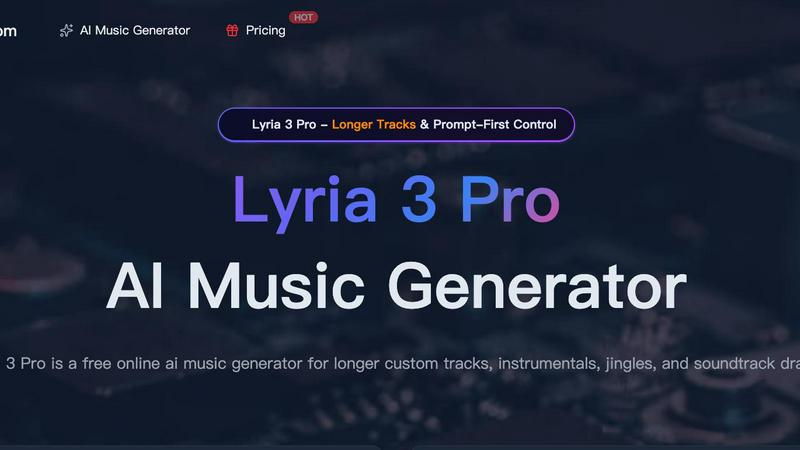
Lyria 3 Pro is a free AI music generator that creates longer, structured custom tracks for videos and creator projects.
Last updated: April 4, 2026

The Ultimate Piano
Master piano online with interactive tools, real-time feedback, and MIDI support for effective practice.
Last updated: March 4, 2026
Visual Comparison
Lyria 3 Pro
The Ultimate Piano

Feature Comparison
Lyria 3 Pro
Prompt-First Control for Precise Results
Lyria 3 Pro is built around a detailed prompting system that gives you direct control over the output. Instead of vague ideas, you guide the AI with specific parameters like genre, tempo (BPM), key, instrumentation, and desired mood. You can even define song structure with section labels and timestamp cues. This ensures the generated music is highly tailored to your project's needs, saving you time from sifting through irrelevant results and allowing for precise creative direction.
Longer, Structurally Complete Tracks
Move beyond short, repetitive loops. Lyria 3 Pro is engineered to create expansive musical pieces up to three minutes in length. The AI understands and implements full song architecture, crafting tracks with distinct intros, verses, choruses, bridges, and endings. This feature is essential for projects that require a sense of narrative progression, such as film scores, video game soundtracks, podcast themes, or complete song demos that feel like finished drafts.
Dual-Mode Generation: Instrumental & Lyrical
Whether you need a backing track for a video voiceover or a full song with vocals, Lyria 3 Pro has you covered. Switch between instrumental and lyrical modes to match your project. The instrumental mode is perfect for background music in tutorials, vlogs, or study sessions. The lyrical mode can generate vocal melodies and ideas, making it a powerful tool for songwriters seeking inspiration or creators needing a complete audio piece.
Visual Inspiration with Reference Image Upload
Enhance your creative brief by uploading up to 10 reference images. This unique feature allows the AI to interpret visual cues—such as color palettes, atmospheres, and overall aesthetic—to influence the mood and style of the generated music. It’s an ideal solution for syncing music with visual media, ensuring the audio complements the look and feel of your video, game scene, or brand identity directly from the concept stage.
The Ultimate Piano
Real-Time Chord Detection & Chord Explorer
As you play on your connected MIDI keyboard or computer keys, The Ultimate Piano instantly analyzes and displays the names of the chords you are playing. This immediate feedback is invaluable for understanding harmonic progressions during improvisation or song learning. The integrated Chord Explorer allows you to delve deeper into music theory, visualizing chord structures, inversions, and relationships on the keyboard to build a solid theoretical foundation.
Interactive Scale Trainer & Learning Modes
Move beyond rote memorization with the interactive Scale Trainer. Choose from 14 different scale types (like Major, Minor, Blues, or Pentatonic) in any key, and the tool will visually highlight the correct notes on the keyboard. It can even play the scale for you. This feature provides detailed performance analysis, helping you practice scales accurately and consistently, which is essential for technique and soloing.
Integrated Audio & YouTube Player
Practice along with your own music or any online tutorial seamlessly. Load MP3 files directly into the Audio Player, which can automatically analyze BPM and key. For online resources, paste any YouTube URL into the YouTube Player. You can slow down playback, set precise A-B loop points to repeat tricky sections, and save markers to jump to specific moments, making it an ideal tool for learning songs by ear.
MIDI File Support with Falling Notes Visualization
Upload any standard MIDI file to practice with a visual guide. The notes from the file will light up on the on-screen keyboard as they play, creating a falling-notes or "piano roll" style display. You have full control to slow down the tempo, pause, step through note-by-note, or loop difficult passages. This transforms any MIDI file into an interactive sheet music and practice aid.
Use Cases
Lyria 3 Pro
Video Content and Social Media Soundtracks
Create custom, royalty-free background music that perfectly matches the pacing and emotion of your YouTube videos, Instagram Reels, TikTok clips, and vlogs. Define the exact mood and energy needed for each scene—upbeat for intros, suspenseful for reveals, calm for tutorials—to produce professional-sounding audio that elevates your content and keeps viewers engaged without copyright concerns.
Songwriting and Musical Demos
Songwriters and composers can use Lyria 3 Pro to quickly sketch out ideas and overcome creative blocks. Input a genre, key, and structure to generate a complete instrumental base or a song with vocal melodies. It’s an efficient tool for prototyping choruses, experimenting with different musical styles, and producing polished demos to share with collaborators or use as a foundation for further production.
Brand Audio and Commercial Jingles
Develop unique audio branding for businesses, podcasts, or online courses. Lyria 3 Pro enables the rapid iteration of short, catchy jingles, intro/outro music, and sonic logos. By specifying a brand’s desired tone (professional, playful, trustworthy) and instruments, you can generate multiple options quickly, ensuring the final music aligns perfectly with the brand’s identity and resonates with its target audience.
Game Development and Indie Film Scoring
Indie game developers and filmmakers can draft original scores without a composer's budget. Generate thematic music for different game levels, character themes, or cinematic moments by prompting for specific atmospheres (epic, mysterious, tense). The ability to create longer, structured tracks makes it suitable for building a cohesive auditory experience that supports the narrative and emotional arc of the project.
The Ultimate Piano
The Self-Taught Beginner
A new pianist can start immediately without buying software or an expensive digital piano with learning features. They can use the computer keyboard to learn note names, engage with the fun Kids Mode with animal icons, and use the Scale Trainer to build fundamental technique. The real-time sheet music display helps connect keys on the keyboard to notes on the staff.
The Music Theory Student
A student enrolled in a music theory class can use the Chord Explorer and Scale Trainer to visualize and hear complex concepts like chord inversions, interval relationships, and modal scales. The ear training module specifically helps develop critical auditory skills for identifying intervals and chords by ear, directly supporting academic coursework.
The Song Learner & Cover Artist
Someone learning a new piece can use the YouTube Player to slow down a performance tutorial, loop the chorus, and practice alongside it. They can also load the song as an MP3, let the tool detect the BPM, and use the metronome to practice at gradually increasing speeds. The MIDI recorder allows them to capture their practice takes for review.
The Composer & Improviser
A musician sketching ideas can use the platform as a quick sound module and notepad. They can improvise, have chords identified in real-time to capture progressions, and use the MIDI recorder to instantly save their ideas as a downloadable file for import into their main Digital Audio Workstation (DAW) for further production.
Overview
About Lyria 3 Pro
Lyria 3 Pro is a revolutionary AI music generator designed to solve a common creative bottleneck: the need for high-quality, custom music that fits specific projects without requiring extensive musical expertise or a large budget. It empowers songwriters, video editors, content creators, and marketers to turn their musical ideas into polished, original tracks in minutes. At its core, Lyria 3 Pro leverages advanced artificial intelligence with a unique "Prompt-First Control" system. This approach prioritizes user intent, allowing you to guide the generation with concrete musical language like genre, mood, instruments, BPM, and song structure. The result is music that lands closer to your vision, not just random AI output. Unlike tools that produce short loops, Lyria 3 Pro specializes in generating longer, structured tracks up to three minutes, complete with intros, verses, choruses, and bridges. This makes it an indispensable tool for creating complete soundtrack drafts, video background scores, brand jingles, and full song sketches, all through an intuitive online interface.
About The Ultimate Piano
The Ultimate Piano is a comprehensive, browser-based piano practice platform designed to solve the common hurdles musicians face. It eliminates the need for expensive software downloads and complex setups, providing a full-featured digital piano and learning studio directly in your web browser. This tool is built for a wide range of users: from complete beginners taking their first steps, to students needing structured theory practice, to experienced pianists looking for a portable, versatile practice companion. Its core value proposition is delivering a professional-grade practice environment that is instantly accessible from any device with an internet connection. Whether you want to visualize chords and scales, slow down and loop songs from YouTube, record your improvisations, or simply have a high-quality piano sound at your fingertips, The Ultimate Piano consolidates these needs into one intuitive, powerful platform. It turns practice time into productive, engaging, and effective sessions by integrating real-time feedback tools with a vast library of learning resources.
Frequently Asked Questions
Lyria 3 Pro FAQ
What kind of prompts work best with Lyria 3 Pro?
For the best results, use clear, concrete musical language. Instead of "a happy song," try "Upbeat pop ballad, 120 BPM, major key, featuring acoustic guitar and piano, with a soaring vocal melody. Structure: 30-second intro, verse, chorus, verse, chorus, bridge, final chorus." Including genre, tempo, instruments, mood, and a basic structure helps the AI understand your intent precisely.
Can I use the music I generate for commercial projects?
Yes, music generated by Lyria 3 Pro can be used in commercial projects, including videos, podcasts, and games. It is designed to provide royalty-free audio for creator workflows. It is always recommended to review the specific Terms of Service for the latest licensing details, especially regarding redistribution of the music as a standalone file.
How long does it take to generate a track?
Generation time varies based on the length and complexity of the requested track, but it typically takes just a few minutes. The process is significantly faster than traditional music production, allowing for rapid iteration and experimentation. You can preview the track once generation is complete before downloading.
Do I need a musical background to use Lyria 3 Pro?
No, you do not need formal musical training. Lyria 3 Pro features an intuitive interface and prompting system designed to be accessible to everyone. The key is describing what you want to hear in simple terms. The platform also provides example prompts and a gallery of ideas to help you get started and learn effective prompting techniques.
The Ultimate Piano FAQ
Do I need to install anything to use Ultimate Piano?
No installation is required. The Ultimate Piano is entirely browser-based and runs directly in your web browser (like Chrome, Firefox, or Safari). You can start practicing immediately by visiting the website, with no downloads or account creation needed for basic features.
Can I connect my MIDI keyboard?
Yes, you can connect a USB MIDI keyboard directly to your computer. The Ultimate Piano will automatically detect it, allowing you to play with a realistic, responsive feel. The platform also supports connecting a sustain pedal via MIDI for authentic note sustain and expression.
What chords and scales can I learn?
The platform offers comprehensive learning tools for a wide array of music theory elements. The chord detection works in real-time for any chord you play. The Scale Trainer includes 14 different scale types, such as Major, Natural Minor, Harmonic Minor, Melodic Minor, and Blues scales, all visualizable in every key.
Can I practice along with my own songs?
Absolutely. You can use the integrated Audio Player to upload and play along with MP3 files from your computer, with speed control and looping functions. Furthermore, the YouTube Player allows you to practice with any video from YouTube by simply pasting the link, offering the same powerful slowdown and looping tools.
Alternatives
Lyria 3 Pro Alternatives
Lyria 3 Pro is a powerful AI music generator in the audio and music software category. It stands out for its prompt-first control, allowing detailed musical direction, and its ability to create longer, more complex tracks suitable for various creative projects. Users often explore alternatives for several practical reasons. Budget constraints, specific feature requirements not met, or the need for a different platform compatibility can all lead to a search for other options. Some may seek a different user experience or a tool better aligned with a particular workflow. When evaluating alternatives, consider your primary needs. Key factors include the level of creative control offered, the maximum track length, the diversity of sound libraries, and overall ease of use. Matching these core functionalities to your specific project goals will help you find the best solution.
The Ultimate Piano Alternatives
The Ultimate Piano is a browser-based piano practice and music learning tool, falling into the categories of online music software and educational technology. It allows musicians to play, learn theory, and train their ear directly from a web browser without any software installation. Users often seek alternatives for various practical reasons. These can include budget constraints, the need for specific advanced features not offered, compatibility with different operating systems or mobile devices, or a preference for downloadable software over a web app. Finding the right fit depends on individual goals and setup. When evaluating other options, consider your primary use case: is it for casual practice, serious music theory study, or song learning? Key factors to compare include the quality of sound samples, MIDI keyboard support, the depth of educational content, and whether the platform works on your preferred devices. Also, assess the pricing model to see if it aligns with your budget and practice commitment.