

Alternatives to AECharts
AECharts is an intuitive animated chart maker that turns your data into stunning videos and images with customizable templates and easy exports.
Explore 20 alternatives to AECharts. Compare features, pricing, and find the best fit for your needs.
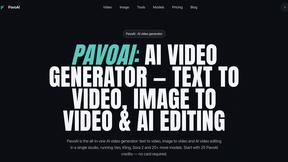
PavoAI
All-in-one AI video creation for text-to-video, image-to-video, editing, avatars, music, subtitles, and upscaling.

ImageTextTools
Edit text already printed in any photo: change a price, date or label and AI redraws that area in the original style. Three versions per edit, free HD

ImageAgent
Create and edit AI images through conversation, using text or reference images and refining results in chat.

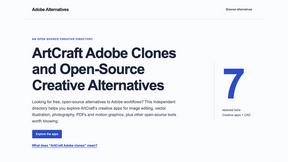
Adobe Alternatives
Explore open-source creative software by workflow, platform and development stage, with comparisons and official project links.

AppIconGenerator
Generate iOS and Android app icons from any image and export all platform sizes for free.
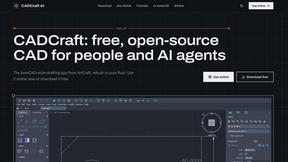
CADCraft
Free, open-source 2D CAD app in Rust: command-line drafting, layers, dimensions, DWG/DXF support, and AI-agent automation via MCP/CLI.
FreeCreate
Free AI image and video studio with no sign-up: generate images from text or photos, turn prompts into short videos, plus editing and upscaling.
ogimagegenerator.dev
Paste a URL and AI designs on-brand Open Graph images from your page's colours, fonts and logo. Free, no sign-up.

Screen Issues
Free Online Screen Test Tool - Instantly diagnose dead pixels, lines, color issues, and flickering. Multiple test modes, no download needed.

Budgetpixel AI
Create and edit AI images, videos, music, and designs in one workspace, with multiple models, reusable characters, and API access.

HookAds
Free ad creative hub: 1,750+ prompts behind viral AI ads, 118 hook frameworks, teardowns, swipe files and 27 free AI ad tools. Copy, remix, ship.


Try OC Maker
Create OCs from text or images, customize their look, and turn them into animated videos with AI.

ImageGenerator
Create and edit AI images online with multiple models, text-to-image, image-to-image, background removal, and upscaling.

ideogram-45
AI image generation and editing with sharp typography, native 2K output, and localized edits.
nanobanana 2.1
A fast, simple image studio powered by Nano Banana 2.1. Create and edit high-quality images with accurate details and readable text.

Image to Layers AI
Turn any image into editable layers with AI—separate subject, background, and objects as transparent PNG layers.

GPT Image 2 API
Generate and edit production-ready images with GPT Image 2 API, detailed prompts, reference images, clear text, and developer workflows.

Ideogram Studio
Create readable text, logos, posters, ads, packaging, and ecommerce visuals with Ideogram 4 AI workflows.
About AECharts Alternatives
AECharts is an innovative, browser-based tool designed specifically for creating animated charts and videos, catering to individuals and organizations seeking to enhance their presentations with visually engaging data representations. It eliminates the need for extensive design skills or software installations, allowing users to upload data from spreadsheets or connect to Google Sheets to generate professional-quality animated charts quickly. As a versatile solution in the design tools category, AECharts supports various chart types, including bar charts, line charts, and pie charts, enabling users to easily customize and export their creations. Despite its user-friendly interface and remarkable features, users often seek alternatives to AECharts for various reasons, such as pricing models, specific feature sets, or compatibility with different platforms. When exploring alternatives, it's essential to consider factors like ease of use, the variety of chart types available, customization options, and integration capabilities with existing tools or workflows. By focusing on these elements, users can find a solution that best fits their unique needs and enhances their data visualization efforts.
FAQs about AECharts Alternatives
What is AECharts?
AECharts is a browser-based animated chart maker designed to help users create engaging and visually appealing data presentations. It allows users to upload data from spreadsheets, paste information directly, or connect to Google Sheets, transforming raw data into polished animated videos quickly and easily. This tool is ideal for generating various types of charts, such as bar charts, line charts, and pie charts, without requiring extensive design skills.
Who is AECharts for?
AECharts is suitable for a wide range of users, including business professionals, educators, marketers, and anyone needing to present data in an engaging format. It is particularly useful for individuals who may lack design expertise or video editing experience but wish to create impactful presentations or social media content. The tool's user-friendly interface caters to both beginners and experienced users looking to enhance their visual storytelling.
Is AECharts free?
AECharts offers a browser-based platform that may have different pricing tiers, including potential free trials or limited-access versions. Users interested in exploring the full capabilities of AECharts should check their official website for the latest pricing information, subscription plans, and any available promotional offers. This flexibility allows users to choose a plan that fits their budget and needs.
What are the main features of AECharts?
AECharts boasts several key features that make it a powerful tool for creating animated charts. Users can easily upload data from spreadsheets, customize charts with professional templates, and choose from various chart types, including bar charts, line charts, and pie charts. Additionally, AECharts allows for extensive customization of colors, fonts, and branding, ensuring that each animated video aligns with the user's style and presentation requirements.