

Alternatives to Plate Photo AI
Plate Photo AI turns ordinary phone food shots into professional menu-ready images that boost orders for restaurants and delivery platforms.
Explore 20 alternatives to Plate Photo AI. Compare features, pricing, and find the best fit for your needs.

Greatooly
Greatooly is a curated directory of small, useful apps — discover focused tools for art, learning, money, health, travel and everyday life.

CodexFuse Solution
All-in-One Managed IT Platform on Credits — Hosting, VPS, AI Agents, Business Email & Software Development

VD6S
VD6S is a free online YouTube video downloader that supports HD, 4K and up to 8K downloads. Save videos in MP4 or audio in multiple formats.
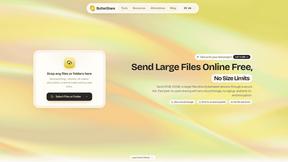
ButterShare
Send files straight between two browsers with a 6-digit key. No signup, no install, nothing stored on a server.


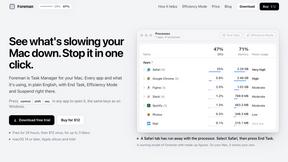
Foreman
See every app and what it's using in plain English, and end or slow down the one that's hogging your Mac.
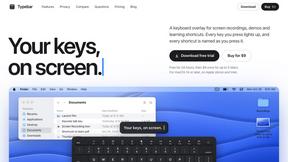
Typebar
Every key you press lights up on an on-screen keyboard, and each shortcut is named as you press it.
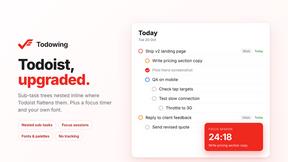
Todowing
Chrome extension that nests sub-tasks under their parents in Todoist's Today, Upcoming, Filter and Label views. Free tier, $19.99 one-time unlock.
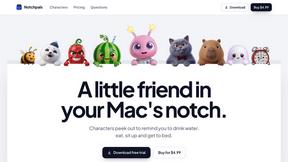
Notchpals
Little characters peek out of your Mac's notch to remind you to drink water, eat, sit up and get to bed. Quiet during calls. $4.99 once.
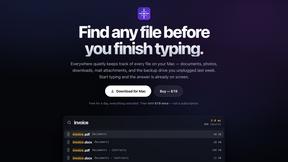
Everywhere
Fast file search for the Mac. Results as you type, files inside Mail and Photos, works with Wi-Fi off. $19 once.

Basalt
Eighteen PDF tools in one native Mac window: merge, split, compress, OCR, Bates numbering, forms, signing and redaction. Offline. $29 once.
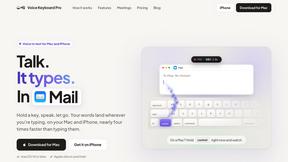
Voice Keyboard Pro
Hold a key, say what you mean, let go. Clean, punctuated text lands at the cursor in any app on your Mac or iPhone.
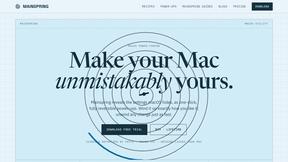
Mainspring
Mainspring turns the settings macOS hides into 90+ one-click, fully reversible power-ups for Finder, Dock, screenshots and more. $29 once.
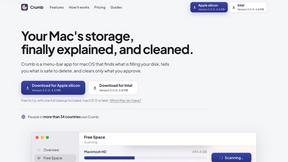
Crumb
A Mac menu bar app for a full disk. See what is using your space, read whether it comes back on its own, and remove only what you tick.
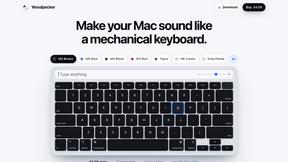
Woodpecker
Make your Mac sound like a real mechanical keyboard. Every key plays its own recording, 22 switches, quiet on calls. $4.99 once.

Inkling
Catch a thought without leaving what you are doing. Notes, checklists and a little companion in your Mac's notch. $12 once.
Manatee
A Mac app that opens damaged video, PDFs, archives and documents and writes out everything it can still read. $9 once, no uploads.

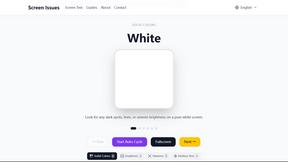
Screen Issues
Free Online Screen Test Tool - Instantly diagnose dead pixels, lines, color issues, and flickering. Multiple test modes, no download needed.
About Plate Photo AI Alternatives
Plate Photo AI is an AI-powered software tool designed specifically for the food and hospitality industry, allowing restaurants, cafes, and food brands to transform ordinary smartphone photos into professional, menu-ready images in seconds. It falls under the category of AI-driven image editing and food photography software, competing with traditional photo editing suites and professional photography services. Users commonly look for alternatives due to concerns over subscription pricing models, the need for more granular manual controls, compatibility with specific operating systems or hardware, or a desire for a broader set of editing features beyond food-specific enhancements. When evaluating an alternative, you should prioritize tools that offer transparent pricing without hidden fees, support for high-resolution output, and the ability to maintain consistent brand aesthetics across all images. It is also critical to look for solutions that provide robust batch processing capabilities, seamless integration with your existing website or delivery platform, and responsive customer support. The best choice will align with your specific workflow, whether you need rapid volume processing for a large menu or more artistic control for a boutique brand, without requiring extensive design skills or expensive hardware.
FAQs about Plate Photo AI Alternatives
What is Plate Photo AI?
Plate Photo AI is an AI-powered food photography tool that turns everyday phone photos into professional, menu-ready images in seconds. It eliminates the need for a photographer, studio, or design skills by using artificial intelligence to enhance lighting, angles, and backgrounds. The tool is designed to help restaurants and food businesses create high-resolution images suitable for menus, delivery apps, social media, and marketing materials.
Who is Plate Photo AI for?
Plate Photo AI is primarily designed for restaurant owners, cafe managers, food delivery operators, and marketing teams in the food industry. It is also useful for food bloggers, small catering businesses, and anyone who needs to produce consistent, high-quality food imagery without hiring a professional photographer. The tool is built for users who want to save time and money while improving their visual marketing materials.
Is Plate Photo AI free?
Plate Photo AI is not free; it operates on a pay-per-image pricing model at $0.33 per image. This cost is significantly lower than traditional food photography, which can range from $500 to $2,000 per shoot. The tool offers a cost-effective solution for businesses that need studio-quality food imagery on demand without the upfront investment of a professional photographer.
What are the main features of Plate Photo AI?
The main features include one-click style presets such as Cafe, Fine Dining, Menu Zoom, and Delivery App, as well as the ability to create custom styles. Users can edit photos using simple text prompts to change lighting, remove ingredients, or add garnishes. The tool also allows one-click import of photos from websites or Google Maps, and it ensures consistent lighting, angles, and backgrounds across all images to keep branding uniform.