AISeedance2 vs audiovideogenerator
Side-by-side comparison to help you choose the right product.

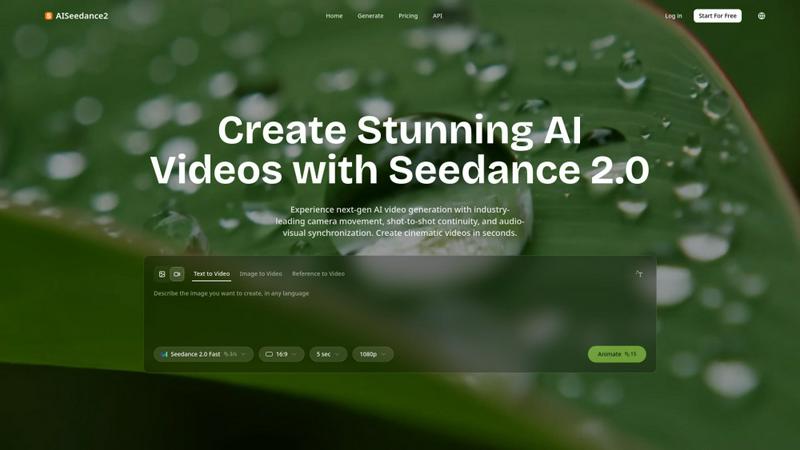
AISeedance2 creates cinematic AI videos with professional camera movement and scene continuity.
Last updated: February 27, 2026

audiovideogenerator
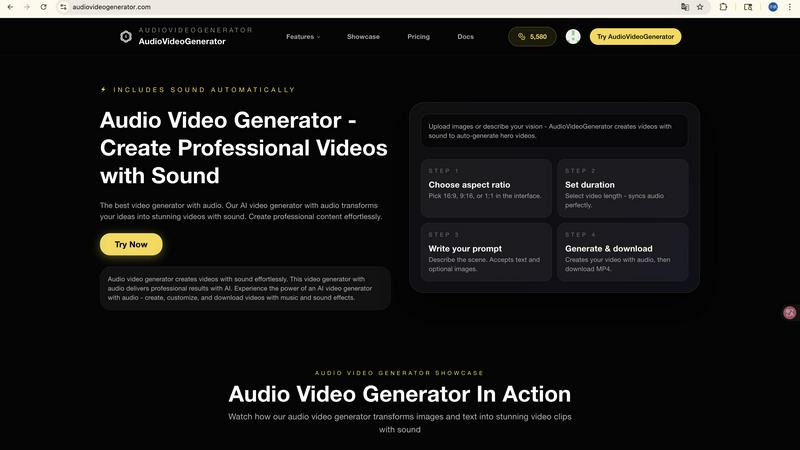
Create professional videos with sound automatically using AI, no production team needed.
Visual Comparison
AISeedance2
audiovideogenerator
Feature Comparison
AISeedance2
Wide-Range Cinematic Camera Movement
This feature provides advanced AI-driven camera control that executes complex, fluid movements rivaling professional cinematography. It can generate sweeping crane shots, dynamic tracking sequences, orbital movements, and drone-like aerial perspectives from a simple text prompt. The AI understands cinematic motion to create smooth camera paths with accurate depth-of-field transitions, delivering a level of dynamic framing and movement previously unattainable in AI video generation, which solves the problem of static or awkward camera angles.
Shot-to-Shot Continuity
AISeedance2 maintains perfect visual coherence across different scenes and shots within a generated video. This solves a major pain point in AI video where sequences can feel jarring or disconnected. The technology ensures that elements like lighting, character positioning, and environmental details remain consistent from one shot to the next, enabling the creation of seamless multi-scene narratives, such as a character moving through different parts of a story, without manual editing.
Precision Audio-Visual Synchronization
This capability ensures that every frame of the generated video matches the beat and rhythm of the provided audio track. It solves the problem of disjointed or poorly timed visuals in music videos, promotional content, or educational explainers. The AI synchronizes character movements, scene transitions, and visual effects to the audio, creating a polished, professionally timed final product that enhances viewer engagement and storytelling impact.
Character Identity Lock
This feature allows users to maintain a consistent character appearance throughout a video, even across different scenes, angles, and actions. It locks in facial features, clothing, and body type, solving the common AI video issue of characters morphing or changing unpredictably. This is crucial for narrative-driven content like short films, serialized social media clips, or branded character campaigns, ensuring the protagonist is always recognizable.
audiovideogenerator
Multi-Model AI Video Generation
AudioVideoGenerator provides access to multiple state-of-the-art AI models to suit different needs and quality requirements. You can choose from models like OpenAI's Sora 2 for longer, detailed narratives, Google's Veo 3.1 for premium cinematic quality, or Wan 2.5 for faster generation from images or audio. This flexibility ensures you have the right tool for any project, whether it's a quick social media clip or a high-end promotional video, all within the same platform.
Automatic and Synchronized Audio Integration
This is the platform's defining feature. Unlike standard video generators, AudioVideoGenerator automatically adds and perfectly synchronizes a full audio track to your visuals. It intelligently generates or matches background music, sound effects, and ambient audio that complements the video's mood, pace, and content. This solves the manual hassle of sourcing royalty-free music and painstakingly editing audio timelines, delivering a complete, polished audiovisual product.
Text-to-Video and Image-to-Video Conversion
Turn simple text descriptions or static images into dynamic video content with ease. The text-to-video feature interprets your written prompts to generate original video scenes from scratch. The image-to-video feature animates your existing photos or graphics, bringing them to life with motion. Both workflows automatically include the platform's signature synchronized audio, making it incredibly simple to create content from basic starting materials.
Scenario-Optimized Templates and Outputs
The platform is designed with specific use cases in mind, offering optimizations for various applications. Whether you're creating content for Instagram Reels, YouTube shorts, product demos, or educational tutorials, AudioVideoGenerator can tailor the aspect ratio, style, and audio tone to fit the platform and purpose. This ensures your final video is not only professionally made but also formatted correctly for its intended destination and audience.
Use Cases
AISeedance2
Short Film & Narrative Production
Independent filmmakers and content creators can use AISeedance2 to produce short films with cinematic quality. The shot-to-shot continuity and character identity lock allow for coherent storytelling, while the wide-range camera movements add professional production value without the need for expensive equipment or large crews, drastically reducing production time and cost.
Marketing & Social Media Creatives
Marketing teams can rapidly generate eye-catching promotional videos, product demos, and branded content for platforms like TikTok, Instagram, and YouTube. The audio-visual sync is perfect for creating ads timed to music, and the 2K resolution ensures high-quality visuals that capture audience attention and enhance brand perception.
Educational & Explainer Content
Educators and corporate trainers can create engaging explainer videos and training modules. The ability to generate clear, consistent visuals from text descriptions helps illustrate complex concepts. Audio sync ensures key points are emphasized visually, improving information retention and learner engagement.
Dynamic Action & Sports Content
Creators focusing on action, sports, or gaming content can leverage the AI's ability to choreograph complex scenes. It can generate sequences of boxing matches, martial arts, or large-scale vehicle dynamics with dynamic camera tracking and fluid motion, providing thrilling visual content for highlights, trailers, or concept visualization.
audiovideogenerator
Social Media Content Creation
Create engaging, platform-optimized videos for Instagram, TikTok, and YouTube in minutes. Generate trending content, short tutorials, or brand stories with eye-catching visuals and perfectly matched background music. This use case is ideal for influencers, social media managers, and brands that need to maintain a consistent and high-quality posting schedule without a large production budget or time investment.
Marketing and Promotional Videos
Produce compelling advertisements, product showcases, and brand story videos effortlessly. The AI can generate professional visuals that highlight product features and benefits, automatically layered with persuasive background scores and sound effects. This enables marketers and small businesses to create high-impact promotional material that drives engagement and conversions, rivaling the quality of agency-produced content.
Educational and Tutorial Content
Transform lesson plans, how-to guides, and presentations into engaging video lessons. Educators and trainers can input text or image-based materials, and the platform will generate a dynamic video with clear visuals and supportive audio. This enhances knowledge retention and allows for scalable creation of online course material, making learning more accessible and interactive for students.
Event Highlights and Recaps
Quickly produce memorable highlight reels from events, conferences, or personal gatherings. By uploading key images or describing the event's atmosphere, users can generate a cinematic recap video complete with music that captures the event's energy and emotion. This is perfect for event organizers, community managers, or anyone looking to professionally document and share memorable moments.
Overview
About AISeedance2
AISeedance2, also known as Seedance 2.0, is a next-generation AI video generator developed by ByteDance, designed to solve the core challenges of AI filmmaking for creators, marketers, educators, and production teams. It moves beyond simple clip generation to offer a complete toolkit for producing professional, multi-shot video narratives. The product's main value proposition lies in its three industry-first breakthroughs: wide-range cinematic camera movement, shot-to-shot continuity, and precision audio-visual synchronization. These capabilities allow users to generate cohesive videos with a cinematic feel directly from text, images, or reference videos, without needing extensive editing or compositing skills. With support for 2K cinematic resolution and a character identity lock feature, AISeedance2 ensures visual quality and consistency, making it an ideal solution for rapidly producing short films, marketing creatives, educational content, and social media videos. It is built for professionals who need high-quality visual storytelling but are constrained by time, budget, or technical resources.
About audiovideogenerator
AudioVideoGenerator is an all-in-one AI-powered platform designed to solve a fundamental problem in digital content creation: the time-consuming and technically complex process of producing professional videos with perfectly synchronized audio. It transforms your ideas, text, images, or audio files into stunning, ready-to-publish videos complete with background music, sound effects, and voiceovers, all automatically generated and aligned. This tool eliminates the need for separate audio editing software, expensive production teams, and extensive technical skills. It is built for a wide range of users, including content creators, marketers, educators, social media managers, and small business owners who need to produce high-engagement video content quickly and efficiently. The core value proposition is delivering speed, creativity, and professional quality in one streamlined workflow, enabling users to bring their visions to life in minutes rather than days, ensuring every video is not just seen, but heard and felt.
Frequently Asked Questions
AISeedance2 FAQ
What makes AISeedance2 different from other AI video generators?
AISeedance2 sets itself apart with three core technological breakthroughs not found together in other tools: professional-grade cinematic camera movements, true shot-to-shot continuity for multi-scene narratives, and precise synchronization of visuals to audio beats. Combined with 2K resolution and character consistency, it offers a more complete and professional filmmaking solution.
What kind of inputs can I use to generate a video?
You can generate videos using multiple input methods: Text to Video (describing your scene), Image to Video (animating and expanding upon a still image), and Reference to Video (using an existing video as a style or motion guide). This flexibility allows for various creative workflows and starting points.
Is AISeedance2 suitable for beginners with no video editing experience?
Yes, the platform is designed to be accessible. The primary interface involves describing what you want in text. The AI handles the complex tasks of cinematography, editing, and continuity. This allows beginners to create professional-looking videos while giving advanced users fine-grained control through detailed prompts.
How does the character identity lock feature work?
The character identity lock feature uses advanced AI models to recognize and consistently reproduce a specific character's defining features across different shots and scenes. Once a character is established from an initial image or detailed text description, the system will maintain their facial structure, hairstyle, clothing, and other key attributes throughout the generated video sequence.
audiovideogenerator FAQ
What types of audio does AudioVideoGenerator add to my videos?
AudioVideoGenerator automatically creates a complete audio track for your video. This includes context-aware background music that matches the mood of your visuals, relevant sound effects to emphasize actions or transitions, and ambient audio to create atmosphere. The audio is intelligently synchronized to the video's pacing and key moments, providing a professional, layered sound design.
Do I need any video or audio editing experience to use this tool?
No, you do not need any prior editing experience. AudioVideoGenerator is designed for ease of use. The entire process is guided: you provide your input (text, image, or audio), and the AI handles the complex tasks of video generation, audio creation, and synchronization. The platform is built to empower creators of all skill levels to produce professional results.
Can I use my own audio files with the generated video?
Yes, the platform supports an "Audio to Video" (A2V) model. You can upload your own audio file, such as a voiceover, podcast, or song, and the AI will generate a video that visually interprets and synchronizes with your provided audio. This is perfect for creating music videos, narrated stories, or videos where you want to maintain a specific audio track.
What is the difference between the various AI models like Veo 3.1 and Sora 2?
The different AI models offer varying strengths in video generation. Models like Veo 3.1 (Fast) are optimized for speed, producing shorter videos quickly. Veo 3.1 (standard) and Sora 2 focus on higher cinematic quality, longer durations, and more detailed visual storytelling. Wan 2.5 is excellent for transforming images or audio into video. The choice depends on your priority: speed, maximum quality, video length, or specific input type.