BestTools vs Prompt Builder
Side-by-side comparison to help you choose the right product.

BestTools
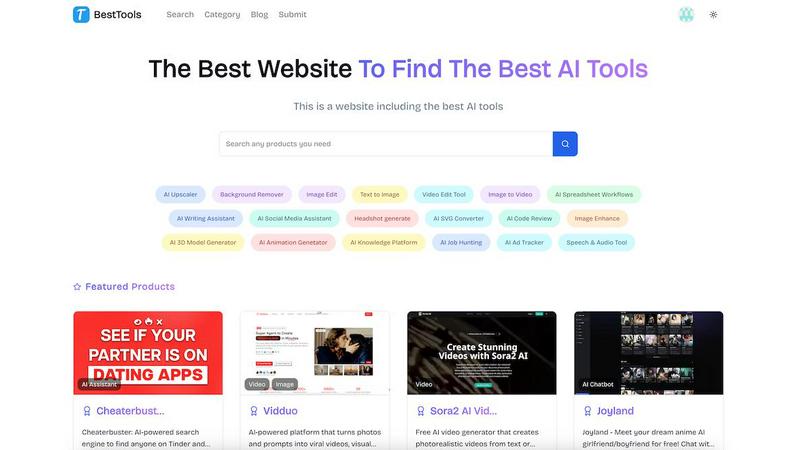
Effortlessly discover and compare top AI tools to enhance your projects and optimize your workflow with BestTools.
Last updated: February 28, 2026

Prompt Builder
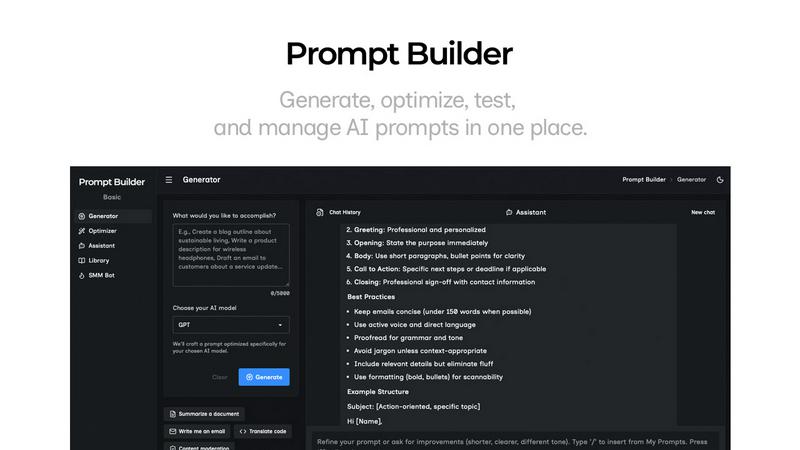
Generate, optimize, test, and manage AI prompts in one place. Turn an idea into a ready-to-use prompt in seconds.
Visual Comparison
BestTools
Prompt Builder
Overview
About BestTools
BestTools is your ultimate AI tools hub, meticulously crafted to streamline the discovery and utilization of an extensive array of artificial intelligence applications. This platform acts as a centralized repository, uniting hundreds of AI tools that cater to diverse needs across various industries. Whether you are a designer in search of innovative design software, a writer aiming for enhanced content creation, a developer seeking efficient coding tools, or a marketer looking to elevate campaign performance, BestTools offers tailored solutions designed to boost both productivity and creativity. The platform thrives on a community-driven nature that encourages user contributions, transforming it into a dynamic resource where new tools and ideas are continuously exchanged. The main value proposition of BestTools is its ability to save time and effort by providing an organized environment where users can seamlessly find the right AI tools that suit their specific requirements.
About Prompt Builder
Prompt Builder is a prompt engineering workspace for writing, testing, and saving prompts. Describe the task in plain English, and it helps you create a prompt that matches the model you choose. Start with a draft, refine it in chat, save or pin versions, then run them when you are ready. It works with GPT, Claude, Gemini, Llama, Mistral, DeepSeek, Grok, Perplexity, and more. You also get an Optimizer, an assistant for quick tests, and a library of reusable prompts and templates from the community. Turn an idea into a ready-to-use prompt in seconds. Refine it in chat, save it to your Library, and run it anytime.