CleanPaste.org vs Prompt Builder
Side-by-side comparison to help you choose the right product.

CleanPaste.org
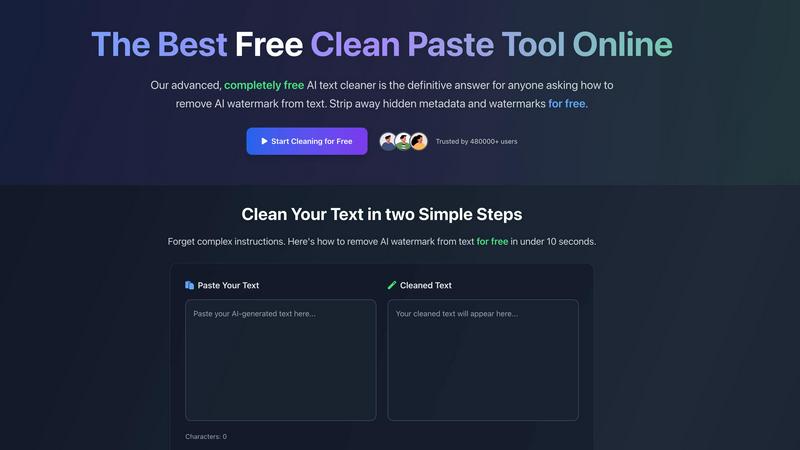
CleanPaste.org instantly removes invisible characters and AI watermarks from your text for free.
Last updated: March 2, 2026

Prompt Builder
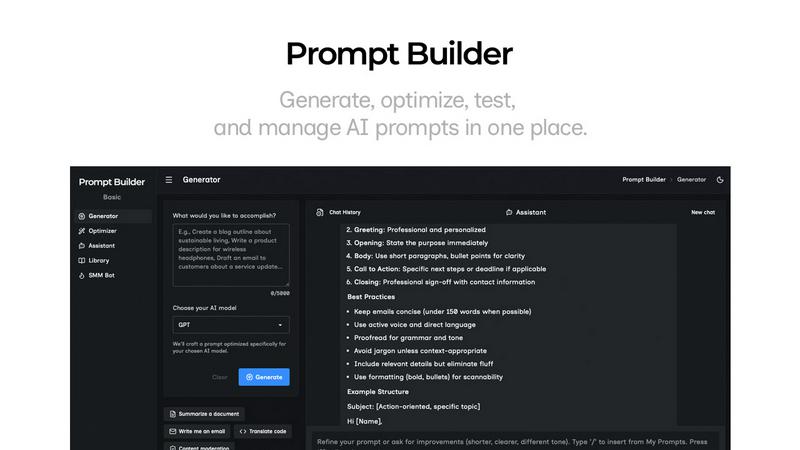
Generate, optimize, test, and manage AI prompts in one place. Turn an idea into a ready-to-use prompt in seconds.
Visual Comparison
CleanPaste.org
Prompt Builder
Overview
About CleanPaste.org
CleanPaste.org is a powerful, free online utility designed to solve a critical problem in the age of AI-assisted writing: digital fingerprints. It meticulously removes AI watermarks, invisible characters, and hidden metadata from text, ensuring the final output is clean, authentic, and undetectable by AI content detection systems. The tool serves a wide audience, including students, content creators, bloggers, SEO specialists, and professionals who utilize AI for drafting essays, articles, reports, and communications. Its core value proposition is delivering instant, reliable text sanitization without any cost or barriers. With no sign-up required, no usage limits, and a completely free model, CleanPaste.org empowers users to maintain the originality and integrity of their work, allowing them to confidently submit or publish content that appears genuinely human-written. Trusted by over 480,000 users, it stands as the definitive solution for anyone needing to seamlessly enhance and humanize their AI-generated text.
About Prompt Builder
Prompt Builder is a prompt engineering workspace for writing, testing, and saving prompts. Describe the task in plain English, and it helps you create a prompt that matches the model you choose. Start with a draft, refine it in chat, save or pin versions, then run them when you are ready. It works with GPT, Claude, Gemini, Llama, Mistral, DeepSeek, Grok, Perplexity, and more. You also get an Optimizer, an assistant for quick tests, and a library of reusable prompts and templates from the community. Turn an idea into a ready-to-use prompt in seconds. Refine it in chat, save it to your Library, and run it anytime.