BarBrain vs DocuExtractor
Side-by-side comparison to help you choose the right product.

BarBrain
BarBrain streamlines inventory management for hospitality, cutting your counting time in half with accurate, automated reports and seamless device.
Last updated: April 4, 2026

DocuExtractor
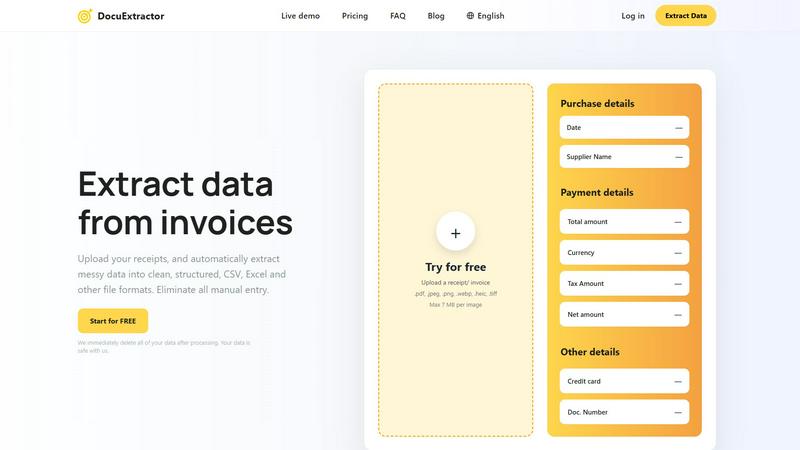
Effortlessly convert receipts and invoices into structured CSV or Excel files with our accurate data extraction tool.
Last updated: February 28, 2026
Visual Comparison
BarBrain

DocuExtractor
Feature Comparison
BarBrain
Parallel Counting on Multiple Devices
BarBrain allows users to conduct inventory counts simultaneously on multiple iOS and Android devices. This feature significantly reduces the time spent on inventory, allowing teams to operate more efficiently and effectively.
Extensive Product Catalog
With over 30,000 products in its catalog, BarBrain covers a wide range of items, including spirits, non-alcoholic beverages, food items, and housekeeping supplies. This comprehensive catalog ensures that users can accurately count everything they need without missing any important items.
Automated Inventory Reports
After each inventory count, BarBrain automatically generates a complete and detailed inventory report. This feature eliminates the need for manual data entry, reducing errors and saving time on post-inventory processing.
Food Level Slider for Open Items
BarBrain simplifies the tracking of food and beverage products with a user-friendly fill level slider that allows for easy input of both opened and unopened items. This ensures accurate accounting for all inventory, including perishables.
DocuExtractor
Advanced Optical Character Recognition (OCR)
DocuExtractor leverages state-of-the-art OCR technology to accurately read and interpret text from various documents, including receipts and invoices. This ensures that key data is extracted with a remarkable accuracy rate of 99.6%, reducing the likelihood of errors in financial records.
User-Friendly Interface
The platform is designed with user experience in mind, making it easy to navigate and operate. Users can quickly upload documents, select extraction presets, and download results without any technical expertise, saving time and minimizing learning curves.
Batch Processing Capabilities
DocuExtractor allows users to upload multiple documents simultaneously, thereby enhancing efficiency. This batch processing feature is particularly beneficial for businesses that deal with high volumes of financial documents, enabling quick and effective data extraction.
Multi-Format Export Options
After extracting data, users can choose to download their results in several formats, including CSV and Excel. This flexibility ensures that the extracted data seamlessly integrates into various accounting and financial software applications.
Use Cases
BarBrain
Independent Bars
Independent bar owners can use BarBrain to streamline their inventory processes, saving time and resources. By digitizing inventory management, they can focus more on customer service and less on manual counting.
Multi-Location Restaurants
For restaurant groups operating multiple locations, BarBrain provides a unified inventory system, enabling consistent tracking across all venues. This holistic view helps identify trends and manage inventory more effectively.
Hotels and Hospitality
Hotels can benefit from BarBrain by managing their food and beverage inventory across various outlets, ensuring that all products are accounted for and that waste is minimized, which ultimately enhances profitability.
Food Trucks and Mobile Vendors
Mobile food vendors can leverage BarBrain for quick inventory checks and efficient stock management, allowing them to maintain high operational efficiency even while on the move.
DocuExtractor
Streamlining Expense Reporting
Accountants can utilize DocuExtractor to convert numerous receipts and invoices into structured data swiftly. This minimizes the time spent on compiling expense reports, allowing finance teams to focus on analysis and strategy rather than manual data entry.
Efficient Invoice Management
Bookkeepers can leverage the software to automate the extraction of information from incoming invoices. By converting these documents into organized CSV or Excel files, they can expedite accounts payable processes and improve cash flow management.
Simplifying Tax Preparation
Finance professionals can use DocuExtractor to gather and structure data from various financial documents in preparation for tax season. This ensures that all necessary information is organized and readily available, simplifying the tax filing process.
Enhancing Financial Audits
During financial audits, auditors can benefit from DocuExtractor by quickly extracting relevant data from financial statements and receipts. This streamlined process enhances the effectiveness of audits and allows for more accurate reporting.
Overview
About BarBrain
BarBrain is a cutting-edge inventory management software specifically designed for the hospitality industry, addressing the unique challenges faced by bar and restaurant owners. Traditional inventory methods often involve tedious hours spent counting bottles and reconciling spreadsheets, leading to inaccuracies and wasted resources. BarBrain streamlines this process, allowing users to count stock in mere minutes, providing real-time insights into costs per drink and dish, and minimizing waste and shrinkage. With a user-friendly interface, BarBrain eliminates the need for extensive training, making it an ideal solution for single-location bars or multi-venue restaurant groups. By providing accurate, actionable data, BarBrain empowers operators to protect their profit margins and optimize their inventory management, ensuring that no money is left on the table.
About DocuExtractor
DocuExtractor is a cutting-edge document conversion software tailored for accountants, bookkeepers, and finance professionals. This innovative tool streamlines the labor-intensive process of data entry by transforming cluttered receipts, invoices, and bank statements into neatly structured data formats like CSV and Excel. Powered by advanced Optical Character Recognition (OCR) technology, DocuExtractor boasts an impressive extraction accuracy rate of 99.6%, ensuring that vital information is captured with minimal errors. By automating this data extraction process, the software significantly reduces the time spent on manual entry, allowing users to redirect their focus towards more strategic financial tasks. With an intuitive user interface, a live demo option, and robust enterprise-grade security features, DocuExtractor stands out as the essential solution for businesses aiming to enhance their accounting workflows and overall productivity.
Frequently Asked Questions
BarBrain FAQ
How does BarBrain improve inventory accuracy?
BarBrain eliminates manual errors commonly associated with traditional inventory methods by automating data entry and providing real-time updates, ensuring that businesses have reliable inventory figures.
Can BarBrain be used on multiple devices?
Yes, BarBrain supports simultaneous use on multiple iOS and Android devices, allowing teams to conduct parallel inventory counts and save valuable time.
Is training required to use BarBrain effectively?
No extensive training is required. BarBrain is designed with a user-friendly interface, allowing users to start counting inventory right away without the need for complicated manuals.
How do I get started with BarBrain?
Getting started with BarBrain is easy. Simply schedule a free demo, set up your account, and you can begin your first digital inventory count within no time, experiencing the benefits of enhanced efficiency and accuracy.
DocuExtractor FAQ
How does DocuExtractor ensure data security?
DocuExtractor prioritizes user data security by implementing enterprise-grade security measures. Additionally, all uploaded documents are deleted immediately after processing, ensuring that sensitive information remains confidential.
What types of documents can be processed?
DocuExtractor supports a wide variety of document formats, including PDF, JPEG, PNG, and TIFF files. Users can upload receipts, invoices, and bank statements, among other financial documents, for data extraction.
Is there a limit on the size of documents I can upload?
Yes, individual documents uploaded to DocuExtractor must not exceed 7 MB in size. This ensures efficient processing and extraction while maintaining high performance.
Can I try DocuExtractor before purchasing?
Absolutely! DocuExtractor offers a free trial that allows users to upload documents and test out the extraction capabilities. This gives potential customers a hands-on experience of the software's functionality before committing to a purchase.
Alternatives
BarBrain Alternatives
BarBrain is an innovative inventory management solution specifically designed for the hospitality industry. It addresses the unique challenges faced by bar and restaurant owners, such as accurately counting bottles and managing inventory in a way that is intuitive and efficient. Operating under the category of productivity and management tools, BarBrain streamlines the inventory process, making it easier for users to track their stock and understand their costs. Users often seek alternatives to BarBrain for various reasons, including pricing concerns, the need for specific features, or compatibility with existing systems. When considering an alternative, it’s essential to evaluate the tool's usability, how well it integrates with other software, and whether it addresses the specific needs of your bar or restaurant operation. Look for solutions that offer robust inventory tracking, real-time analytics, and an intuitive user interface to ensure a smooth transition and improved operational efficiency.
DocuExtractor Alternatives
DocuExtractor is a powerful document converter software tailored for accountants, bookkeepers, and finance professionals. It specializes in automating the extraction of data from receipts, invoices, and bank statements, converting them into structured formats like CSV and Excel. Users frequently seek alternatives due to various reasons, including cost considerations, specific feature requirements, or compatibility with different platforms. When searching for an alternative, it is essential to evaluate the accuracy of data extraction, ease of use, and the range of supported file formats to ensure it meets your operational needs effectively.