
DocuExtractor
Effortlessly convert receipts and invoices into structured CSV or Excel files with our accurate data extraction tool.
Visit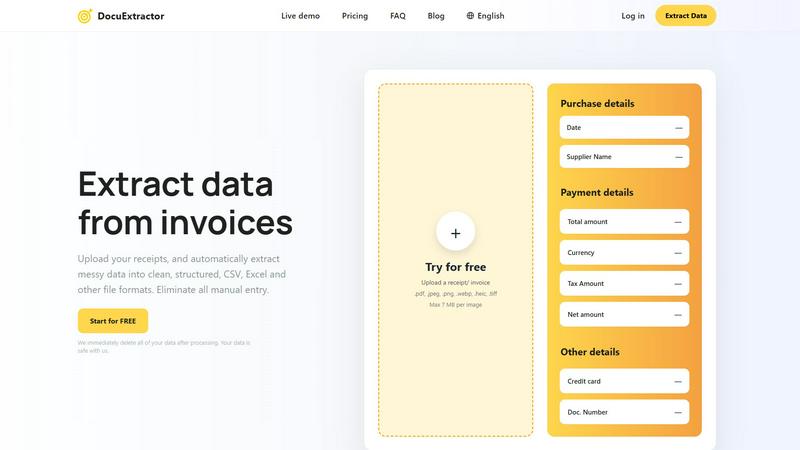
About DocuExtractor
DocuExtractor is a cutting-edge document conversion software tailored for accountants, bookkeepers, and finance professionals. This innovative tool streamlines the labor-intensive process of data entry by transforming cluttered receipts, invoices, and bank statements into neatly structured data formats like CSV and Excel. Powered by advanced Optical Character Recognition (OCR) technology, DocuExtractor boasts an impressive extraction accuracy rate of 99.6%, ensuring that vital information is captured with minimal errors. By automating this data extraction process, the software significantly reduces the time spent on manual entry, allowing users to redirect their focus towards more strategic financial tasks. With an intuitive user interface, a live demo option, and robust enterprise-grade security features, DocuExtractor stands out as the essential solution for businesses aiming to enhance their accounting workflows and overall productivity.
Features of DocuExtractor
Advanced Optical Character Recognition (OCR)
DocuExtractor leverages state-of-the-art OCR technology to accurately read and interpret text from various documents, including receipts and invoices. This ensures that key data is extracted with a remarkable accuracy rate of 99.6%, reducing the likelihood of errors in financial records.
User-Friendly Interface
The platform is designed with user experience in mind, making it easy to navigate and operate. Users can quickly upload documents, select extraction presets, and download results without any technical expertise, saving time and minimizing learning curves.
Batch Processing Capabilities
DocuExtractor allows users to upload multiple documents simultaneously, thereby enhancing efficiency. This batch processing feature is particularly beneficial for businesses that deal with high volumes of financial documents, enabling quick and effective data extraction.
Multi-Format Export Options
After extracting data, users can choose to download their results in several formats, including CSV and Excel. This flexibility ensures that the extracted data seamlessly integrates into various accounting and financial software applications.
Use Cases of DocuExtractor
Streamlining Expense Reporting
Accountants can utilize DocuExtractor to convert numerous receipts and invoices into structured data swiftly. This minimizes the time spent on compiling expense reports, allowing finance teams to focus on analysis and strategy rather than manual data entry.
Efficient Invoice Management
Bookkeepers can leverage the software to automate the extraction of information from incoming invoices. By converting these documents into organized CSV or Excel files, they can expedite accounts payable processes and improve cash flow management.
Simplifying Tax Preparation
Finance professionals can use DocuExtractor to gather and structure data from various financial documents in preparation for tax season. This ensures that all necessary information is organized and readily available, simplifying the tax filing process.
Enhancing Financial Audits
During financial audits, auditors can benefit from DocuExtractor by quickly extracting relevant data from financial statements and receipts. This streamlined process enhances the effectiveness of audits and allows for more accurate reporting.
Frequently Asked Questions
How does DocuExtractor ensure data security?
DocuExtractor prioritizes user data security by implementing enterprise-grade security measures. Additionally, all uploaded documents are deleted immediately after processing, ensuring that sensitive information remains confidential.
What types of documents can be processed?
DocuExtractor supports a wide variety of document formats, including PDF, JPEG, PNG, and TIFF files. Users can upload receipts, invoices, and bank statements, among other financial documents, for data extraction.
Is there a limit on the size of documents I can upload?
Yes, individual documents uploaded to DocuExtractor must not exceed 7 MB in size. This ensures efficient processing and extraction while maintaining high performance.
Can I try DocuExtractor before purchasing?
Absolutely! DocuExtractor offers a free trial that allows users to upload documents and test out the extraction capabilities. This gives potential customers a hands-on experience of the software's functionality before committing to a purchase.
Explore more in this category:
Similar to DocuExtractor

Private email. Pure. Secure. Exclusive. No ads, no tracking, no data selling. GDPR compliant, EU-hosted.


Apps and files on an infinite canvas where people and AI agents work together.


Panzoe is an all-in-one AI platform for personal productivity, business automation, AI assistants, content creation, and custom AI solutions.


AI Email Filter sorts incoming mail into folders using plain-language prompts you write. Works with any IMAP mailbox; bring your own LLM if you want.