Dreamflow vs TemplateFox
Side-by-side comparison to help you choose the right product.

Dreamflow
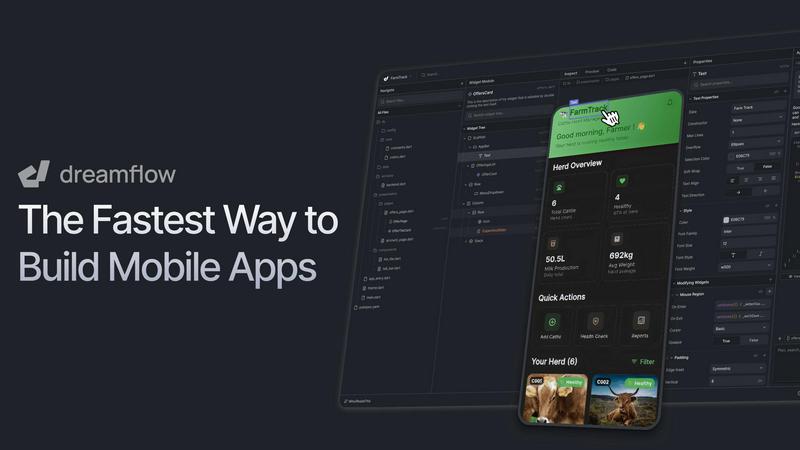
Dreamflow is a visual AI builder that creates production-ready mobile apps from simple prompts or edits.
Last updated: March 1, 2026

TemplateFox
Effortlessly create and automate dynamic PDF templates with TemplateFox using a simple API call or Zapier integration.
Last updated: February 28, 2026
Visual Comparison
Dreamflow
TemplateFox

Feature Comparison
Dreamflow
Tri-Surface Synchronized Editing
Dreamflow's core innovation is its three interconnected editing modes: an AI Agent, a Visual Canvas, and direct Code access. You can prompt a feature with AI, adjust its layout visually via drag-and-drop, and then tweak the underlying logic in the code editor. Any change made in one surface is instantly reflected in the others, ensuring your AI prompts, visual design, and actual code are never out of alignment. This seamless flow allows for rapid prototyping without sacrificing the ability to implement custom, complex functionality.
AI-Powered, Context-Aware Generation
The integrated AI agent goes beyond simple code generation. It understands application patterns, Flutter best practices, and your project's specific context to scaffold features intelligently. You can describe a complex feature like "add user authentication with email and Google sign-in," and Dreamflow's AI will generate the appropriate UI components, backend integration logic, and navigation, providing a robust starting point that you can then refine visually or in code.
Multi-Platform Deployment & Responsive Design
Dreamflow builds robust, responsive applications powered by Google's Flutter framework. This means the apps you create automatically adapt to fit every device screen size, from mobile phones to tablets and web browsers. When you're ready, you can deploy your app to the iOS App Store, Google Play Store, or as a web application with just a few clicks, all from within the Dreamflow platform, streamlining the entire go-to-market process.
Integrated Backend & Full Code Export
Dreamflow provides out-of-the-box integration with leading backend services like Firebase and Supabase, allowing you to build full-stack applications with real-time databases, authentication, and cloud functions from day one. Crucially, there is no lock-in. You maintain full ownership and can export your entire project as a clean, standard Flutter codebase at any time. This gives you the freedom to continue development in your preferred IDE, host on your own infrastructure, and ensure long-term scalability.
TemplateFox
Drag-and-Drop Editor
TemplateFox features a user-friendly drag-and-drop editor that allows users to create and customize templates easily. This intuitive interface enables users to design professional-looking documents without any coding knowledge, making the process accessible to everyone.
Dynamic Data Binding
With dynamic data binding, TemplateFox allows users to inject real-time data into their templates. This feature ensures that all elements, such as names, addresses, and prices, are updated automatically, streamlining the document generation process and reducing manual input errors.
Automatic Table Adjustments
The platform includes tables that automatically adjust to accommodate varying amounts of data. Whether users are dealing with 3 items or 300, the tables grow seamlessly and can even span multiple pages if necessary, ensuring that all information is displayed clearly and concisely.
Built-in QR Codes and Barcodes
TemplateFox enables users to generate QR codes and barcodes on the fly directly from their data. Supporting formats like Code128 and EAN-13, this feature is perfect for businesses needing scanner-ready codes for tracking or promotional purposes, enhancing the functionality of generated documents.
Use Cases
Dreamflow
Rapid Prototyping and MVP Development
Entrepreneurs and startup founders can use Dreamflow to transform an idea into a functional Minimum Viable Product (MVP) in a matter of hours, not weeks. By describing the core app flow to the AI and visually assembling the UI, they can create a tangible prototype to validate the concept with users, secure early feedback, and pitch to investors without a massive initial development investment.
Accelerating Development for Product Teams
Product teams within larger organizations can use Dreamflow to dramatically speed up the front-end development cycle. Designers and product managers can collaborate directly on the visual canvas to iterate on UI/UX, while developers can jump into the generated code to implement complex business logic and integrations, ensuring everyone works from a single, always-up-to-date source of truth.
Bridging the Gap for Citizen Developers
Professionals like marketers, business analysts, or consultants who have app ideas but lack deep coding expertise can leverage Dreamflow's AI and visual tools to build functional applications themselves. The intuitive interface and natural language prompts lower the barrier to entry, empowering them to create tools for internal workflows or client projects without relying entirely on a dedicated engineering team.
Educational Tool for Learning Flutter
Aspiring and junior developers can use Dreamflow as an interactive learning platform for Flutter and modern app architecture. They can describe a feature, see how the AI structures the code, visually deconstruct the resulting UI components, and then examine the generated Dart code. This provides a practical, hands-on way to understand the relationship between design, logic, and implementation in a real project.
TemplateFox
Invoice Generation
TemplateFox is ideal for businesses that need to create and send invoices quickly and efficiently. Users can design customized invoice templates that automatically populate with client data and order details, ensuring accuracy and professionalism.
Certificate Creation
Educational institutions or organizations can utilize TemplateFox to generate certificates of achievement, completion, or participation. The platform allows for easy customization of design elements, ensuring that each certificate reflects the institution's branding.
Report Automation
Businesses can leverage TemplateFox to automate the generation of reports. Users can create templates that pull in data from various sources, such as sales figures or performance metrics, allowing for quick updates and distribution of important reports.
Shipping Label Production
E-commerce businesses can benefit from TemplateFox by generating shipping labels that include tracking barcodes. This streamlines the shipping process, ensuring that labels are created quickly and accurately, which enhances operational efficiency.
Overview
About Dreamflow
Dreamflow is a revolutionary visual AI builder that solves a fundamental dilemma in modern app development: the trade-off between speed and control. Traditionally, builders had to choose between fast, AI-powered no-code tools and the flexibility of hand-written code. Dreamflow eliminates this compromise by integrating three perfectly synchronized surfaces into one platform. You can start by describing your app idea to an AI agent in natural language, visually fine-tune every element on a drag-and-drop canvas, and then dive directly into the clean, exportable Flutter codebase for precise control—all without any part becoming out of sync. Built by the creators of FlutterFlow and trusted by over 2 million builders, it is designed for entrepreneurs, product teams, and developers who need to move from concept to a deployable application on the App Store, Google Play Store, or web with unprecedented speed. Its core value proposition is eliminating vendor lock-in, offering a future-proof workflow that combines AI-powered acceleration with the confidence of owning scalable, production-ready code.
About TemplateFox
TemplateFox is an innovative Software as a Service (SaaS) solution that simplifies the process of generating professional PDFs from user-friendly WYSIWYG templates via an API. It is specifically designed for indie hackers, developers, and businesses, enabling users to produce visually appealing documents without needing prior knowledge of HTML or CSS. With TemplateFox, users can easily craft tailored templates suitable for various document types, including invoices, certificates, reports, and more. The platform features a drag-and-drop editor that allows for quick and intuitive template design. Additionally, TemplateFox offers rapid PDF generation through straightforward API calls or automation with tools like Zapier, delivering results in just 1-3 seconds. The free tier provides 100 PDFs per month, making it easy for users to start and scale with affordable paid plans, thus enhancing productivity and automating document workflows without the hassle of complex coding.
Frequently Asked Questions
Dreamflow FAQ
What happens to my app if I stop using Dreamflow?
You maintain complete ownership and control of your application. Dreamflow allows you to export your entire project as a standard Flutter codebase at any time, especially available on the Hobby plan and above. You can take this code and continue developing, building, and deploying it using Flutter's standard tooling, with no dependency on the Dreamflow platform.
How does the AI credit system work?
Dreamflow provides AI credits to power feature generation and modifications via prompts. The Free plan includes a one-time starter pack of credits for exploration. The paid Hobby and Pro plans include monthly recurring credits (100 and 500, respectively). Credits are consumed when you use the AI agent to generate or significantly alter components, logic, or pages within your project.
Can I use my own backend instead of Firebase or Supabase?
Yes, while Dreamflow offers seamless, managed integration with Firebase and Supabase for rapid full-stack development, you are not limited to them. Because you have access to the full Flutter code, you can integrate any backend service, custom API, or database by editing the code directly. This offers ultimate flexibility for your application's architecture.
Is Dreamflow suitable for large, enterprise-grade applications?
Absolutely. The Pro and Enterprise plans are designed for production workflows and larger teams. Features like version control via Git integration, priority AI model access, advanced team collaboration tools, and the ability to bring your own AI models make it robust enough for serious application development. The assurance of clean, exportable code ensures the project can scale and be maintained long-term.
TemplateFox FAQ
What types of documents can I create with TemplateFox?
TemplateFox allows users to create a wide variety of documents, including invoices, certificates, reports, and shipping labels. The platform's flexibility enables users to design templates tailored to their specific needs.
Is coding knowledge required to use TemplateFox?
No, TemplateFox is designed to be user-friendly and accessible to everyone. The drag-and-drop editor enables users to create and customize templates without any coding knowledge, making it easy for anyone to generate professional PDFs.
How does the dynamic data binding feature work?
Dynamic data binding allows users to inject real-time data into templates. This means that information such as names, addresses, and prices can be automatically updated, ensuring that the generated documents are accurate and current.
Can I integrate TemplateFox with other applications?
Yes, TemplateFox offers no-code integrations with popular platforms like Zapier and Airtable. This allows users to automate PDF generation and streamline workflows without the need for complex coding or technical expertise.
Alternatives
Dreamflow Alternatives
Dreamflow is a visual AI builder in the app development category, designed to create production-ready mobile apps by blending AI prompting, visual editing, and direct code access. It uniquely solves the trade-off between development speed and full technical control. Users often explore alternatives for various reasons, such as budget constraints, specific feature requirements, a preference for different underlying technologies, or the need to target platforms beyond mobile. Finding the right tool depends on your project's unique needs. When evaluating alternatives, consider key factors like the learning curve, the flexibility and ownership of the exported code, the platforms you can deploy to, the depth of AI assistance, and the overall alignment with your team's long-term development workflow and goals.
TemplateFox Alternatives
TemplateFox is an innovative Software as a Service (SaaS) solution that simplifies the creation of professional PDFs from customizable templates. It falls under the productivity and management category, catering to indie hackers, developers, and businesses that seek to automate document workflows without the need for coding knowledge. Users often seek alternatives due to various reasons, including pricing considerations, feature sets, or specific platform requirements that better align with their unique needs. When searching for an alternative, it’s essential to evaluate factors such as ease of use, integration capabilities, customer support, and scalability to ensure the chosen solution effectively meets your document generation goals.