Metricgram vs Prompt Builder
Side-by-side comparison to help you choose the right product.

Metricgram
Metricgram streamlines Telegram community management with analytics, automation, and Stripe integration for effortless.
Last updated: February 28, 2026

Prompt Builder
Generate, optimize, test, and manage AI prompts in one place. Turn an idea into a ready-to-use prompt in seconds.
Visual Comparison
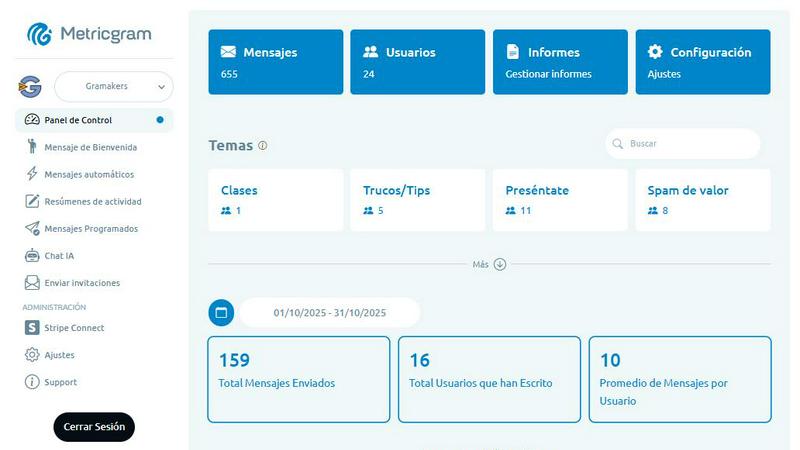
Metricgram
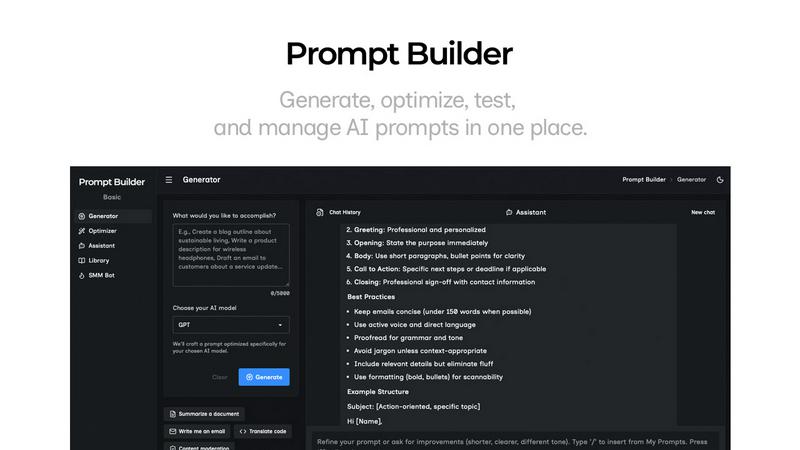
Prompt Builder
Overview
About Metricgram
Metricgram is an innovative tool specifically designed to enhance the management of Telegram groups and communities. With its powerful combination of analytics, automation, and AI capabilities, Metricgram enables community managers, content creators, and businesses to effectively track engagement, automate repetitive tasks, and foster meaningful interactions. The platform provides a comprehensive suite of features such as metrics tracking, automated messaging, and AI chatbots, which streamline communication efforts. The main value proposition lies in Metricgram's ability to deliver insightful analytics that drive community engagement while automating mundane tasks. This allows users to concentrate on building and nurturing their communities with ease. By integrating these functionalities, Metricgram empowers users to manage their Telegram groups like seasoned professionals, eliminating the need to juggle multiple tools and enhancing overall productivity.
About Prompt Builder
Prompt Builder is a prompt engineering workspace for writing, testing, and saving prompts. Describe the task in plain English, and it helps you create a prompt that matches the model you choose. Start with a draft, refine it in chat, save or pin versions, then run them when you are ready. It works with GPT, Claude, Gemini, Llama, Mistral, DeepSeek, Grok, Perplexity, and more. You also get an Optimizer, an assistant for quick tests, and a library of reusable prompts and templates from the community. Turn an idea into a ready-to-use prompt in seconds. Refine it in chat, save it to your Library, and run it anytime.