Fond vs Refbox
Side-by-side comparison to help you choose the right product.

Fond is your AI cooking companion that manages recipes, plans meals, and helps you shop smarter so you can cook with confidence.

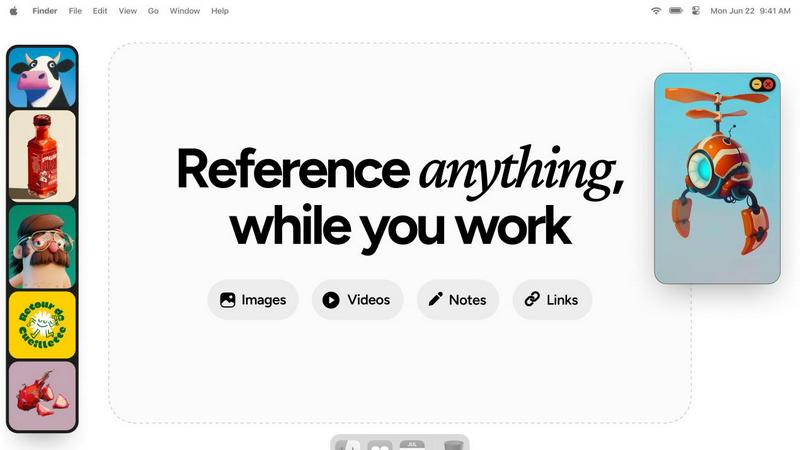
Refbox provides instant access to your images, videos, and notes, enhancing your workflow without distractions.
Last updated: February 28, 2026
Visual Comparison
Fond

Refbox
Overview
About Fond
Fond is your all-in-one intelligent kitchen companion, designed to transform how you manage recipes, plan meals, and learn to cook. It's built for home cooks who are tired of juggling bookmarks, cluttered notes, and last-minute grocery runs. At its heart is August, a built-in AI cooking assistant that acts as your personal culinary guide. Fond consolidates your entire cooking workflow: you can instantly import recipes from any website, photo, or text using AI that strips away the ads and lengthy stories. It then helps you generate personalized weekly meal plans in seconds based on your dietary preferences, skill level, or what ingredients you already have. While you cook, August is there to answer questions about techniques and substitutions in real-time. Beyond recipes, Fond offers drag-and-drop meal planning, automatically generated shopping lists sorted by grocery aisle, and a hands-free Cook Mode. It also introduces specialized "Modules" like the Pizza Workshop for enthusiasts who want to dive deep into the craft. Available across all your devices and fully synced, Fond brings order, knowledge, and confidence to your kitchen, making cooking less of a chore and more of a joyful craft.
About Refbox
Refbox is an innovative floating reference application tailored for creatives who need a streamlined workflow. Designed specifically for artists, designers, and other creative professionals, Refbox enables users to pin images, GIFs, videos, and notes in always-on-top frames, ensuring that inspiration is always visible while working on projects. By reducing the need for constant window switching—common during sketching, designing, animating, or modeling—Refbox enhances productivity and focus. Users can easily import media from various sources, including their computer, web, or clipboard, into a customizable sidebar. With versatile viewing modes like Masonry Mode and a full-screen Gallery, Refbox is perfect for users who wish to optimize their creative environment. The app also features markdown-enabled notes and the ability to save links as bookmarks, making it an indispensable tool for anyone seeking to keep their references and inspirations at their fingertips.