
Never Drop vs Refbox
Side-by-side comparison to help you choose the right product.

Never Drop
NeverDrop instantly captures contacts and crafts personalized follow-ups, ensuring you never lose a lead at events.
Last updated: February 28, 2026

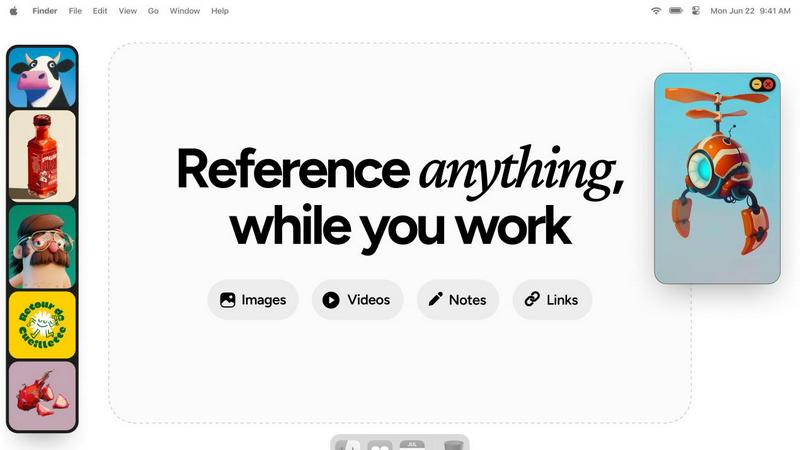
Refbox provides instant access to your images, videos, and notes, enhancing your workflow without distractions.
Last updated: February 28, 2026
Visual Comparison
Never Drop

Refbox
Feature Comparison
Never Drop
Instant Business Card Scanning
Never Drop allows users to scan any business card in mere seconds. The AI-powered OCR technology extracts essential contact details such as name, company, title, phone number, and email almost instantly. This feature eliminates the hassle of manual data entry, ensuring no cards are misplaced or lost during busy events.
Automatic Email Enrichment
Often, business cards contain generic or incomplete email addresses. Never Drop solves this problem by automatically finding verified work emails based on the scanned name and company. This feature enriches your contact profiles and saves you from the tedious task of searching for emails manually.
Personalized AI Drafted Follow-Ups
After scanning a card and adding context about your conversation, Never Drop generates a personalized follow-up email within two minutes. This feature utilizes your voice notes and conversation details to create an email that feels genuine and tailored, ensuring that your communication is impactful and effective.
Team Collaboration and Management
Never Drop is designed for sales teams, providing a shared workspace where users can organize scans by event, reassign leads among team members, and monitor team activities from a centralized dashboard. This collaborative feature ensures that everyone stays aligned, maximizing efficiency and reducing the chance of leads slipping through the cracks.
Refbox
Floating Reference Frames
Refbox allows users to float resizable frames over any application, keeping important references visible and accessible. This feature ensures that creatives can maintain focus without losing track of their inspiration, making tasks like sketching or designing more efficient.
Versatile Media Support
Users can pin a variety of media types including images, videos, GIFs, and notes. This flexibility means that all forms of inspiration can be gathered in one place, allowing for a comprehensive and organized reference library tailored to individual projects.
Multiple Viewing Modes
Refbox supports various viewing modes such as the aesthetically pleasing Masonry Mode, which offers a Pinterest-style layout, and a full-screen Gallery mode for second monitors. These options provide users with the versatility to display their references in a way that suits their workflow best.
Markdown-Enabled Notes
The application allows users to create notes with markdown support, enabling them to format text, create checklists, and organize thoughts seamlessly. This feature enhances note-taking and ensures that critical information is readily available alongside visual references.
Use Cases
Never Drop
Trade Shows
At trade shows, time is of the essence. Never Drop enables sales representatives to scan business cards quickly, add contextual notes, and send follow-ups before leaving the booth, ensuring they capitalize on warm leads while the conversation is still fresh.
Conferences
During conferences, networking opportunities abound. With Never Drop, attendees can efficiently gather contact information from various speakers and delegates, streamline their follow-up process, and enhance the likelihood of converting those connections into business opportunities.
Networking Events
Networking events can be overwhelming with the sheer number of contacts made in a short period. Never Drop simplifies this process by allowing users to organize their scans by event and manage their leads effectively, ensuring that valuable connections aren’t forgotten.
Business Dinners
In more intimate settings like business dinners, capturing leads can be casual yet critical. Never Drop allows users to scan cards discreetly and record personal notes, helping sales teams to maintain a personal touch in their follow-ups while ensuring no lead is overlooked.
Refbox
Graphic Design
Graphic designers can utilize Refbox to keep their color palettes, typography references, and inspirational designs visible while working on projects. This minimizes interruptions and enhances creativity by providing a constant source of visual guidance.
3D Modeling
For 3D artists, Refbox serves as a powerful tool for referencing textures, environmental concepts, and design elements. The ability to keep these references floating above modeling software allows for quick comparisons and adjustments, streamlining the modeling process.
Animation
Animators can benefit from Refbox by pinning storyboards, frame references, and animation techniques. This ensures that essential references are always within reach, enabling a smoother workflow and reducing the time spent searching for materials.
Moodboarding
Refbox simplifies the moodboarding process for creative professionals by allowing them to collect and organize inspirations in a visually satisfying manner. Users can easily swap out references and create cohesive boards that reflect their artistic vision, all while maintaining focus on their primary tasks.
Overview
About Never Drop
Never Drop is an innovative lead-capture app tailored for sales teams navigating the high-energy environments of trade shows, conferences, and networking events. The app revolutionizes the way leads are collected and managed by enabling users to effortlessly scan business cards using their smartphones. Upon scanning, users have the ability to enrich the captured data with voice notes or text that detail their conversations, ensuring that vital information about each lead is preserved. Never Drop leverages advanced AI technology to generate customized follow-up emails in under two minutes, effectively minimizing the risk of losing potential leads. With seamless integration into popular CRM platforms like HubSpot, Never Drop guarantees that your sales pipeline remains organized and primed for action. Say goodbye to lost leads and hello to a more efficient follow-up process that helps convert leads into closing deals.
About Refbox
Refbox is an innovative floating reference application tailored for creatives who need a streamlined workflow. Designed specifically for artists, designers, and other creative professionals, Refbox enables users to pin images, GIFs, videos, and notes in always-on-top frames, ensuring that inspiration is always visible while working on projects. By reducing the need for constant window switching—common during sketching, designing, animating, or modeling—Refbox enhances productivity and focus. Users can easily import media from various sources, including their computer, web, or clipboard, into a customizable sidebar. With versatile viewing modes like Masonry Mode and a full-screen Gallery, Refbox is perfect for users who wish to optimize their creative environment. The app also features markdown-enabled notes and the ability to save links as bookmarks, making it an indispensable tool for anyone seeking to keep their references and inspirations at their fingertips.
Frequently Asked Questions
Never Drop FAQ
What is Never Drop?
Never Drop is a lead-capture app designed for sales teams at events. Users can scan business cards, add context about conversations, and receive personalized follow-up emails in under two minutes. It enriches contacts with verified emails and integrates seamlessly with CRMs.
How does business card scanning work?
Users simply take a photo of any business card using the Never Drop mobile app. The AI-powered OCR quickly extracts contact details, including name, company, title, phone number, and email. Manual entry is also an option if preferred.
What types of events is Never Drop suitable for?
Never Drop is ideal for various events, including trade shows, conferences, networking events, meetups, and business dinners. It helps users efficiently collect and organize leads, making follow-ups manageable and timely.
Do I need the mobile app to use Never Drop?
Yes, the mobile app is essential for scanning business cards, recording voice notes, and triggering follow-ups while on the go. The web dashboard complements the app by allowing users to manage their team, review scans, and handle settings and billing. Both platforms work together seamlessly.
Refbox FAQ
How does Refbox improve my workflow?
Refbox enhances your workflow by eliminating the need for constant window switching, allowing you to keep your references visible and easily accessible while you work on your projects.
Can I use Refbox with multiple applications?
Yes, Refbox is designed to float above any application, which means you can use it seamlessly while working in design software, browsers, or any other tools you may need.
What types of media can I pin in Refbox?
You can pin a variety of media types including images, GIFs, videos, and notes. This versatility allows you to create a comprehensive reference library tailored to your needs.
Is there support for markdown in notes?
Absolutely! Refbox supports markdown in notes, enabling you to format text, create lists, and organize your thoughts effectively, ensuring that important information is easily accessible while you work.
Alternatives
Never Drop Alternatives
Never Drop is a cutting-edge lead-capture app tailored for sales teams in dynamic environments such as trade shows, conferences, and networking events. It falls under the Productivity & Management category, offering a solution that simplifies the collection and organization of leads while enhancing follow-up efficiency. Users often seek alternatives due to various factors, including pricing, specific features that may better fit their workflow, or compatibility with existing platforms. When evaluating alternatives, it’s essential to consider the ease of use, integration capabilities with your current CRM systems, and the level of personalization offered in follow-up communications. Additionally, assess whether the alternative provides valuable features like data enrichment and real-time notifications, which can significantly enhance lead management and conversion rates.
Refbox Alternatives
Refbox is a floating reference application designed to enhance productivity for creatives by keeping images, videos, and notes visible above their workspace. This innovative tool allows users to pin various media types in frames that remain on top of other applications, facilitating a seamless workflow while sketching, designing, or animating. Users often seek alternatives to Refbox for reasons such as pricing, specific feature sets, or compatibility with their operating systems. When choosing an alternative, it is crucial to consider factors like usability, integration with other tools, customization options, and the ability to support the types of media you frequently use. Ensuring that the alternative meets your specific creative needs will ultimately streamline your workflow and boost efficiency.