
SupaSidebar vs Zovo
Side-by-side comparison to help you choose the right product.

SupaSidebar
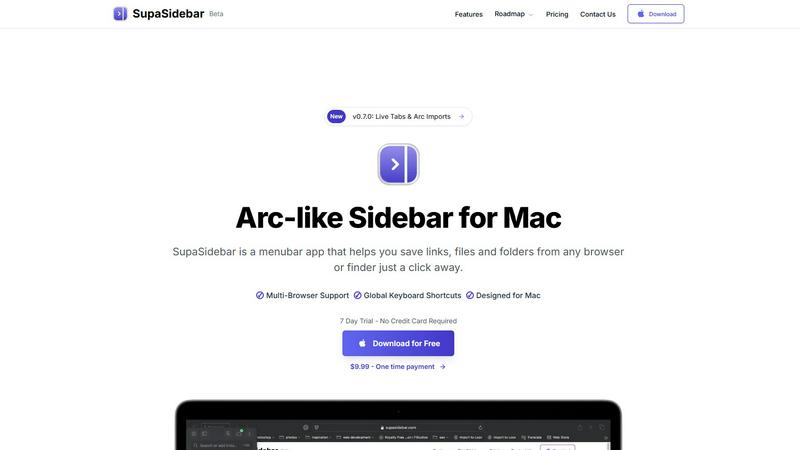
SupaSidebar streamlines your Mac experience by providing quick access to links, files, and folders with easy keyboard.
Last updated: February 28, 2026

Unlock 20 privacy-first Chrome extensions for developers and writers, built by a solo developer with your needs in mind.
Last updated: February 26, 2026
Visual Comparison
SupaSidebar
Zovo

Feature Comparison
SupaSidebar
Global Keyboard Shortcuts
SupaSidebar incorporates global keyboard shortcuts, allowing users to save or copy URLs effortlessly. By pressing CMD CTRL S, you can save a link, while CMD CTRL C copies the current website link directly to the sidebar. This feature significantly reduces the time spent switching between applications, making your workflow smoother and more efficient.
Recent Item Tracking
The Recent feature tracks every website you have accessed in the last 48 hours, enabling quick retrieval of previously visited links. This functionality helps you stay organized, ensuring you can find essential information instantly without sifting through multiple tabs or bookmarks.
Pinned Favorites
SupaSidebar allows users to pin their favorite items, which are displayed at the top of the sidebar for easy access. This feature is particularly beneficial for those who frequently revisit specific websites or files, as it saves time and keeps your most important resources readily available.
Fast Search Functionality
With the CMD CTRL K shortcut, users can initiate a fast search for any file, folder, website, or app. This feature enables you to find what you need instantly, eliminating the frustration of digging through multiple directories or browser tabs. It enhances overall efficiency and ensures you stay focused on your tasks.
Zovo
BeLikeNative
BeLikeNative is Zovo's flagship extension, designed to help users write like native speakers effortlessly. With one keystroke, users can rewrite text in 80 languages, making it an essential tool for anyone looking to improve their writing skills or communicate more effectively in a foreign language. This feature works seamlessly across various platforms, enabling instant rewrites in any text field.
Tab Suspender Pro
Tab Suspender Pro helps users manage their browser tabs by automatically suspending inactive ones. This feature is essential for those who often juggle multiple tasks, as it preserves memory and improves browsing speed. With smart detection and memory tracking capabilities, users can enjoy a smoother experience without the hassle of manually managing tabs.
Clipboard History Pro
Never lose important copied text again with Clipboard History Pro. This extension allows users to store up to 10,000 clips, enabling instant searches for previously copied items. Its smart paste functionality ensures that users can easily retrieve and paste any text they need, streamlining their workflow and eliminating the frustration of forgotten snippets.
Form Filler Pro
Form Filler Pro simplifies online form submissions by allowing users to fill out any form with just one click. This feature supports multiple profiles, enabling users to save different sets of information for various scenarios. With 100% local data handling, users can complete forms quickly and securely, reducing the time spent on repetitive tasks.
Use Cases
SupaSidebar
Researchers
For researchers juggling multiple sources and data points, SupaSidebar serves as a centralized hub. You can quickly save links to articles, studies, and resources, keeping everything organized in one place for easy referencing and note-taking.
Students
Students can benefit immensely from SupaSidebar by managing their study materials and resources. With the ability to pin important links and track recent sites, they can streamline their research process and focus on learning rather than searching.
Professionals
Professionals who work on various projects can utilize SupaSidebar to manage their tasks more effectively. By keeping essential links and files at their fingertips, they can switch between tasks seamlessly, enhancing productivity and reducing downtime.
Creative Individuals
For creatives who often gather inspiration from various online sources, SupaSidebar provides an efficient way to save and organize ideas. Whether it is design resources, articles, or reference materials, this tool helps keep your creative workflow organized and accessible.
Zovo
Enhancing Writing Skills
Whether you're a student, professional, or casual writer, BeLikeNative makes it easy to enhance your writing skills. By providing instant rewrites, users can learn from their mistakes and improve their language proficiency without the pressure of traditional learning methods.
Managing Browser Performance
For users who often have numerous tabs open, Tab Suspender Pro is a game-changer. It helps to manage browser performance by suspending inactive tabs, ensuring that your device runs smoothly and efficiently, which is especially beneficial for those working on resource-intensive tasks.
Streamlining Workflows
With Clipboard History Pro, professionals can streamline their workflows by keeping track of essential copied texts. This tool is particularly useful for writers, marketers, and researchers who frequently need to reference snippets of information without the risk of losing them.
Efficient Online Shopping
Form Filler Pro greatly enhances the online shopping experience by allowing users to fill out billing and shipping information quickly. This feature saves time and reduces frustration, enabling users to complete purchases swiftly without repetitive data entry.
Overview
About SupaSidebar
SupaSidebar is a beautifully designed sidebar application specifically crafted for Mac users looking to elevate their productivity by creating a streamlined digital workspace. With SupaSidebar, you can easily save and access links, files, and folders from any web browser or Finder with just a click. Drawing inspiration from the Arc browser, it features an elegant interface that integrates flawlessly with all major web browsers, including Safari, Chrome, Firefox, Brave, and Arc. The main value proposition of SupaSidebar is its ability to maintain organization and efficiency in your digital tasks, allowing users to manage essential items at their fingertips. Its intuitive keyboard shortcuts facilitate quick actions like capturing or copying URLs, enabling users to stay in their workflow without distractions. SupaSidebar is ideal for researchers, students, professionals, and anyone who needs to manage multiple tasks simultaneously, ensuring that vital resources are always just a click away.
About Zovo
Zovo is a comprehensive suite of 20 Chrome extensions meticulously crafted by a solo developer with over 10 years of experience and a proven track record of earning $400K on Upwork with a 100% success rate. Designed for everyone from casual users to professionals, Zovo's flagship extension, BeLikeNative, empowers more than 3,300 users to write like native speakers with a single keystroke rewrite feature that supports 80 languages. The extensions cater to various needs, including memory management with Tab Suspender Pro, data manipulation with JSON Formatter Pro, and enhanced productivity with tools like Clipboard History Pro and Form Filler Pro. Every extension prioritizes user privacy, ensuring that data never leaves your device, with a commitment to zero data harvesting and no external investors. Zovo thrives on community input, allowing users to vote on features and influence the development roadmap, with new extensions released monthly and early access provided to community members.
Frequently Asked Questions
SupaSidebar FAQ
Is SupaSidebar a browser extension?
No, SupaSidebar is a standalone menubar application designed for Mac users, enabling quick access to links, files, and folders without being tied to a specific browser.
Which browsers does SupaSidebar work with?
SupaSidebar is compatible with all major web browsers, including Safari, Chrome, Firefox, Brave, and Arc, ensuring seamless integration across your digital workspace.
What macOS version do I need?
SupaSidebar requires macOS version 13 or later to ensure optimal performance and compatibility with the latest features.
Where is my data stored?
Your data is stored locally on your Mac, ensuring that nothing leaves your device. This focus on privacy allows you to manage your links and files without concerns about data security.
Zovo FAQ
How does Zovo ensure user privacy?
Zovo prioritizes user privacy by ensuring that all data remains on your device. There is no data harvesting, and user information is not shared with third parties, providing a secure browsing experience.
Can I request new features for Zovo extensions?
Yes, users are encouraged to submit feature requests directly. The developer reviews every request, with the most-requested features taking priority in development, ensuring that the tools evolve based on user needs.
How often are new extensions released?
New extensions are typically released monthly. Additionally, community members receive early access to these new tools, usually 1-2 weeks before they are made available to the public.
What support options are available for Zovo users?
Zovo users can reach out directly via email or through the Discord community for support. The developer personally addresses questions and issues, ensuring a responsive and human-centric support experience.
Alternatives
SupaSidebar Alternatives
SupaSidebar is a productivity-enhancing sidebar application designed specifically for Mac users. It simplifies the way individuals access links, files, and folders across various web browsers, helping to streamline workflow and improve efficiency. Users often seek alternatives to SupaSidebar due to reasons such as pricing, specific feature sets, compatibility with different platforms, or personal preferences regarding user interface design. When searching for an alternative, it is crucial to consider the functionality that best suits your needs, including ease of access, organization capabilities, and how well it integrates with your existing tools and workflows. A good alternative should also provide a seamless user experience, intuitive navigation, and robust support for managing multiple tasks effectively.
Zovo Alternatives
Zovo is a comprehensive suite of 20 privacy-focused Chrome extensions designed specifically for developers and writers. With tools like JSON Formatter, Tab Suspender, and Clipboard History, Zovo aims to enhance productivity while prioritizing user privacy. Many users seek alternatives to Zovo for various reasons, including pricing considerations, specific feature requirements, or compatibility with different platforms. As you explore alternatives, it's crucial to evaluate aspects such as ease of use, feature set, privacy policies, and user feedback to ensure you find a solution that aligns with your needs. When looking for an alternative to Zovo, consider what functionalities are essential for your workflow. Assess whether the alternative offers similar privacy-first principles, a diverse range of tools, and a solid track record of user satisfaction. Additionally, explore if the alternative provides responsive customer support and a community-driven approach to feature development, as these factors can significantly impact your overall experience and productivity.