
SupaSidebar
SupaSidebar streamlines your Mac experience by providing quick access to links, files, and folders with easy keyboard.
Visit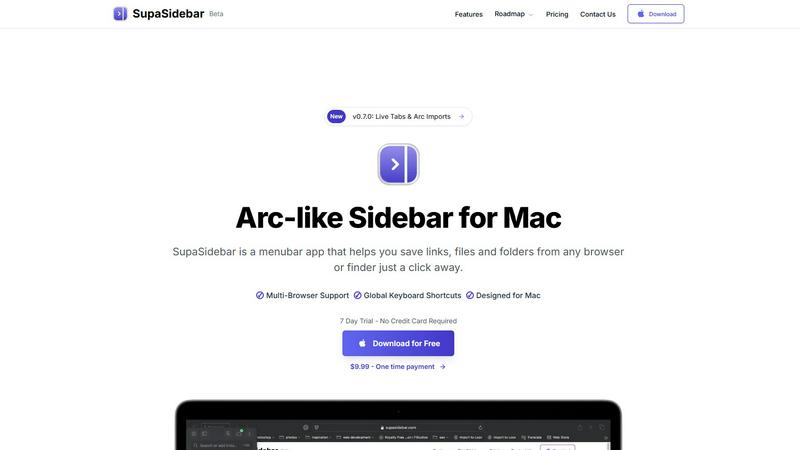
About SupaSidebar
SupaSidebar is a beautifully designed sidebar application specifically crafted for Mac users looking to elevate their productivity by creating a streamlined digital workspace. With SupaSidebar, you can easily save and access links, files, and folders from any web browser or Finder with just a click. Drawing inspiration from the Arc browser, it features an elegant interface that integrates flawlessly with all major web browsers, including Safari, Chrome, Firefox, Brave, and Arc. The main value proposition of SupaSidebar is its ability to maintain organization and efficiency in your digital tasks, allowing users to manage essential items at their fingertips. Its intuitive keyboard shortcuts facilitate quick actions like capturing or copying URLs, enabling users to stay in their workflow without distractions. SupaSidebar is ideal for researchers, students, professionals, and anyone who needs to manage multiple tasks simultaneously, ensuring that vital resources are always just a click away.
Features of SupaSidebar
Global Keyboard Shortcuts
SupaSidebar incorporates global keyboard shortcuts, allowing users to save or copy URLs effortlessly. By pressing CMD CTRL S, you can save a link, while CMD CTRL C copies the current website link directly to the sidebar. This feature significantly reduces the time spent switching between applications, making your workflow smoother and more efficient.
Recent Item Tracking
The Recent feature tracks every website you have accessed in the last 48 hours, enabling quick retrieval of previously visited links. This functionality helps you stay organized, ensuring you can find essential information instantly without sifting through multiple tabs or bookmarks.
Pinned Favorites
SupaSidebar allows users to pin their favorite items, which are displayed at the top of the sidebar for easy access. This feature is particularly beneficial for those who frequently revisit specific websites or files, as it saves time and keeps your most important resources readily available.
Fast Search Functionality
With the CMD CTRL K shortcut, users can initiate a fast search for any file, folder, website, or app. This feature enables you to find what you need instantly, eliminating the frustration of digging through multiple directories or browser tabs. It enhances overall efficiency and ensures you stay focused on your tasks.
Use Cases of SupaSidebar
Researchers
For researchers juggling multiple sources and data points, SupaSidebar serves as a centralized hub. You can quickly save links to articles, studies, and resources, keeping everything organized in one place for easy referencing and note-taking.
Students
Students can benefit immensely from SupaSidebar by managing their study materials and resources. With the ability to pin important links and track recent sites, they can streamline their research process and focus on learning rather than searching.
Professionals
Professionals who work on various projects can utilize SupaSidebar to manage their tasks more effectively. By keeping essential links and files at their fingertips, they can switch between tasks seamlessly, enhancing productivity and reducing downtime.
Creative Individuals
For creatives who often gather inspiration from various online sources, SupaSidebar provides an efficient way to save and organize ideas. Whether it is design resources, articles, or reference materials, this tool helps keep your creative workflow organized and accessible.
Frequently Asked Questions
Is SupaSidebar a browser extension?
No, SupaSidebar is a standalone menubar application designed for Mac users, enabling quick access to links, files, and folders without being tied to a specific browser.
Which browsers does SupaSidebar work with?
SupaSidebar is compatible with all major web browsers, including Safari, Chrome, Firefox, Brave, and Arc, ensuring seamless integration across your digital workspace.
What macOS version do I need?
SupaSidebar requires macOS version 13 or later to ensure optimal performance and compatibility with the latest features.
Where is my data stored?
Your data is stored locally on your Mac, ensuring that nothing leaves your device. This focus on privacy allows you to manage your links and files without concerns about data security.
Pricing of SupaSidebar
SupaSidebar offers a variety of pricing plans, including a free tier and a Pro version. The free version allows access to basic features, while the Pro version provides unlimited spaces for organizing links and additional benefits such as early access to new features and priority support. The Pro version is available for $19.99 monthly or $13.99 annually. During the beta period, users can use the code BETA30 for a 30% discount. A one-time purchase option is also available for $49.99, allowing users to own the software forever. A 14-day money-back guarantee ensures that you can try the product risk-free.
Explore more in this category:
Similar to SupaSidebar

Private email. Pure. Secure. Exclusive. No ads, no tracking, no data selling. GDPR compliant, EU-hosted.


Apps and files on an infinite canvas where people and AI agents work together.

Panzoe is an all-in-one AI platform for personal productivity, business automation, AI assistants, content creation, and custom AI solutions.


AI Email Filter sorts incoming mail into folders using plain-language prompts you write. Works with any IMAP mailbox; bring your own LLM if you want.


No-code 2D game editor: visual node logic, drag-and-drop scenes, live preview. Exports to Windows, macOS, Linux, Android, iOS, Web.