
AsciiArt
AsciiArt is a free online tool that effortlessly transforms text and images into stunning ASCII art using over 50 unique FIGlet fonts.
Visit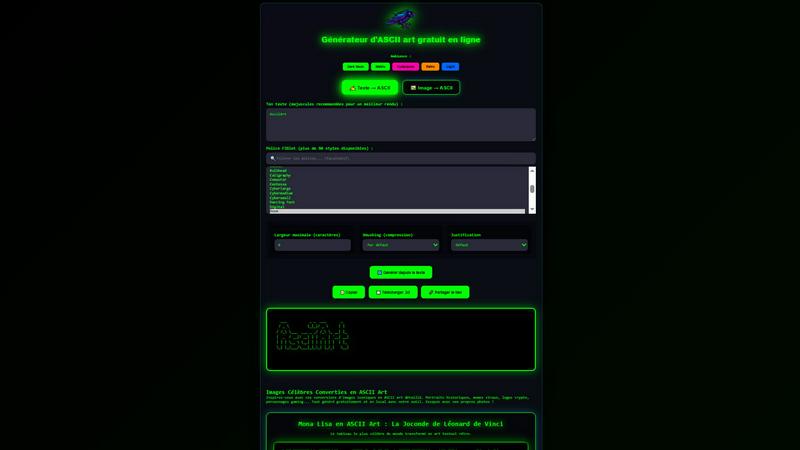
About AsciiArt
AsciiArt.fr is a unique online generator that allows users to create stunning ASCII art from text and images instantly in their web browsers. With over 50 FIGlet fonts available, users can transform any text into artistic representations that maintain the essence of retro and digital art. Whether you want to convert a simple phrase or a complex image (JPG, PNG, WebP), AsciiArt provides an intuitive interface that requires no sign-up, tracking, or server interaction, ensuring a seamless and private experience. This tool is ideal for developers, artists, gamers, and social media enthusiasts looking to add a touch of creativity to their README files, Discord conversations, forums, or email signatures. In a world where visual communication is paramount, AsciiArt bridges the gap between traditional text and modern digital aesthetics, making it a valuable resource for anyone seeking to express their creativity in a nostalgic format.
Features of AsciiArt
Text to ASCII Conversion
AsciiArt enables users to convert text into ASCII art effortlessly. By simply entering your text, you can choose from over 50 FIGlet fonts to find the perfect style that resonates with your creative vision. Adjust the width and alignment to customize your output, making it easily adaptable for various platforms and purposes.
Image to ASCII Conversion
This feature allows you to upload any image (JPG, PNG, WebP) and convert it into an ASCII art representation. The tool analyzes the image and generates a detailed text version, perfect for those who want to share iconic visuals in a retro format. This is especially useful for artists and designers looking for a unique way to present their work.
Customizable Output Settings
AsciiArt provides several customization options, including maximum character width, smushing (compression), and justification. Users can select from default, full, kerning, or no smushing, as well as align their text to the left, center, right, or justified. This flexibility ensures that your ASCII art fits perfectly within any context.
Easy Sharing and Downloading
Once your ASCII art is generated, AsciiArt offers simple options to copy the text, download it as a .txt file, or share a direct link. This makes it incredibly convenient to distribute your creations across various platforms, whether for personal use or community sharing.
Use Cases of AsciiArt
Enhancing README Files
Developers can use AsciiArt to create eye-catching README files for their projects. By incorporating ASCII art, they can make their documentation more engaging while providing visual cues that enhance user understanding of their software or application.
Creative Discord Messages
Gamers and community members can spice up their chats on platforms like Discord with custom ASCII art. Whether it’s for announcements, personal messages, or just for fun, adding ASCII art can foster a creative and lively atmosphere in any server.
Unique Email Signatures
AsciiArt is perfect for adding a personal touch to email signatures. Users can transform their names or favorite quotes into ASCII art, making their emails stand out in a professional or casual context while showcasing their creativity.
Retro Gaming Projects
For retro gaming enthusiasts, AsciiArt serves as an excellent tool for creating game graphics or promotional material that pays homage to the pixelated art style of classic games. It allows developers and artists to integrate ASCII art into their projects easily.
Frequently Asked Questions
How does AsciiArt work?
AsciiArt works by taking text or images that you provide and converting them into ASCII art using various algorithms and font styles. You can customize aspects like width and alignment before generating the final output.
Do I need to create an account to use AsciiArt?
No, AsciiArt does not require any account creation or sign-ups. You can use the tool directly from your browser without any tracking or server interaction.
What file formats can I upload for image conversion?
You can upload images in JPG, PNG, or WebP formats for conversion into ASCII art. This flexibility allows you to work with a variety of images for your projects.
Is AsciiArt free to use?
Yes, AsciiArt is a free online tool that allows users to create ASCII art without any hidden fees or subscriptions. You can generate and download your creations at no cost.
Explore more in this category:
Similar to AsciiArt

ImageGPT is an all-in-one AI creative platform for generating, editing and transforming images and videos using AI.

Create release-ready album covers from a prompt or photo. Generate, refine, and export art for singles, EPs, mixtapes, and playlists.

A free browser-based toolkit for creating, cutting, converting, and previewing sprite sheet animations.

Free AI attractiveness test and face analysis with private, on-device photo processing.

Explore Flux LoRA online workflows in a browser-based AI Studio, with a roadmap for dedicated Flux LoRA models, generation, and training.


Create videos from prompts and images with an independent Runway AI video generator, plus task tracking and API resources.

Turn any image into editable layers with AI—separate subject, background, and objects as transparent PNG layers.