
ImageGen2
Generate photorealistic images with accurate text and precise edits using GPT Image 2, all for free.
VisitPublished on:
April 26, 2026
Pricing:
About ImageGen2
ImageGen2 is a free online AI image generator and editor powered by OpenAI's most advanced image generation model, GPT Image 2 (gpt-image-2). It is designed for creators, marketers, designers, and business owners who need high-quality visual content quickly and efficiently. The platform solves the common problems of poor text rendering, unrealistic image quality, and limited editing control found in other AI image tools. With ImageGen2, you can generate photorealistic images from text prompts, edit uploaded images with precise instructions, combine up to five reference images for compositing and style transfer, and produce professional-grade assets like product photos, posters, logos, ad creatives, portraits, backgrounds, and social media content. The standout feature is near-perfect text rendering, which makes it ideal for creating readable logos, infographics, UI mockups, and marketing materials. The platform offers flexible quality settings (low, medium, high, or auto) and output formats (PNG, JPEG, WebP), allowing you to balance generation speed with visual precision. Whether you are a solo creator needing quick social graphics or a team producing commercial advertising assets, ImageGen2 provides a straightforward workflow: start from generation on the homepage, jump into prompt-based editing with a source image, or copy ready-to-use prompt examples for repeatable results. The built-in world knowledge means the model understands real places, events, and cultural references, delivering more accurate and meaningful images without requiring overly detailed prompts. ImageGen2 is accessible directly in your browser with no software installation required, making professional AI image generation available to everyone.
Features of ImageGen2
Near-Perfect Text Rendering
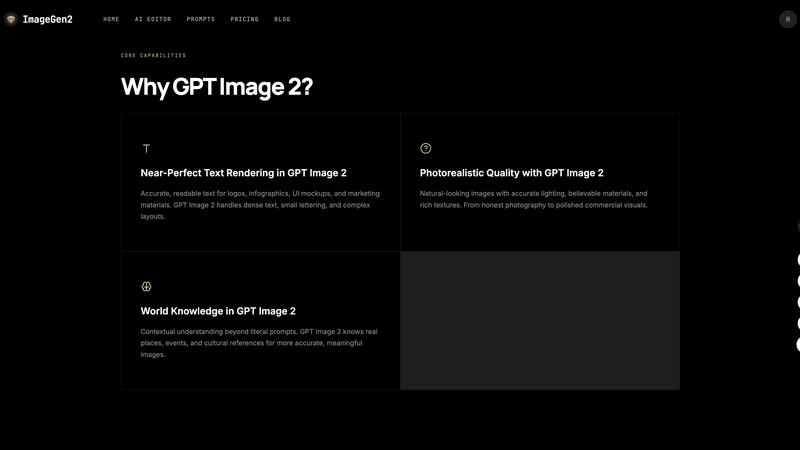
One of the most frustrating limitations of earlier AI image generators was their inability to render readable text in logos, infographics, and marketing materials. ImageGen2 solves this with GPT Image 2's advanced text rendering capabilities that handle dense text, small lettering, and complex layouts with remarkable accuracy. You can create professional logos with clear typography, design infographics with readable labels, and produce UI mockups where every word is crisp and legible. This feature eliminates the need for manual text overlay in separate editing software, saving significant time and effort in your design workflow.
Photorealistic Quality with Advanced Lighting
ImageGen2 delivers natural-looking images with accurate lighting, believable materials, and rich textures that rival professional photography. The model avoids the color casting and artificial appearance common in earlier AI generators, producing honest photography and polished commercial visuals. Whether you need product shots with realistic reflections, portraits with natural skin tones, or outdoor scenes with accurate sunlight and shadows, ImageGen2 handles complex lighting scenarios effectively. This photorealism is critical for e-commerce product images, advertising creatives, and any application where visual authenticity directly impacts customer trust and conversion rates.
Multi-Image Input and Compositing
ImageGen2 allows you to upload up to five reference images in a single generation, enabling sophisticated compositing and style transfer workflows. You can combine subjects from one image with backgrounds from another, apply the style of a reference image to a new subject, or merge multiple visual elements into a cohesive final output. This feature is particularly valuable for product photography, where you might want to place a product image into different lifestyle settings, or for creative projects where you need to blend visual references to achieve a specific artistic direction. The ability to provide visual guidance alongside text prompts gives you precise control over the generated output.
Precise Editing with Identity Preservation
Unlike basic AI editing tools that dramatically alter or distort your original image, ImageGen2's editing capabilities preserve the identity and composition of your source image while making targeted modifications. You can upload an image, describe the specific change you want, and the model will intelligently apply that edit without affecting unrelated areas. This is ideal for creating product variants with different colors or materials, generating portrait variations with different expressions or backgrounds, and making iterative refinements to ad creatives. The precise editing workflow saves time compared to manual retouching in traditional photo editing software.
Use Cases of ImageGen2
Product Photography and E-Commerce Visuals
E-commerce businesses and product marketers can use ImageGen2 to create professional product photos without expensive photography studios. You can generate images of products in lifestyle settings, create multiple color variants from a single base image, and produce consistent product shots for catalogs and online listings. The near-perfect text rendering also allows you to add product labels, pricing information, and branding elements directly into the generated images. This capability reduces the time and cost associated with traditional product photography while maintaining high visual standards that drive customer engagement and sales.
Logo and Brand Asset Creation
Designers and business owners can leverage ImageGen2's text rendering accuracy to create logos, brand marks, and visual identity assets. The model understands typography, spacing, and layout principles, enabling you to generate multiple logo concepts with readable text in different styles and color schemes. You can also create supporting brand assets like social media headers, business card designs, and brand pattern backgrounds. The ability to combine reference images allows you to incorporate existing brand elements or inspiration images into the generation process, ensuring consistency with your established visual identity.
Advertising and Marketing Creative Production
Marketing teams can accelerate their creative production workflow by using ImageGen2 to generate ad creatives for digital campaigns, social media posts, and print materials. You can quickly produce multiple variations of an ad with different headlines, calls-to-action, and visual treatments to test performance. The photorealistic quality ensures that product-focused ads look convincing and professional, while the text rendering capability guarantees that your messaging is clear and readable at any size. This rapid iteration capability allows marketers to optimize campaigns faster and respond to performance data with new creative assets in minutes rather than days.
Portrait and Background Generation
Content creators and individuals can use ImageGen2 to generate professional portraits and custom backgrounds for various applications. You can create LinkedIn profile photos with clean, professional backgrounds, generate team member portraits for company websites with consistent lighting and style, or produce custom backgrounds for video calls, presentations, and social media profiles. The editing capabilities allow you to start from a real photo and modify the background or adjust the subject's appearance while preserving their identity. This is particularly useful for remote teams and freelancers who need professional visual assets without access to photography studios.
Frequently Asked Questions
What is GPT Image 2 and how is it different from DALL-E 3?
GPT Image 2 (gpt-image-2) is OpenAI's most advanced AI image generation model, representing a major upgrade from DALL-E 3. It delivers dramatically improved text rendering accuracy that handles dense text, small lettering, and complex layouts without errors. The model also achieves better photorealism without the color casting issues common in DALL-E 3, and it includes built-in world knowledge for contextual understanding of real places, events, and cultural references. Additionally, GPT Image 2 provides precise editing capabilities that preserve the identity and composition of source images during modifications, making it significantly more capable for professional design and creative work.
How do I use GPT Image 2 on ImageGen2?
To use GPT Image 2 on ImageGen2, simply open the platform in your browser. You can start from the homepage by entering a text prompt and selecting your quality and format settings, then click generate. If you have a source image you want to edit, upload it and describe the change you want to make. You can also upload multiple images to combine subjects, styles, or references. The platform provides three main workflows: start from generation, jump into prompt-based editing with a source image, or copy ready-to-use prompt examples from the GPT Prompts section for repeatable results. No software installation or account is required to begin generating images.
Is GPT Image 2 good for text rendering and creating logos?
Yes, GPT Image 2 excels at text rendering and is ideal for creating logos, infographics, UI mockups, and marketing materials. The model achieves near-perfect text rendering accuracy, meaning it can produce readable text in various fonts, sizes, and layouts without the garbled or misspelled text common in other AI image generators. For logo creation, you can specify the text, style, colors, and layout, and the model will generate professional-looking logo concepts with clear, accurate typography. This capability eliminates the need for manual text overlay in separate editing software, making ImageGen2 a complete solution for brand asset creation.
Can I edit existing images with ImageGen2?
Yes, ImageGen2 provides precise image editing capabilities that allow you to upload an existing image and describe the specific changes you want to make. The model intelligently applies modifications while preserving the identity and composition of your original image. You can change backgrounds, adjust colors, add or remove elements, modify textures, and create variations of products, portraits, or scenes. The editing workflow supports up to five reference images for compositing and style transfer, giving you extensive creative control. This makes ImageGen2 suitable for iterative design work where you need to refine and customize existing visuals without starting from scratch.
Similar to ImageGen2

ImageGPT is an all-in-one AI creative platform for generating, editing and transforming images and videos using AI.

A focused two-photo AI studio for original duet videos or portraits, with paid credits and MP4 export.

Create release-ready album covers from a prompt or photo. Generate, refine, and export art for singles, EPs, mixtapes, and playlists.

A free browser-based toolkit for creating, cutting, converting, and previewing sprite sheet animations.

Free AI attractiveness test and face analysis with private, on-device photo processing.

Explore Flux LoRA online workflows in a browser-based AI Studio, with a roadmap for dedicated Flux LoRA models, generation, and training.

Create AI UGC video ads from a product URL, image, or script with AI creators, natural voices, captions, product visuals, and calls to action.
