
Picture Enhancer
Fix blurry photos, upscale low-res images, and restore old pictures instantly in your browser with free guest tries and no software install.
Visit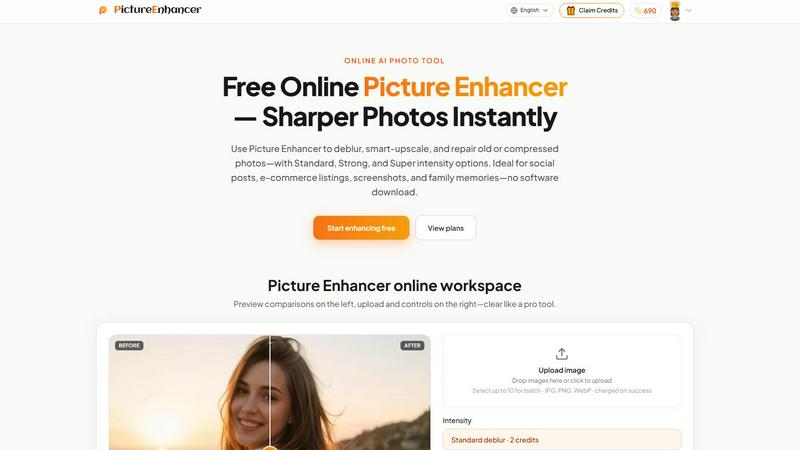
About Picture Enhancer
Picture Enhancer is a free online AI photo enhancement tool designed for creators, sellers, and everyday users who need sharper, cleaner images without complicated software. The product solves a common problem: blurry photos, low-resolution images, and damaged old pictures that look unprofessional or unusable. With Picture Enhancer, you upload a JPG, PNG, or WebP photo and choose from three core modes: Deblur, Upscale, or Restore. Each mode offers three intensity levels (Standard, Strong, and Super) so you can match the processing power to the severity of the image issue. The tool provides a before-and-after preview slider, letting you inspect quality improvements before downloading a watermark-free result. Processing happens quickly and privately, with your images used only to complete your enhancement request. Picture Enhancer is ideal for social media posts, e-commerce product listings, screenshots, UI captures, and family photo restoration. Guests get three free lifetime tries per IP address with no signup required. Signed-in users receive starter credits and can purchase additional credits or subscriptions. Credits are charged only on successful enhancements, not on failed attempts. Paid users unlock Super intensity tiers and batch processing capabilities for up to 10 images at once. Monthly subscription plans grant fresh credits each billing cycle, while permanent credit packs never expire, giving you flexibility based on your usage frequency. The entire workflow is streamlined into three steps: upload, choose mode and intensity, then compare and download. This simplicity makes professional-grade photo enhancement accessible to anyone, regardless of technical skill.
Features of Picture Enhancer
AI Deblur Mode
Picture Enhancer uses artificial intelligence to rebuild edges and texture from common image problems like camera shake, soft focus, and mild motion blur. You can choose Standard, Strong, or Super deblur intensity depending on how much correction your photo needs. Standard deblur handles minor softness, while Strong and Super tackle more significant blur issues. Faces become recognizable again, text becomes readable, and overall image clarity improves dramatically. The AI analyzes the entire image and intelligently reconstructs lost detail without introducing artifacts or unnatural sharpening halos. This makes it perfect for salvaging candid shots, event photos, or any image where the subject moved slightly during capture.
Smart Upscale Mode
When you need to enlarge a small image for social media covers, product hero shots, or print previews, Smart Upscale delivers 2x and 4x enlargement while adding realistic detail. Unlike traditional upscaling that simply stretches pixels and creates blur, Picture Enhancer's AI generates new texture and sharpness that matches the original image content. This means you can take a low-resolution thumbnail and turn it into a usable high-resolution image without the typical blocky or pixelated results. The feature works exceptionally well on product photos, logos, and graphics where maintaining crisp edges and clean lines is essential for professional presentation.
Old Photo and Damage Restore Mode
Old Photo and Damage Restore addresses scratches, fading, color shifts, and compression artifacts that plague scanned family prints and vintage images. Standard restore handles minor imperfections, while Strong and Super restore tackle heavier damage like deep scratches, large faded areas, and aggressive JPEG compression noise. The AI intelligently fills in missing information using context from surrounding areas, effectively repairing damage without making the image look artificial or over-processed. This mode is particularly valuable for preserving family memories, digitizing old photo albums, and preparing vintage images for sharing or printing.
Batch Processing for Paid Users
Subscribers and permanent credit pack buyers can enhance up to 10 images in a single batch, dramatically improving workflow efficiency for professionals and power users. Instead of uploading and processing each image individually, you can queue multiple photos, apply the same or different enhancement settings, and let the AI process them in sequence. This feature is a significant time-saver for e-commerce sellers with large product catalogs, social media managers handling multiple posts, or anyone restoring an entire album of old photos. Batch processing maintains the same quality standards as single-image enhancements, ensuring consistent results across your entire set.
Use Cases of Picture Enhancer
Portraits and Everyday Photos
Reduce mild blur and softness in portraits so faces, clothing textures, and background details look cleaner and more professional for social media feeds, personal portfolios, or printed photo albums. Whether you captured a candid moment with slight camera shake or your phone's autofocus missed slightly, Picture Enhancer can restore sharpness and clarity. Standard deblur works well for minor corrections, while Strong or Super deblur can salvage images that would otherwise be unusable. The result is natural-looking enhancement that preserves skin tones and facial features without introducing artificial smoothness.
E-commerce and Product Shots
Upscale product detail and tame compression noise so your listings stand out in crowded marketplaces. Small product images from supplier catalogs or low-resolution photos taken with basic equipment can be enlarged and sharpened to meet platform requirements for hero images, zoom features, and thumbnail displays. Smart Upscale mode adds realistic detail that makes textures, labels, and product features visible even when the original file was small. This helps increase customer confidence, reduce return rates, and improve conversion rates by presenting products in the best possible light.
Screenshots and UI Captures
Sharpen text edges and reduce compression artifacts in screenshots for tutorials, support documentation, bug reports, and technical archives. When you capture a screen image and then resize or compress it, text often becomes blurry and unreadable. Picture Enhancer's deblur mode restores crisp text rendering, making your documentation more professional and easier to follow. This is especially valuable for software developers, technical writers, customer support teams, and educators who rely on clear visual aids to communicate complex information effectively.
Old Photo Memories
Repair fade, scratches, and color degradation in scanned family prints so precious memories are ready to share digitally or print for display. Old photos stored in albums or boxes often suffer from physical damage and chemical fading over decades. Picture Enhancer's Restore mode intelligently repairs these issues, removing scratches, reducing yellowing, and filling in missing details. Strong and Super intensity settings handle heavily damaged images, while Standard restore works well for minor imperfections. The result is a digital version that looks closer to the original moment, preserving family history for future generations.
Frequently Asked Questions
What is Picture Enhancer?
Picture Enhancer is a free online AI photo enhancement tool that sharpens blurry images, upscales low-resolution photos, and restores old or damaged pictures. It uses artificial intelligence to analyze and improve image quality in three modes: Deblur, Upscale, and Restore. Each mode offers three intensity levels (Standard, Strong, and Super) to match the severity of the issue. The tool processes JPG, PNG, and WebP files, provides a before-and-after preview slider, and delivers watermark-free downloads. It is designed for creators, sellers, and everyday users who need better images without installing software.
Can I try Picture Enhancer without signing in?
Yes, guests can try Picture Enhancer for free without signing in. Each IP address receives three lifetime free tries. This allows you to test the tool and see the quality of results before committing to a paid plan. Simply upload your image, choose a mode and intensity, preview the result, and download your enhanced photo. After using your three guest tries, you will need to sign in to continue using the service. Signing in is quick and gives you access to starter credits and additional features.
How does billing work after sign-in?
After signing in, you receive starter credits to begin enhancing photos. Credits are charged only on successful enhancements, meaning if a job fails for any reason, you are not charged. Standard intensity costs 2 credits per image, Strong costs 4 credits, and Super costs 6 credits. You can purchase additional credits through monthly subscription plans or permanent credit packs. Monthly plans grant fresh credits each billing cycle, while permanent packs never expire and remain available until used. Paid users also unlock Super intensity tiers and batch processing for up to 10 images at once.
Are my photos safe?
Yes, your photos are safe with Picture Enhancer. The service uses private processing, meaning your uploaded images are used only to complete your specific enhancement request. They are not stored, shared, or used for any other purpose. The platform follows standard security practices to protect your data during upload, processing, and download. Once you download your enhanced image, you can delete the original from the system if you choose. This privacy-focused approach ensures your personal photos, product images, and sensitive documents remain confidential.
Pricing of Picture Enhancer
Picture Enhancer offers a free tier for guests with three lifetime tries per IP address. Signed-in users receive starter credits upon account creation. Additional credits can be purchased through monthly subscription plans or permanent credit packs. Monthly subscriptions grant fresh credits each billing cycle, while permanent credit packs never expire and remain available until fully used. Credits are charged only on successful enhancements at the following rates: Standard intensity costs 2 credits, Strong costs 4 credits, and Super costs 6 credits. Paid users unlock Super intensity tiers and batch processing capabilities for up to 10 images at once. Specific pricing for subscription plans and credit packs is available on the Picture Enhancer pricing page.
Explore more in this category:
Similar to Picture Enhancer

Free AI image and video studio with no sign-up: generate images from text or photos, turn prompts into short videos, plus editing and upscaling.

AI image and video generation, photo editing, restoration and free prompt tools in one browser studio.

Turn text prompts into polished, copyright-safe visuals that plug directly into branded templates

Create and edit AI images, generate videos, and compare models in one creative workbench.

Create and edit AI images online with multiple models, text-to-image, image-to-image, background removal, and upscaling.

AI image generation and editing with sharp typography, native 2K output, and localized edits.

A fast, simple image studio powered by Nano Banana 2.1. Create and edit high-quality images with accurate details and readable text.

AIPetGen turns a photo of your dog, cat, or other pet, or a written description, into a new picture or a short animation.