
Pixel Art Village
Pixel Art Village effortlessly converts images to pixel art with live previews, custom palettes, and easy exports—all in your browser.
Visit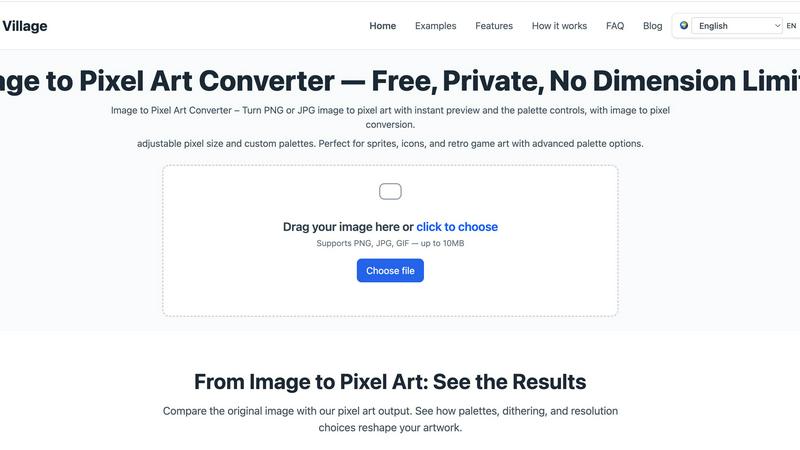
About Pixel Art Village
Pixel Art Village is a powerful online tool designed for converting images into pixel art effortlessly. Whether you have a photo, sprite, or any other image in PNG, JPG, GIF, or WEBP format, this intuitive platform allows you to transform your visuals into charming pixel art instantly. The primary value proposition of Pixel Art Village lies in its simplicity and efficiency. With real-time previews and a user-friendly interface, both beginners and seasoned digital artists can navigate the conversion process with ease. The tool emphasizes privacy, as all image processing occurs in your browser, ensuring your images remain secure and private. Additionally, Pixel Art Village is completely free to use, allowing users to explore their creativity without any financial constraints. This makes it an ideal choice for game developers, designers, hobbyists, and anyone looking to create nostalgic art that harkens back to the retro gaming era.
Features of Pixel Art Village
Custom Palette
With Pixel Art Village, users can switch between pre-existing color palettes or create their own. This feature allows artists to align their artwork with specific retro systems or personal styles, enhancing the overall aesthetic of the pixel art produced.
Live Adjustments
The platform offers live adjustments for pixel size, brightness, contrast, saturation, and dithering. This means artists can see immediate results and make fine-tuned changes, ensuring the final output meets their creative vision without the need for multiple exports.
Private Processing
All image editing occurs client-side in your browser, keeping your images safe and private. Users can work on their projects with peace of mind, knowing that their data is not being uploaded to external servers or stored anywhere else.
No Dimension Limits
Pixel Art Village supports images of all sizes, from tiny icons to large reference images. This flexibility allows creators to work seamlessly on a variety of projects, ensuring that the final export can be scaled according to their specific needs.
Use Cases of Pixel Art Village
Game Development
Game developers can utilize Pixel Art Village to create sprites and UI elements that are both visually appealing and optimized for their games. The tool's palette and size adjustments make it easy to generate game-ready graphics efficiently.
Social Media Graphics
Social media managers can transform images into engaging pixel art for posts, stories, or promotional materials. The eye-catching nature of pixel art can help increase engagement and capture audience attention.
Digital Art Projects
Artists and designers can leverage Pixel Art Village to explore new styles and experiment with pixel art techniques. The platform allows for creative exploration without the need for extensive software knowledge.
Educational Purposes
Teachers and educators can use Pixel Art Village as a fun tool to introduce concepts of digital art and design to students. It provides an interactive way for learners to engage with technology and creativity in a classroom setting.
Frequently Asked Questions
Is this image to pixel art tool free to use?
Yes, Pixel Art Village is completely free. Users can upload images, make adjustments, and download their pixel art creations without any cost.
Do you upload images to a server?
No, all image processing is done client-side in your browser. This means your images are never uploaded to a server, ensuring your privacy and security.
What image formats does Pixel Art Village support?
Pixel Art Village supports various image formats, including PNG, JPG, GIF, and WEBP. Users can easily upload their images in any of these formats for conversion.
Can I create custom palettes for my pixel art?
Absolutely! Pixel Art Village allows users to create custom palettes or choose from built-in options. This feature is essential for aligning the artwork with specific themes or projects.
Similar to Pixel Art Village

ImageGPT is an all-in-one AI creative platform for generating, editing and transforming images and videos using AI.

Create release-ready album covers from a prompt or photo. Generate, refine, and export art for singles, EPs, mixtapes, and playlists.

A free browser-based toolkit for creating, cutting, converting, and previewing sprite sheet animations.

Free AI attractiveness test and face analysis with private, on-device photo processing.

Explore Flux LoRA online workflows in a browser-based AI Studio, with a roadmap for dedicated Flux LoRA models, generation, and training.


Create videos from prompts and images with an independent Runway AI video generator, plus task tracking and API resources.

Turn any image into editable layers with AI—separate subject, background, and objects as transparent PNG layers.