
ProspectBuddy
ProspectBuddy streamlines manual lead capture from LinkedIn to your CRM, ensuring compliance and saving you time with one-click efficiency.
Visit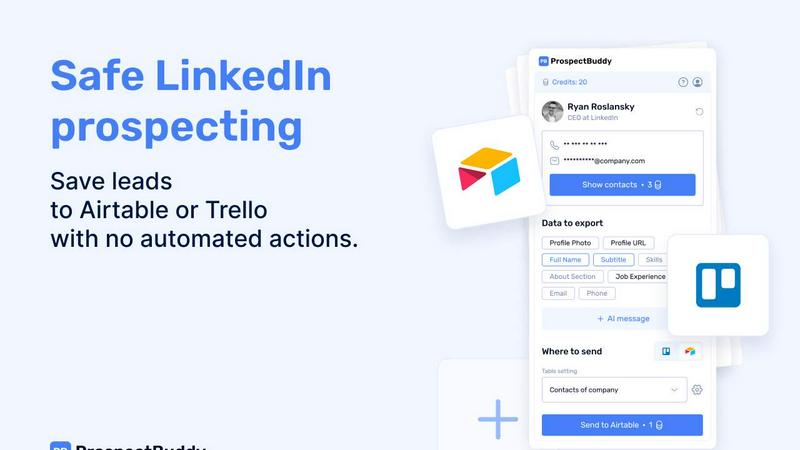
About ProspectBuddy
ProspectBuddy is a cutting-edge LinkedIn prospecting tool tailored for professionals who seek to streamline their lead management processes. This innovative software is specifically designed to integrate seamlessly with popular project management platforms like Airtable and Trello, making it an invaluable asset for sales teams, recruiters, founders, and operations managers. By enabling users to save LinkedIn profiles with just a single click, ProspectBuddy eliminates the tedious and error-prone manual copy-pasting of data. This transformation of profiles into structured records allows for better utilization and organization. Unlike many automation tools that take control away from users, ProspectBuddy emphasizes manual prospecting, ensuring compliance with LinkedIn's guidelines. Its features, including verified email and phone number discovery, AI-generated personalized outreach messages, and selective data capture, enable users to maintain full control of their prospecting activities while enhancing efficiency and organization.
Features of ProspectBuddy
One-Click Profile Saving
ProspectBuddy allows users to save LinkedIn profiles to Airtable or Trello with just one click. This feature removes the need for manual data entry, making lead management faster and more accurate.
Verified Contact Information
The tool provides users with the ability to discover verified business emails and direct phone numbers. This feature is crucial for B2B professionals looking to enhance their outreach efforts with accurate contact information.
AI-Powered Outreach Messaging
ProspectBuddy includes a feature that generates personalized outreach messages using LinkedIn profile data. This allows users to craft tailored communications quickly, saving time while improving engagement rates.
Customizable Data Capture
Users can select specific LinkedIn profile fields to export, ensuring that only the necessary data is sent to their chosen platform. This feature streamlines workflows and keeps databases organized and clutter-free.
Use Cases of ProspectBuddy
Efficient Lead Management for Sales Teams
Sales teams can utilize ProspectBuddy to quickly gather and manage leads from LinkedIn, ensuring that all relevant information is organized in Airtable or Trello for easy access and follow-up.
Streamlined Recruiting Processes
Recruiters can enhance their hiring workflows by using ProspectBuddy to save candidate profiles directly into their Trello boards. This simplifies candidate tracking and management, making the hiring process more efficient.
Enhanced Outreach for Founders
Founders can leverage the tool to build a targeted list of potential clients or partners. With verified contact details and personalized messaging capabilities, they can effectively grow their network.
Organized Data for Operations Managers
Operations managers can benefit from ProspectBuddy by maintaining a clean and structured database of leads and contacts. The tool ensures that all captured data is relevant, making project management more straightforward.
Frequently Asked Questions
How do I connect Airtable?
To connect Airtable, simply click “Airtable” on the Connect screen or your Profile. Choose the bases or workspaces you wish to grant access to and click “Grant access.” The connection status will appear on your Profile page, and you can disconnect anytime.
How do I send LinkedIn data to Airtable?
First, you need to create a Setting in the ProspectBuddy. Go to Settings, create a new setting, select your Airtable base and table, and map LinkedIn fields to Airtable fields. Afterward, open a LinkedIn profile, parse it, select the fields and your setting, and click “Send to Airtable.”
Is ProspectBuddy safe to use with LinkedIn?
Absolutely. ProspectBuddy is designed for safe, manual LinkedIn prospecting and does not perform automated actions. This allows users to stay in control while working directly from LinkedIn, making it a compliant alternative to bulk scraping tools.
Why don’t I see some Airtable fields?
ProspectBuddy only supports compatible field types. If a field type isn’t supported, it won’t appear in the dropdown. Supported types include text for job experience and email for contact information, among others.
Similar to ProspectBuddy

CleanSmart removes duplicates, fixes formatting, fills gaps, and flags anomalies in one automated pass. No code. No data engineers.

Peak Answer helps brands understand when AI search engines recommend them, where competitors win, and most importantly, how to close the gap.

The agentic social media content engine: write once, publish to 20 networks, and track every click in real time.

The #1 Native Form Builder Plugin for Framer - No Code, No Embeds, No External Platforms.

Create AI UGC video ads from a product URL, image, or script with AI creators, natural voices, captions, product visuals, and calls to action.

Create videos from prompts and images with an independent Runway AI video generator, plus task tracking and API resources.

Create readable text, logos, posters, ads, packaging, and ecommerce visuals with Ideogram 4 AI workflows.

AI motion control video generator for reference-driven character animation