
Sketch To
Effortlessly transform images into stunning sketches or vice versa with Sketch To's advanced AI tools for every.
Visit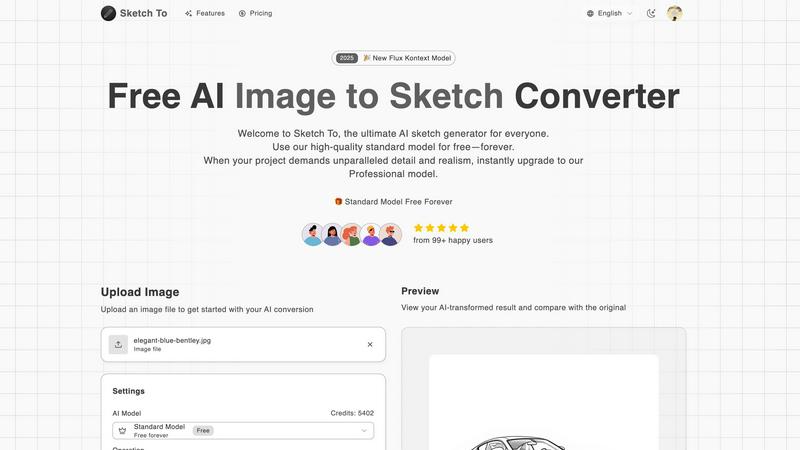
About Sketch To
Sketch To is an innovative AI tool that transforms the way users interact with images and sketches. This powerful software is designed for both casual users and professionals, enabling effortless conversion of photos into stunning sketches and vice versa. The main value proposition of Sketch To lies in its dual functionality, allowing users to create detailed sketches from any image and generate lifelike images from sketches. With advanced AI technology, it caters to diverse creative needs ranging from social media content and personal projects to commercial artwork. The platform is accessible and user-friendly, requiring no software installation or subscription fees. By simply uploading an image and making a few selections, users can unleash their creativity, producing high-quality artistic conversions that are sure to stand out. New users can also benefit from trial credits that enable them to explore the tool's capabilities before committing to professional use.
Features of Sketch To
Image to Sketch Conversion
Sketch To offers a powerful image to sketch conversion feature using advanced AI technology. Users can upload their photos and select from various artistic styles, including pencil, charcoal, and comic sketches. This feature is perfect for artists and designers looking to create unique and artistic representations of their images.
Sketch to Image AI
The platform also allows users to transform their sketches into realistic images with incredible detail and accuracy. The Pro model provides an unparalleled level of realism, making it an ideal tool for professional artists and commercial projects who require high-quality results.
Instant Processing
Sketch To boasts a robust cloud-based AI processing engine that ensures instant results. Users can generate and preview their sketches or images in seconds, significantly enhancing workflow and productivity. This feature is particularly beneficial for users who need quick turnaround times for their creative projects.
High Resolution Output
Users can download their creations in high resolution, making them suitable for both print and digital use. This feature ensures that the final output maintains the quality needed for professional presentations and publications, allowing creators to showcase their work effectively.
Use Cases of Sketch To
Social Media Content Creation
Sketch To is an excellent tool for social media managers and content creators who want to enhance their posts with eye-catching visuals. By converting photos into artistic sketches, users can create unique content that stands out in crowded feeds, attracting more engagement.
Educational Projects
Students and educators can utilize Sketch To for various school projects. Whether creating illustrations for presentations or visually representing concepts in a more engaging way, the tool provides an easy solution for enhancing educational materials.
Personal Art Projects
Hobbyists can explore their creativity by using Sketch To for personal art projects. The ability to transform images into sketches and vice versa allows users to experiment with different styles and techniques, fostering artistic growth and exploration.
Commercial Artwork
Professional artists and graphic designers can benefit from Sketch To's Pro model for commercial use. The high-quality outputs and advanced features support the creation of detailed artwork suitable for marketing materials, product designs, and client presentations.
Frequently Asked Questions
How does Sketch To work?
Sketch To utilizes advanced AI algorithms to analyze images and sketches. Users upload their files, choose a desired artistic style, and the tool processes the conversion in seconds, providing instant results.
Can I use Sketch To for commercial purposes?
Yes, Sketch To offers a Pro model specifically designed for commercial use. This model provides superior detail and realism, making it ideal for professional artists and designers.
Is there a free trial available for new users?
Absolutely! Sketch To offers trial credits for new users, allowing them to explore the features of the standard model before committing to a subscription or purchase.
What file formats are supported for uploads?
Sketch To supports multiple image formats for uploads, making it easy for users to work with their preferred file types. Users can drag and drop their images directly onto the canvas for conversion.
Similar to Sketch To

A free browser-based toolkit for creating, cutting, converting, and previewing sprite sheet animations.

Free AI attractiveness test and face analysis with private, on-device photo processing.

Turn any image into editable layers with AI—separate subject, background, and objects as transparent PNG layers.

Turn videos, images, and files into secure direct links for sharing, embedding, and automated workflows.

NanoEditor is an AI-powered D&D portrait generator that turns character details like ancestry, class and gear into focused fantasy RPG art.

Free AI image editor that edits, retouches, and transforms photos with natural-language text prompts.

Private browser-based AI image generation and editing with text-to-image, targeted edits, and multi-image references.

Turn table photos and screenshots into editable Excel files with Photo to Excel. Merge images, remove duplicates, preview, and download free.