

Alternatives to EditTextImage
EditTextImage lets you replace text in any image online, keeping the original font and style, in under 30 seconds without Photoshop.
Explore 20 alternatives to EditTextImage. Compare features, pricing, and find the best fit for your needs.
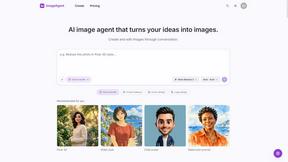
ImageAgent
Create and edit AI images through conversation, using text or reference images and refining results in chat.
GenX
All-in-one AI workspace to generate images, videos, and audio with multiple leading AI models.
AiAgeFilter
Free AI age filter: upload an adult portrait, add 10-40 years, meet your older self. No app needed.

AppIconGenerator
Generate iOS and Android app icons from any image and export all platform sizes for free.
FreeCreate
Free AI image and video studio with no sign-up: generate images from text or photos, turn prompts into short videos, plus editing and upscaling.
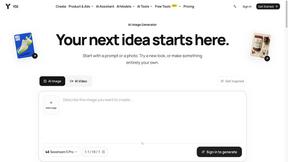
YIX
AI image and video generation, photo editing, restoration and free prompt tools in one browser studio.

Design.com AI Image Generator
Turn text prompts into polished, copyright-safe visuals that plug directly into branded templates
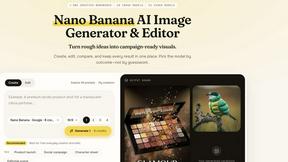
Nano AI
Create and edit AI images, generate videos, and compare models in one creative workbench.
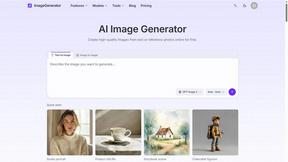
ImageGenerator
Create and edit AI images online with multiple models, text-to-image, image-to-image, background removal, and upscaling.
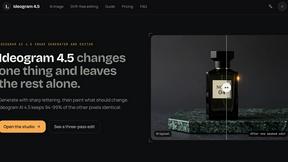
ideogram-45
AI image generation and editing with sharp typography, native 2K output, and localized edits.
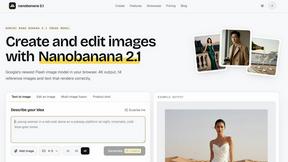
nanobanana 2.1
A fast, simple image studio powered by Nano Banana 2.1. Create and edit high-quality images with accurate details and readable text.
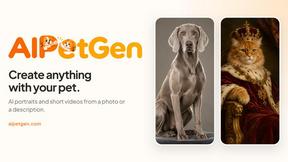
AIPetGen
AIPetGen turns a photo of your dog, cat, or other pet, or a written description, into a new picture or a short animation.
ImageGPT
ImageGPT is an all-in-one AI creative platform for generating, editing and transforming images and videos using AI.
AI Album Cover Maker
Create release-ready album covers from a prompt or photo. Generate, refine, and export art for singles, EPs, mixtapes, and playlists.
AIEnhancer
Enhance photos, create images, and generate videos with AI workflows, creative effects, and a shared asset library.
Sprite Sheet Maker
A free browser-based toolkit for creating, cutting, converting, and previewing sprite sheet animations.

Flux Lora
Explore Flux LoRA online workflows in a browser-based AI Studio, with a roadmap for dedicated Flux LoRA models, generation, and training.


RunwayAI
Create videos from prompts and images with an independent Runway AI video generator, plus task tracking and API resources.
GPT Image 2 API
Generate and edit production-ready images with GPT Image 2 API, detailed prompts, reference images, clear text, and developer workflows.
About EditTextImage Alternatives
EditTextImage is a specialized online tool that belongs to the image generation and editing category, specifically designed for replacing text within existing images without needing the original design file. The tool uses AI to sample typography directly from the pixels of your image, preserving the original font, color, layout, drop shadows, and even perspective. This makes it a practical solution for anyone who needs to fix a typo, swap a date, or test a headline on a finished poster, screenshot, or product photo in about ten seconds. Users commonly look for alternatives to EditTextImage for several reasons, including budget constraints, the need for a different pricing model, or a desire for more advanced editing features beyond simple text replacement. Some users might need a tool that integrates into a larger workflow, offers batch processing capabilities, or provides more granular control over the editing process. When choosing an alternative, look for a solution that accurately preserves the original image's aesthetics, supports a wide range of image formats, offers a clear and straightforward user interface, and provides a pricing structure that matches your usage frequency. Security and privacy are also crucial, especially when working with sensitive or proprietary images.
FAQs about EditTextImage Alternatives
What is EditTextImage?
EditTextImage is an online tool that allows you to edit text within any image without needing the original design file or any software like Photoshop. It uses AI to sample the typeface, color, and layout directly from the pixels of your image, so the replacement text blends in seamlessly. The process takes about ten seconds and outputs the result at 2K resolution.
Who is EditTextImage for?
EditTextImage is ideal for marketers, designers, content creators, and business owners who frequently need to make quick text changes on finished images. It is perfect for anyone who has ever needed to fix a typo on a poster, update a date on a screenshot, or run an A/B test on a headline but has lost the original design file. The tool requires no technical skills, font installations, or subscriptions, making it accessible to non-designers and professionals alike.
Is EditTextImage free?
Yes, EditTextImage offers a free trial. Your first edit is completely free and does not require a credit card. After the free trial, the tool operates on a one-time payment model of $9.90 for 30 edits. This pay-per-use structure means you only pay for what you need, with no recurring subscription fees.
What are the main features of EditTextImage?
The main features include AI-driven text replacement that samples the typeface from the image pixels, ensuring the font, color, drop shadow, and perspective remain pixel-perfect. It works with paid fonts and hand-lettering without requiring you to have those fonts installed. The tool edits text in about ten seconds and delivers high-resolution 2K output, all within a simple online interface that requires no Photoshop or Canva subscription.