

Explore 20 alternatives to Fond. Compare features, pricing, and find the best fit for your needs.

Safe Outreach
AI-powered platform that evaluates the safety of LinkedIn automation tools and helps reduce the risk of account restrictions.

How Long How Many Tool
Timers and hourly checks to figure how out long until a certain time or how many days away.


ButterShare
Send files straight between two browsers with a 6-digit key. No signup, no install, nothing stored on a server.

Emailyy
Free email tools for signatures, subject lines, HTML previews, word counts, and email headers. Browser-based, simple to use, and no signup required.
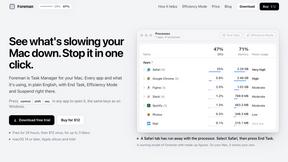
Foreman
See every app and what it's using in plain English, and end or slow down the one that's hogging your Mac.
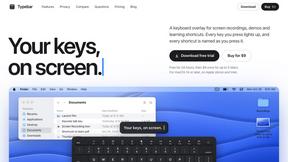
Typebar
Every key you press lights up on an on-screen keyboard, and each shortcut is named as you press it.

Uniclip
Clip pages, take full-page screenshots and batch-capture list data to Notion, Feishu, Obsidian, Markdown, CSV or JSON.

TroveKey
Search tabs, Chrome bookmarks and history, run browser commands, and save webpages and social posts locally—no account.
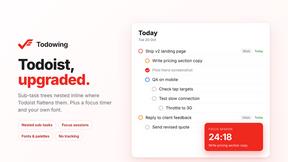
Todowing
Chrome extension that nests sub-tasks under their parents in Todoist's Today, Upcoming, Filter and Label views. Free tier, $19.99 one-time unlock.

Notchpals
Little characters peek out of your Mac's notch to remind you to drink water, eat, sit up and get to bed. Quiet during calls. $4.99 once.

LightScreen
Free fullscreen light screen tool online. Turn any display into a flashlight, ambient light, or solid-color screen. No download or sign-up.
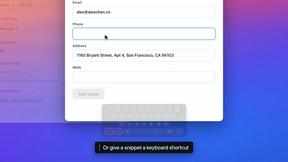

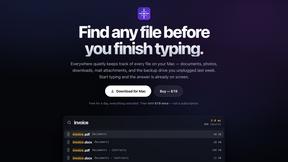
Everywhere
Fast file search for the Mac. Results as you type, files inside Mail and Photos, works with Wi-Fi off. $19 once.

Basalt
Eighteen PDF tools in one native Mac window: merge, split, compress, OCR, Bates numbering, forms, signing and redaction. Offline. $29 once.

Voice Keyboard Pro
Hold a key, say what you mean, let go. Clean, punctuated text lands at the cursor in any app on your Mac or iPhone.

Mainspring
Mainspring turns the settings macOS hides into 90+ one-click, fully reversible power-ups for Finder, Dock, screenshots and more. $29 once.

Crumb
A Mac menu bar app for a full disk. See what is using your space, read whether it comes back on its own, and remove only what you tick.

About Fond Alternatives
Fond is an innovative AI cooking companion that simplifies the kitchen experience by managing recipes, planning meals, and streamlining shopping. As a productivity and management tool, Fond is designed for home cooks who want to enhance their culinary skills without the hassle of disorganized notes or frantic grocery trips. Users often seek alternatives due to factors like pricing, feature sets, or compatibility with their preferred devices and platforms. When searching for an alternative to Fond, consider essential features such as recipe management, meal planning capabilities, and ease of use. It's also important to evaluate the platform's ability to integrate with your existing cooking habits and preferences, ensuring that it aligns with your cooking style and dietary needs. A good alternative should provide similar functionality while fitting within your budget and enhancing your cooking experience.
FAQs about Fond Alternatives
What is Fond?
Fond is an AI cooking companion that helps users manage recipes, plan meals, and shop smarter to enhance their cooking experience.
Who is Fond for?
Fond is designed for home cooks looking to streamline their cooking process and gain confidence in the kitchen.
Is Fond free?
Fond's pricing structure may vary, so it's important to check their website for the latest information on subscription options.
What are the main features of Fond?
Main features of Fond include recipe importing, personalized meal planning, automatic shopping lists, and a hands-free Cook Mode.