

Explore 20 alternatives to Opal. Compare features, pricing, and find the best fit for your needs.

How Long How Many Tool
Timers and hourly checks to figure how out long until a certain time or how many days away.

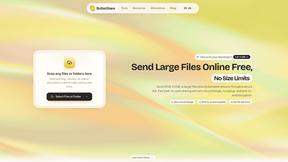
ButterShare
Send files straight between two browsers with a 6-digit key. No signup, no install, nothing stored on a server.
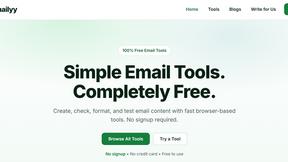
Emailyy
Free email tools for signatures, subject lines, HTML previews, word counts, and email headers. Browser-based, simple to use, and no signup required.
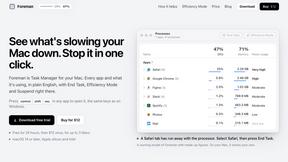
Foreman
See every app and what it's using in plain English, and end or slow down the one that's hogging your Mac.
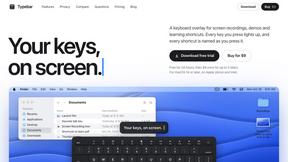
Typebar
Every key you press lights up on an on-screen keyboard, and each shortcut is named as you press it.

Uniclip
Clip pages, take full-page screenshots and batch-capture list data to Notion, Feishu, Obsidian, Markdown, CSV or JSON.
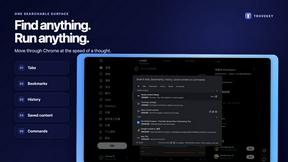
TroveKey
Search tabs, Chrome bookmarks and history, run browser commands, and save webpages and social posts locally—no account.
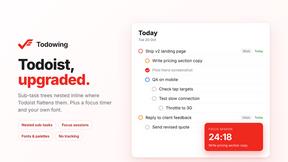
Todowing
Chrome extension that nests sub-tasks under their parents in Todoist's Today, Upcoming, Filter and Label views. Free tier, $19.99 one-time unlock.

Notchpals
Little characters peek out of your Mac's notch to remind you to drink water, eat, sit up and get to bed. Quiet during calls. $4.99 once.

LightScreen
Free fullscreen light screen tool online. Turn any display into a flashlight, ambient light, or solid-color screen. No download or sign-up.
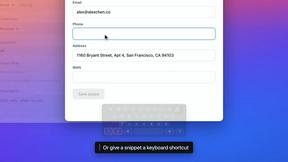
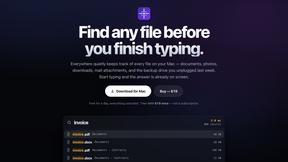
Everywhere
Fast file search for the Mac. Results as you type, files inside Mail and Photos, works with Wi-Fi off. $19 once.
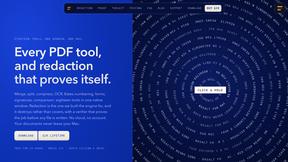
Basalt
Eighteen PDF tools in one native Mac window: merge, split, compress, OCR, Bates numbering, forms, signing and redaction. Offline. $29 once.
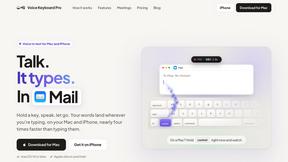
Voice Keyboard Pro
Hold a key, say what you mean, let go. Clean, punctuated text lands at the cursor in any app on your Mac or iPhone.
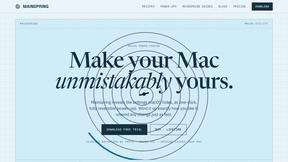
Mainspring
Mainspring turns the settings macOS hides into 90+ one-click, fully reversible power-ups for Finder, Dock, screenshots and more. $29 once.
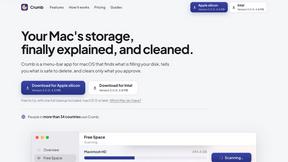
Crumb
A Mac menu bar app for a full disk. See what is using your space, read whether it comes back on its own, and remove only what you tick.
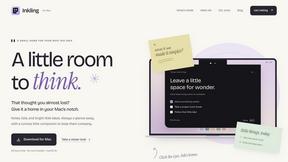
Inkling
Catch a thought without leaving what you are doing. Notes, checklists and a little companion in your Mac's notch. $12 once.
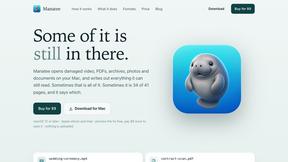
About Opal Alternatives
Opal is a visual workspace designed to help users organize their projects and notes in a way that mimics how they think spatially. As part of the productivity and management category, it offers a unique solution for individuals who struggle with traditional note-taking and project management applications that often rely on linear organization. Opal creates an infinite digital canvas where ideas, documents, and notes can be visually arranged, making it easier for users to find what they need instantly. Users commonly seek alternatives to Opal for various reasons, including pricing, feature sets, and platform compatibility. While Opal offers a distinctive approach to project management, some individuals may require specific functionalities or integrations that better fit their workflow. When choosing an alternative, it is essential to consider factors such as user interface design, ease of collaboration, and the ability to customize the workspace to suit unique project needs. Look for options that maintain a balance between visual organization and functionality to enhance your productivity.
FAQs about Opal Alternatives
What is Opal?
Opal is a visual knowledge and project management workspace designed to help users organize their projects and notes spatially. It provides an infinite digital canvas where users can drag and drop various elements like notes, documents, and links, creating a personalized organizational structure. This unique approach allows users to remember where items are located, facilitating instant retrieval.
Who is Opal for?
Opal is ideal for solopreneurs, consultants, agency owners, writers, and anyone whose work involves managing multiple projects, client details, and creative ideas. Its intuitive design caters to individuals who prefer visual learning and organization, allowing them to keep their workspace clutter-free while maintaining visibility over all active tasks.
Is Opal free?
Opal offers a range of pricing options, including a free tier with limited features that allows users to explore its capabilities. However, for access to the full suite of tools and enhanced functionalities, users may need to opt for a paid subscription. It's important to check Opal's official website for the most up-to-date information on pricing plans.
What are the main features of Opal?
Opal's main features include an infinite digital canvas for organizing notes and projects, drag-and-drop functionality for easy arrangement of various content types, and a spatial memory approach that aids in quick retrieval of information. The platform is designed to keep users’ active projects and ideas visible, enhancing productivity and focus.