DigitalMagicWand vs Picool.ai
Side-by-side comparison to help you choose the right product.

DigitalMagicWand
DigitalMagicWand provides AI tools to create, edit, and verify images, audio, video, and text with precision.
Last updated: March 18, 2026

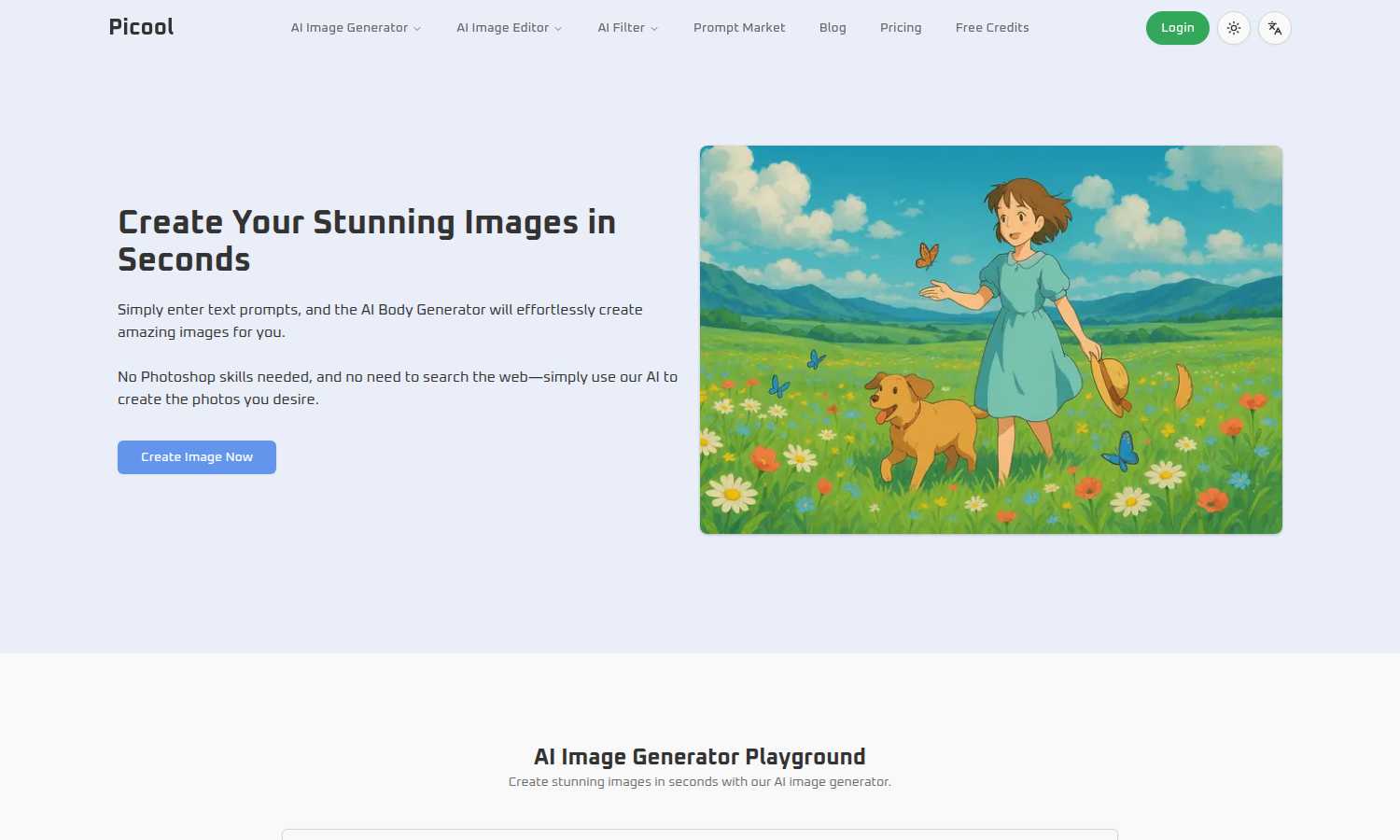
Picool.ai instantly creates stunning images from your text prompts with no design skills needed.
Last updated: March 1, 2026
Visual Comparison
DigitalMagicWand

Picool.ai
Feature Comparison
DigitalMagicWand
AI Text Humanizer & Detector Suite
This powerful duo of tools tackles the modern challenge of AI-generated content. The Accurate AI Detector provides instant, clear confidence scores to identify text from ChatGPT, Claude, and other models, eliminating guesswork. Its counterpart, the Undetectable AI Humanizer, uses proprietary algorithms to transform machine-written text into natural, human-like writing that bypasses detection, preserving your original message for academic, professional, or creative use.
Advanced Audio Stem Separation & MIDI Conversion
DigitalMagicWand offers studio-grade audio manipulation tools. UnMixIt™ Pro allows musicians and DJs to effortlessly isolate vocals, drums, bass, and other instruments with precision for remixing and sampling. For pianists, Digital Ear™ Piano provides legendary, accurate audio-to-MIDI transcription technology specifically engineered for the nuance of solo piano performance, converting recordings into editable MIDI files.
Prompt-Based Image Generation & Editing
This feature set turns imagination into reality. Users can generate stunning, high-quality images or scalable vector (.svg) art simply by describing what they want in text. Furthermore, the AI Image Editor allows for complex photo edits through text commands—swap backgrounds, remove objects, restore photos, or perform face swaps by just typing what you want to achieve, making professional editing accessible to everyone.
Intelligent Background Removal & Object Manipulation
Focused on solving practical image editing tasks, this tool uses smart algorithms to cleanly and precisely separate subjects from their backgrounds in seconds, delivering professional cutouts. It also includes capabilities to replace or remove any unwanted element from a photo, streamlining workflows for e-commerce, marketing, and personal projects without requiring advanced Photoshop skills.
Picool.ai
AI Image Generator Playground
This is the flagship feature, a sophisticated text-to-image engine that turns your written descriptions into visual art. You have full control over the creative process, allowing you to select from multiple artistic styles (Realistic, Cartoon, etc.), specify the aspect ratio for perfect social media or presentation formatting, and choose how many image variations to generate. It solves the problem of finding the right image by letting you create exactly what you envision in seconds.
AI-Powered Image Editing Tools
Picool.ai goes beyond generation with a suite of one-click editing tools powered by AI. This includes a Background Remover for clean product shots, a Watermark Remover to clean up images, and an Object Remover to erase unwanted elements from photos. These features solve the tedious and technically challenging aspects of photo editing, making professional-grade retouching accessible to everyone without manual labor.
Style and Format Flexibility
The platform provides extensive creative control to ensure the output fits your specific project needs. You can dictate the visual style of your generated image, ensuring it matches your brand or creative vision. Furthermore, you can pre-select industry-standard aspect ratios like 1:1 for Instagram or 16:9 for videos, eliminating the need for cumbersome cropping after the fact and saving valuable production time.
User-Friendly, No-Installation Platform
Designed for maximum accessibility, Picool.ai operates entirely online in your web browser. There is no software to download or install, and its interface is built for ease of use. This solves the problem of software bloat and steep learning curves, allowing beginners to start creating immediately while still offering the powerful capabilities that professionals require.
Use Cases
DigitalMagicWand
Content Authenticity Verification for Educators & Publishers
Educators, academic institutions, and publishing professionals can use the Accurate AI Detector to efficiently screen student submissions, articles, and manuscripts. This saves countless hours of manual review, helps uphold academic integrity, and ensures content originality, allowing them to make confident decisions about the material they are evaluating.
Music Production & Creative Sampling
Producers and musicians can utilize UnMixIt™ Pro to extract clean vocal acapellas or isolated instrument stems from existing songs to create remixes, mashups, or sample-based tracks. Simultaneously, composers can use Digital Ear™ Piano to transcribe a live piano improvisation into a perfectly notated MIDI file for further arrangement and editing in their digital audio workstation.
E-commerce & Marketing Asset Creation
Online sellers and marketers can rapidly create professional product images using the AI Image Editor and Background Removal tool. They can easily place products on clean white backgrounds or into lifestyle scenes, remove distracting elements, and even generate custom vector logos or graphics for branding—all without the cost of a photoshoot or a dedicated graphic designer.
Enhancing AI-Generated Written Content
Bloggers, SEO specialists, and students who use AI writing assistants can run their drafts through the Undetectable AI Humanizer. This process refines the text to eliminate robotic patterns, making it flow naturally and bypass AI detection tools. This ensures their content maintains a genuine, human voice suitable for publication, academic submission, or client work.
Picool.ai
Social Media Content Creation
Marketers and social media managers can rapidly generate unique, on-brand graphics for posts, stories, and ads. Need a cartoon illustration for a campaign or a realistic mockup for a product announcement? Simply describe it. This solves the constant pressure to produce fresh, engaging visual content daily without relying on overused stock photos.
Blog and Website Illustration
Content writers and website owners can create perfect featured images, article illustrations, and custom graphics that directly complement their written material. By generating images from the article's key concepts, you ensure a cohesive and professional look that enhances reader engagement and improves overall content quality.
Rapid Prototyping and Mood Boards
Designers and creative teams can use the AI Image Generator to quickly visualize concepts, create mood boards, and prototype ideas during the early stages of a project. This solves the problem of creative block and accelerates the brainstorming process, allowing teams to explore visual directions before committing to final artwork.
Everyday Photo Editing and Cleanup
Small business owners, freelancers, and individuals can use the editing tools for practical tasks. Quickly remove a distracting background from a product photo for an online listing, erase a watermark from a template, or clean up an old personal photo by removing an unwanted object. This solves common, frustrating image problems without needing expert editing skills.
Overview
About DigitalMagicWand
DigitalMagicWand is a comprehensive, all-in-one online platform that harnesses the power of artificial intelligence to solve complex digital content challenges. It provides a suite of specialized applications designed for image, audio, video, and text processing, empowering users to enhance, transform, and create with unprecedented ease and professional quality. The platform is built for a wide range of users, from creative professionals like musicians, graphic designers, and content creators to educators, marketers, and business owners who need to produce high-quality digital assets without a steep learning curve or expensive software. Its core value proposition lies in democratizing advanced AI technology, turning tasks that once required deep technical expertise or hours of manual labor into simple, one-click operations. Whether you need to humanize AI-generated text, isolate a vocal track from a song, edit a photo with a text prompt, or generate a vector logo from a description, DigitalMagicWand provides the practical, solution-oriented tools to get the job done efficiently and effectively.
About Picool.ai
Picool.ai is an all-in-one, web-based AI image processing platform designed to solve the common creative bottlenecks faced by marketers, designers, content creators, and businesses. It eliminates the need for complex software like Photoshop or expensive stock photo subscriptions by providing a suite of powerful, AI-driven tools in one accessible location. The core value proposition is simple: empower anyone to create, edit, and enhance professional-quality images quickly and affordably, regardless of their technical skill level. At its heart is a cutting-edge AI Image Generator that transforms detailed text prompts into stunning visuals across styles like Realistic, Cartoon, Anime, and Digital Art. Beyond generation, Picool.ai offers practical utilities like background removal, watermark removal, and object removal, making it a comprehensive solution for everyday image editing tasks. By combining an intuitive interface with advanced neural network technology, Picool.ai democratizes high-quality visual content creation, saving users time, money, and frustration.
Frequently Asked Questions
DigitalMagicWand FAQ
What makes DigitalMagicWand different from other AI tools?
DigitalMagicWand stands out by offering a comprehensive, integrated suite of AI tools for multiple media types—text, audio, image, and video—all on one platform. Instead of juggling separate, specialized apps, users get a cohesive ecosystem. Our tools are built with a practical, problem-solving focus, like our proprietary text humanizer and industry-leading audio stem separation, designed to deliver professional results with user-friendly simplicity.
Do I need technical skills or software to use these tools?
No, technical skills are not required. DigitalMagicWand is designed as an online platform where complex AI processes are handled automatically. For most apps, you simply upload your file or type your text prompt, and the tool does the work. There's no need to install software or understand complex editing suites, making advanced digital creation accessible to beginners and experts alike.
How accurate is the AI Text Detector and Humanizer?
Our AI Detector provides clear confidence scores based on advanced analysis of linguistic patterns, offering a reliable indication of content origin. The Humanizer is built with proprietary algorithms specifically engineered to identify and rewrite the statistical "fingerprints" that detectors look for. The result is text that reads as naturally human-written, making it highly effective for passing most detection systems while preserving your intended meaning.
What audio formats are supported for the music tools?
The audio tools, including UnMixIt™ and Digital Ear™ Piano, support all common audio file formats such as MP3, WAV, AIFF, and FLAC. You can upload your recordings, commercial tracks, or practice sessions directly to the platform. The output for Digital Ear™ is a standard MIDI file, which can be imported into any music production software for further use.
Picool.ai FAQ
What is the AI Image Generator?
The AI Image Generator is an advanced online tool that converts your text descriptions into high-quality images. Using cutting-edge neural networks, it interprets your detailed prompts about subjects, styles, and settings to produce original visuals. It's designed for anyone needing custom graphics, from digital art to marketing materials, without requiring design expertise.
How does the AI Image Generator work?
You start by writing a detailed text prompt describing the image you want. Then, you select your preferred artistic style (like Realistic or Anime), choose the aspect ratio for sizing, and specify the number of variations. The AI processes this information and generates the corresponding images in a matter of seconds, delivering downloadable files ready for use.
What are the different styles available in the AI Image Generator?
Picool.ai offers a range of popular artistic styles to fit various projects. These include Realistic for lifelike photos, Cartoon for illustrated graphics, Anime for a specific animated aesthetic, and Digital Art for painterly or conceptual visuals. This variety ensures you can match the visual tone of your project precisely.
How long does it take to generate an image?
Image generation is extremely fast, typically taking only a few seconds. The speed allows for rapid iteration, so you can adjust your prompt or try different styles quickly to hone in on the perfect result for your needs, dramatically speeding up your creative workflow compared to traditional design methods.
Alternatives
DigitalMagicWand Alternatives
DigitalMagicWand is a comprehensive AI assistant platform designed for creative and professional content work. It specializes in processing visuals, audio, video, and text through a unified suite of AI-powered tools, helping users enhance and create digital media efficiently. Users often explore alternatives for various practical reasons. These can include budget constraints, the need for a specific feature not available in the core suite, or a preference for a different user interface or platform compatibility. It's a normal part of finding the right tool for a unique workflow or project requirements. When evaluating other options, focus on your primary needs. Consider the core media types you work with most, your required output quality, and your comfort with different pricing models. The ideal alternative should solve your specific content creation or editing challenges directly, without unnecessary complexity or cost.
Picool.ai Alternatives
Picool.ai is a versatile AI image generation and editing platform designed for marketers, designers, and content creators. It falls into the categories of AI assistants, content creation, and design tools, specializing in transforming text prompts into high-quality visuals with a user-friendly interface. Users often explore alternatives for various reasons. These can include budget constraints, the need for different pricing models, or specific feature requirements not fully met by a single platform. Some may seek tools with more advanced editing controls, different artistic style libraries, or better integration with other software in their workflow. When evaluating other options, consider your primary use case. Key factors include the quality and style of AI-generated images, the depth of editing tools available, ease of use, and overall value for the subscription cost. It's also wise to assess the platform's output resolution for professional use and the flexibility of its licensing terms for commercial projects.