Looktara vs Pixel Art Village
Side-by-side comparison to help you choose the right product.

Looktara
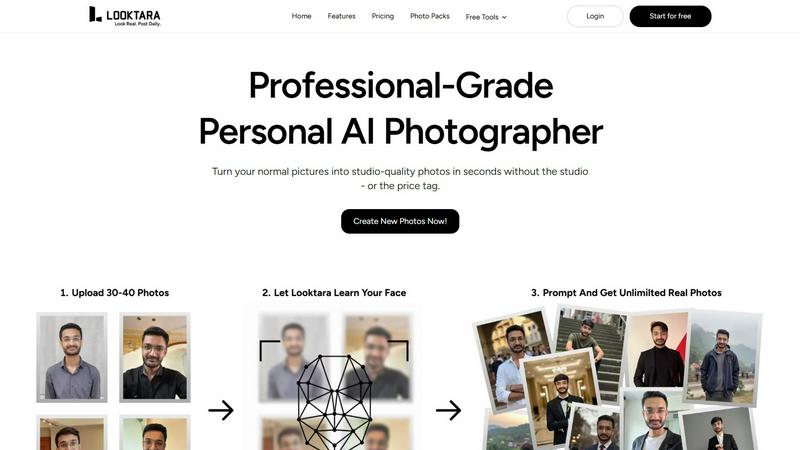
Looktara creates your personal AI model from 30 photos for authentic, tailored images in minutes.
Last updated: February 28, 2026

Pixel Art Village
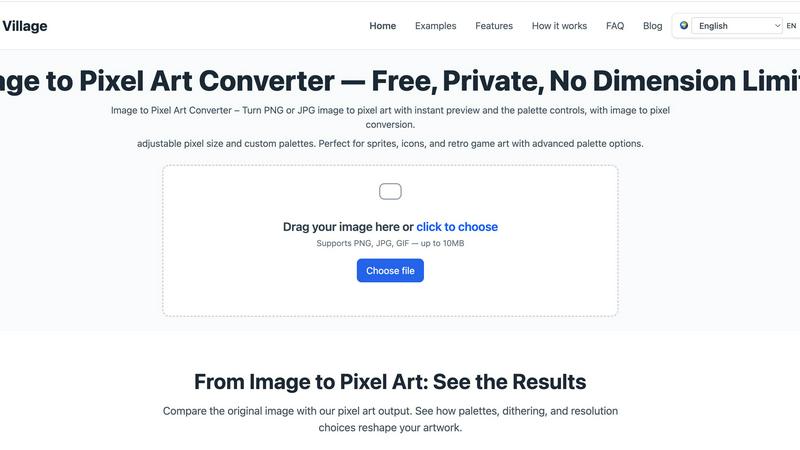
Pixel Art Village effortlessly converts images to pixel art with live previews, custom palettes, and easy exports—all in your browser.
Last updated: March 26, 2026
Visual Comparison
Looktara
Pixel Art Village
Feature Comparison
Looktara
Private & Encrypted AI Model
Looktara prioritizes your privacy and security. Your personal AI model is trained exclusively on the photos you upload and is fully encrypted. This ensures your biometric data and generated images remain private and secure, giving you peace of mind that your unique look is not used for any other purpose or accessible to anyone else.
Authentic, Non-Plastic Results
The core technology is engineered to avoid the pitfalls of standard AI photo generation. Instead of producing images with over-smoothed, artificial skin and unnatural eyes, Looktara focuses on capturing authentic human details. The result is photography that preserves your genuine texture, expressions, and character, delivering realism that generic filters cannot achieve.
Context-Based Styling Control
You are in complete control of the narrative. Looktara allows you to specify the context and vibe you need—be it a professional headshot for LinkedIn, a warm and approachable photo for a client story, or a casual behind-the-scenes shot. The AI then generates images styled to match that specific context, ensuring your personal brand messaging is visually consistent and appropriate.
Rapid Training & Generation
The process is designed for efficiency without sacrificing quality. Training your personal AI model takes only about 10 minutes after uploading your initial photos. Once trained, you can generate a new, high-quality portrait in approximately 5 seconds. This speed eliminates the need for lengthy photoshoots and provides instant access to a variety of professional images.
Pixel Art Village
Custom Palette
With Pixel Art Village, users can switch between pre-existing color palettes or create their own. This feature allows artists to align their artwork with specific retro systems or personal styles, enhancing the overall aesthetic of the pixel art produced.
Live Adjustments
The platform offers live adjustments for pixel size, brightness, contrast, saturation, and dithering. This means artists can see immediate results and make fine-tuned changes, ensuring the final output meets their creative vision without the need for multiple exports.
Private Processing
All image editing occurs client-side in your browser, keeping your images safe and private. Users can work on their projects with peace of mind, knowing that their data is not being uploaded to external servers or stored anywhere else.
No Dimension Limits
Pixel Art Village supports images of all sizes, from tiny icons to large reference images. This flexibility allows creators to work seamlessly on a variety of projects, ensuring that the final export can be scaled according to their specific needs.
Use Cases
Looktara
Professional LinkedIn Headshots
Create a suite of polished, trustworthy, and industry-appropriate headshots for your LinkedIn profile. Ensure you have a consistent and professional image that makes a strong first impression on recruiters, clients, and professional connections, all without booking a photographer.
Consistent Social Media Branding
Maintain a cohesive visual identity across platforms like Instagram, Twitter, or professional blogs. Generate a variety of on-brand photos that match different content themes—from serious thought-leadership posts to more relaxed, engaging stories—all featuring the authentic you.
Personal Branding & Website Content
Easily source high-quality photos for your personal website, portfolio, "About Me" page, or speaker bio. Looktara provides the studio-grade imagery needed to build a professional online presence that tells your unique story and builds credibility with your audience.
Dating & Social Profile Photos
Craft authentic and appealing photos for dating apps like Tinder or other social profiles. Move beyond awkward selfies or outdated pictures by generating natural, flattering, and context-appropriate images that genuinely represent your personality for a better connection.
Pixel Art Village
Game Development
Game developers can utilize Pixel Art Village to create sprites and UI elements that are both visually appealing and optimized for their games. The tool's palette and size adjustments make it easy to generate game-ready graphics efficiently.
Social Media Graphics
Social media managers can transform images into engaging pixel art for posts, stories, or promotional materials. The eye-catching nature of pixel art can help increase engagement and capture audience attention.
Digital Art Projects
Artists and designers can leverage Pixel Art Village to explore new styles and experiment with pixel art techniques. The platform allows for creative exploration without the need for extensive software knowledge.
Educational Purposes
Teachers and educators can use Pixel Art Village as a fun tool to introduce concepts of digital art and design to students. It provides an interactive way for learners to engage with technology and creativity in a classroom setting.
Overview
About Looktara
Looktara is your dedicated personal AI photographer, designed to solve the practical problem of obtaining high-quality, authentic photos for your personal brand. It moves beyond generic AI image generators by creating a private, encrypted model trained exclusively on you. By uploading approximately 30 photos, the system learns your unique facial features, expressions, and essence in about 10 minutes. Once trained, it can generate studio-grade solo portraits tailored to your specific needs in roughly 5 seconds. This tool directly addresses the common flaws in AI photography—such as plastic-like skin, uncanny eyes, and awkward posing—by delivering images that look genuinely like you. It's built for professionals, creators, and anyone who needs a consistent and professional visual identity across different platforms like LinkedIn, Instagram, or a portfolio. With Looktara, you maintain full creative control, ensuring every image aligns with your desired tone, context, and message, effectively putting a professional photographer in your pocket, available anytime.
About Pixel Art Village
Pixel Art Village is a powerful online tool designed for converting images into pixel art effortlessly. Whether you have a photo, sprite, or any other image in PNG, JPG, GIF, or WEBP format, this intuitive platform allows you to transform your visuals into charming pixel art instantly. The primary value proposition of Pixel Art Village lies in its simplicity and efficiency. With real-time previews and a user-friendly interface, both beginners and seasoned digital artists can navigate the conversion process with ease. The tool emphasizes privacy, as all image processing occurs in your browser, ensuring your images remain secure and private. Additionally, Pixel Art Village is completely free to use, allowing users to explore their creativity without any financial constraints. This makes it an ideal choice for game developers, designers, hobbyists, and anyone looking to create nostalgic art that harkens back to the retro gaming era.
Frequently Asked Questions
Looktara FAQ
How many photos do I need to upload to start?
You need to upload around 30 photos of yourself. This provides the AI with enough varied data to accurately learn your facial features, expressions, and unique look, enabling it to generate authentic and high-quality results in different contexts.
How long does it take to train my personal AI model?
The training process is remarkably fast. After you upload your photos, Looktara typically takes just about 10 minutes to train your private, encrypted AI model. Once training is complete, you can start generating new photos instantly.
Can I control the style and background of the generated photos?
Yes, you have significant control. Looktara is built for context-based styling. You can specify the desired vibe (e.g., professional, casual, warm) and the AI will generate images to match. This includes appropriate attire, expression, and background settings suited to your chosen context.
Are the generated photos truly private and secure?
Absolutely. Looktara emphasizes privacy. Your uploaded photos are used solely to train your personal AI model, which is encrypted. Your model and the generated images are private to you, ensuring your data is not shared or used for any other purpose.
Pixel Art Village FAQ
Is this image to pixel art tool free to use?
Yes, Pixel Art Village is completely free. Users can upload images, make adjustments, and download their pixel art creations without any cost.
Do you upload images to a server?
No, all image processing is done client-side in your browser. This means your images are never uploaded to a server, ensuring your privacy and security.
What image formats does Pixel Art Village support?
Pixel Art Village supports various image formats, including PNG, JPG, GIF, and WEBP. Users can easily upload their images in any of these formats for conversion.
Can I create custom palettes for my pixel art?
Absolutely! Pixel Art Village allows users to create custom palettes or choose from built-in options. This feature is essential for aligning the artwork with specific themes or projects.
Alternatives
Looktara Alternatives
Looktara is a personal AI photography tool in the generative art category. It creates a private AI model from your photos to produce authentic, tailored images for your personal brand in minutes. Users often explore alternatives for various reasons, such as budget constraints, a need for different artistic styles, or requirements for specific features like team collaboration or integration with other platforms. When evaluating other options, it's crucial to consider your primary needs. Key factors include the quality and realism of the AI-generated output, the privacy and security of your data during model training, the speed of image generation, and the flexibility to customize images for different professional and social contexts. The right tool should solve your specific photography challenges without compromising on the authentic representation of your personal brand.
Pixel Art Village Alternatives
Pixel Art Village is an innovative online tool designed for converting images into pixel art effortlessly. It falls under the categories of design tools, image and photo editing, and image generation, making it a versatile resource for artists and designers alike. Users often seek alternatives to Pixel Art Village for various reasons, including pricing, specific feature sets, or compatibility with different platforms and devices. When searching for an alternative, it's crucial to consider factors such as ease of use, available features, real-time preview capabilities, and export quality to ensure a seamless experience. --- [{"question": "What is Pixel Art Village?", "answer": "Pixel Art Village is an online tool that allows users to convert images into pixel art quickly and easily."}, {"question": "Who is Pixel Art Village for?", "answer": "Pixel Art Village is ideal for artists, designers, and anyone interested in creating pixel art from images."}, {"question": "Is Pixel Art Village free?", "answer": "The pricing details for Pixel Art Village can vary, so it's best to check the official website for the most current information."}, {"question": "What are the main features of Pixel Art Village?", "answer": "Main features include real-time preview, palette control, and high-quality export options."}]