
AI Formatter
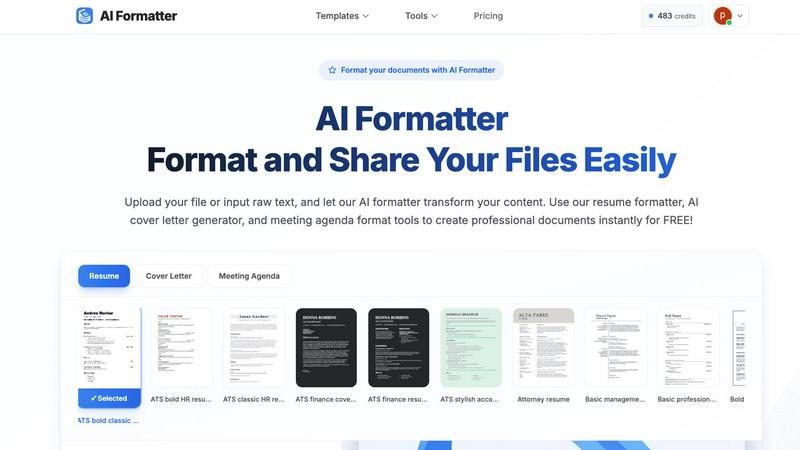
AI Formatter instantly transforms your text or files into polished documents using 1000+ professional templates.
VisitPublished on:
October 14, 2025
Pricing:
About AI Formatter
AI Formatter, crafted by Sun Sky LLC, is a groundbreaking cloud-based document formatting platform that utilizes advanced artificial intelligence technology to convert raw text and uploaded files into expertly formatted, professional documents in mere seconds. This tool is designed to aid job seekers, professionals, businesses, and academics in producing tailored, industry-specific documents with remarkable efficiency. With a focus on enhancing productivity, AI Formatter boasts an impressive 95%+ pass rate for Applicant Tracking Systems (ATS), ensuring that resumes, cover letters, meeting agendas, and invoices are not only aesthetically pleasing but also compliant with recruitment software. Users benefit from a selection of over 100 meticulously designed templates suited for various industries and document types. The platform includes a real-time online editor for complete customization of fonts, colors, and layouts, alongside multi-format export options for easy sharing. Users start with 10 free credits, allowing them to format up to 10 pages, and can choose from various flexible pricing plans to suit their needs.
Features of AI Formatter
ATS-Optimized Templates
AI Formatter offers over 162 professionally designed templates specifically optimized for ATS. This ensures that your resumes and cover letters meet the necessary formatting standards to pass through automated screening systems, increasing your chances of getting noticed by recruiters.
Real-Time Customization Editor
With our intuitive online editor, users can fully customize their documents. Adjust fonts, colors, and layouts to match personal branding or professional standards, giving you complete control over the final appearance of your documents.
Multi-Format Export Options
AI Formatter allows users to download their formatted documents in various formats, including PDF, DOC, and DOCX. This flexibility ensures that you can share your documents seamlessly across different platforms and with various stakeholders.
Instant Formatting Process
The AI Formatter streamlines the document creation process by automatically formatting uploaded files or raw text. In just a few clicks, users can transform their content into a polished document, saving significant time and effort.
Use Cases of AI Formatter
Job Seekers
Job seekers can utilize AI Formatter to create polished resumes and cover letters that are ATS-compliant. This increases the likelihood of their applications being seen by hiring managers, enhancing their chances of landing interviews.
Businesses
Businesses can leverage AI Formatter to generate professional invoices and meeting agendas. This tool ensures that all business correspondence maintains a high standard of professionalism and clarity, which is essential for effective communication.
Academics
Academics can benefit from AI Formatter by formatting research papers, theses, and presentations. The ability to create structured documents quickly helps them focus more on content creation and less on formatting issues.
Freelancers
Freelancers can use AI Formatter to prepare polished proposals and project reports for clients. By providing well-formatted documents, freelancers can enhance their professional image and improve client relationships.
Frequently Asked Questions
How does AI Formatter ensure ATS compliance?
AI Formatter uses over 162 templates that are specifically designed to meet ATS formatting standards. This helps ensure that your documents are easily readable by automated systems.
What file formats does AI Formatter support?
AI Formatter supports various file formats including PDF, DOC, DOCX, and TXT, allowing users to upload their existing documents or input raw text for formatting.
Can I customize my documents after formatting?
Yes! AI Formatter includes a real-time online editor that allows users to customize fonts, colors, and layouts after the initial formatting, ensuring that the final document meets your preferences.
How many pages can I format for free?
Users can start with 10 free credits, which allows them to format up to 10 pages at no cost. This is a great way to try out the service and see the quality of the formatting before committing to a paid plan.
Similar to AI Formatter

Private email. Pure. Secure. Exclusive. No ads, no tracking, no data selling. GDPR compliant, EU-hosted.


Verla is an AI academic assistant for university and college students, combining AI essay writing, academic research, AI detection, AI humanization, p

Apps and files on an infinite canvas where people and AI agents work together.

Panzoe is an all-in-one AI platform for personal productivity, business automation, AI assistants, content creation, and custom AI solutions.


Clever AI Humanizer is a free tool that makes AI-generated text sound more human.

AI Email Filter sorts incoming mail into folders using plain-language prompts you write. Works with any IMAP mailbox; bring your own LLM if you want.