
BoltShot
Capture high-quality screenshots of any URL instantly with BoltShot's fast and easy API, perfect for developers and marketers alike.
Visit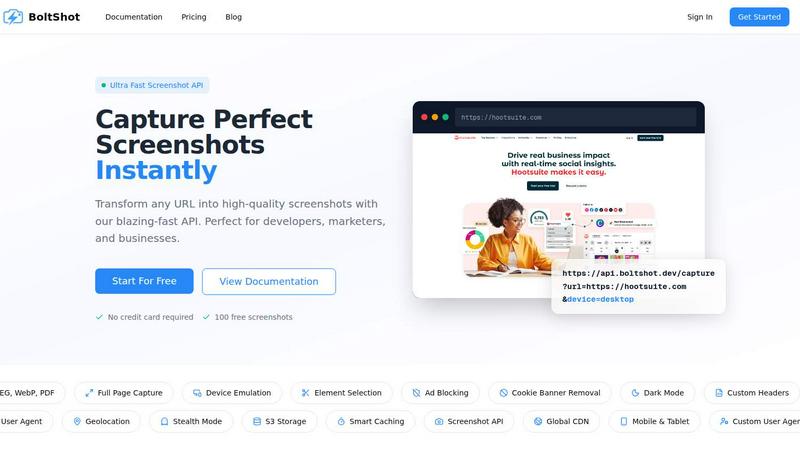
About BoltShot
BoltShot is an advanced website screenshot API designed to provide developers, marketers, and businesses with high-quality screenshots from any URL. With just a simple API request, users can convert URLs into images in various formats including PNG, JPEG, WebP, and PDF. It excels in capturing full pages, emulating devices such as mobile, tablet, and desktop, and offers custom viewport settings for precise rendering. The API's ability to capture specific elements using CSS selectors, coupled with features like ad blocking and cookie banner removal, ensures clean and professional results. BoltShot streamlines workflows for a variety of applications, including e-commerce previews, automated reporting, web archiving, and compliance monitoring, all while eliminating the need for managing complex browser clusters or infrastructure.
Features of BoltShot
Ultra-Fast Screenshot Capture
BoltShot allows users to transform any URL into high-quality screenshots almost instantly. This speed is critical for developers and marketers who need quick turnaround times for visual content, making it ideal for fast-paced environments.
Flexible Sizing Options
This feature enables users to capture screenshots in multiple formats and sizes. Whether full-page captures are required or just specific elements, BoltShot provides pixel-perfect precision, allowing for custom viewports to suit unique needs.
Clean Capture Functionality
With built-in capabilities to filter out unwanted elements, BoltShot automatically removes distractions such as ads, cookie banners, and popups. This ensures that the resulting screenshots are visually appealing and professional, perfect for presentations or reports.
Advanced Upload and Storage Solutions
BoltShot supports fast S3 uploads and global CDN delivery, ensuring that your screenshots are stored securely and can be accessed instantly from anywhere in the world. This feature guarantees a high success rate and minimal response times, enhancing user experience.
Use Cases of BoltShot
E-Commerce Previews
Developers can use BoltShot to take instant screenshots of product pages for online stores. These images can be used in marketing materials, social media posts, or for client presentations, showcasing products in a visually appealing manner.
Automated Reporting
Marketing teams can automate the generation of reports by integrating BoltShot into their workflow. By capturing screenshots of performance dashboards or campaign results, they can provide visual insights that enhance data comprehension.
Web Archiving
BoltShot can be an invaluable tool for organizations focused on web archiving. Users can capture snapshots of web pages at specific intervals, preserving essential information and designs for compliance, historical records, or research purposes.
Compliance Monitoring
Businesses can leverage BoltShot for compliance monitoring by regularly capturing screenshots of their websites to ensure that all legal requirements, such as cookie consent banners, are being met. This proactive approach helps to avoid potential legal issues.
Frequently Asked Questions
How does BoltShot handle different screen sizes?
BoltShot supports device emulation for mobile, tablet, and desktop views. Users can specify custom viewports or choose from preset sizes to ensure the screenshots reflect the intended design across devices.
Can I capture only specific elements on a webpage?
Yes, BoltShot allows users to capture specific page elements using CSS selectors. This feature is particularly useful for targeting particular sections of a webpage rather than capturing the entire page.
Is there a limit on the number of screenshots I can capture?
BoltShot offers a free tier that includes 100 free screenshots. For users needing more, various pricing plans are available to accommodate different needs and usage levels.
Does BoltShot require any infrastructure management?
No, BoltShot is designed to eliminate the need for managing browser clusters or infrastructure. Users can focus on their projects while BoltShot handles the backend processes efficiently.
Similar to BoltShot

Residential and datacenter proxy provider with 50M+ ethically sourced IPs across 150+ countries. Unlimited from $4.08/hr, pay-per-GB from $1.64/GB.

No-code 2D game editor: visual node logic, drag-and-drop scenes, live preview. Exports to Windows, macOS, Linux, Android, iOS, Web.

Jev-compatible typed decisions API: moderation, routing, intent and scoring for any text, hosted in the EU.

A free directory of 950+ projects built on Laya, the open-source decision model. Updated daily.

A free browser-based toolkit for creating, cutting, converting, and previewing sprite sheet animations.

The #1 Native Form Builder Plugin for Framer - No Code, No Embeds, No External Platforms.

