

Alternatives to BoltShot
Capture high-quality screenshots of any URL instantly with BoltShot's fast and easy API, perfect for developers and marketers alike.
Explore 20 alternatives to BoltShot. Compare features, pricing, and find the best fit for your needs.
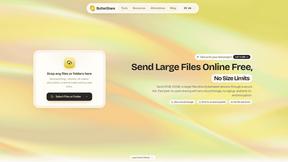
ButterShare
Send files straight between two browsers with a 6-digit key. No signup, no install, nothing stored on a server.
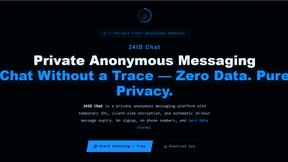
Manifolds
Manifolds deanonymizes and researches your users at signup, so you can know who your users actually are.
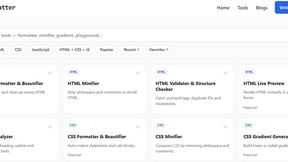
JoMatter
Jomatter provides free online tools for HTML, CSS, and JavaScript developers, helping simplify common web development and coding tasks.
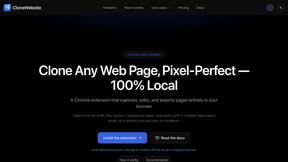
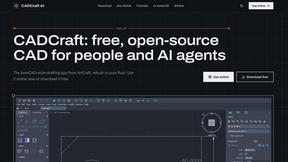
CADCraft
Free, open-source 2D CAD app in Rust: command-line drafting, layers, dimensions, DWG/DXF support, and AI-agent automation via MCP/CLI.
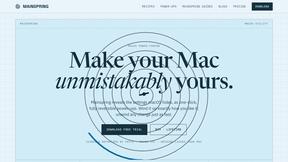
Mainspring
Mainspring turns the settings macOS hides into 90+ one-click, fully reversible power-ups for Finder, Dock, screenshots and more. $29 once.
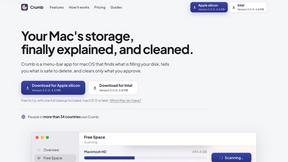
Crumb
A Mac menu bar app for a full disk. See what is using your space, read whether it comes back on its own, and remove only what you tick.
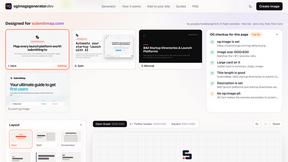
ogimagegenerator.dev
Paste a URL and AI designs on-brand Open Graph images from your page's colours, fonts and logo. Free, no sign-up.
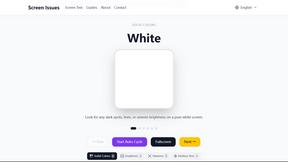
Screen Issues
Free Online Screen Test Tool - Instantly diagnose dead pixels, lines, color issues, and flickering. Multiple test modes, no download needed.
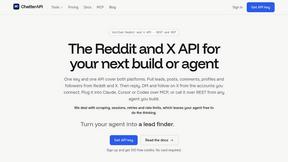
ChatterAPI
One API key and one credit balance for Reddit and X data. REST endpoints and a hosted MCP server, so your code and your agents call the same tools.
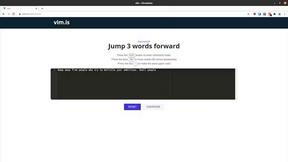
Vim.is
Vim.is is a simple online tool that helps you learn and practice Vim keyboard shortcuts quickly.
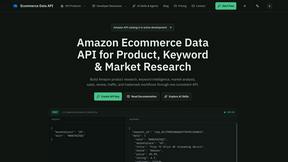
Ecommerce Data API
Amazon research data APIs for developers, sellers and AI agents. Integrate product, keyword and market research through REST APIs and MCP.
TrueProxies
Residential and datacenter proxy provider with 50M+ ethically sourced IPs across 150+ countries. Unlimited from $4.08/hr, pay-per-GB from $1.64/GB.
Egmatic
No-code 2D game editor: visual node logic, drag-and-drop scenes, live preview. Exports to Windows, macOS, Linux, Android, iOS, Web.
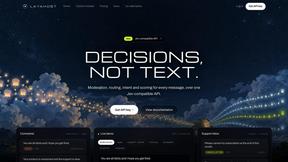
layahost
Jev-compatible typed decisions API: moderation, routing, intent and scoring for any text, hosted in the EU.
laya.tools
A free directory of 950+ projects built on Laya, the open-source decision model. Updated daily.
Sprite Sheet Maker
A free browser-based toolkit for creating, cutting, converting, and previewing sprite sheet animations.
Forms Plugin
The #1 Native Form Builder Plugin for Framer - No Code, No Embeds, No External Platforms.
About BoltShot Alternatives
BoltShot is a powerful API designed for capturing high-quality screenshots of websites without the complications of browser operations. Positioned within the developer tools category, it allows users to convert URLs into image formats like PNG, JPEG, and PDF efficiently. Users appreciate its advanced features such as full-page capture, device emulation, and the ability to customize viewport settings, making it a go-to solution for various applications, from e-commerce previews to compliance monitoring. However, many users seek alternatives to BoltShot for various reasons, including pricing concerns, specific feature requirements, or the need for integration with different platforms. When evaluating alternatives, it is essential to consider factors such as ease of use, flexibility in rendering options, support for different formats, and the ability to customize features according to their unique workflow needs. A suitable alternative should not only meet technical specifications but also align with the user's budget and operational goals.
FAQs about BoltShot Alternatives
What is BoltShot?
BoltShot is a screenshot API that allows users to generate high-quality images from website URLs with a simple API request. It supports multiple formats, including PNG, JPEG, WebP, and PDF, and offers features such as full-page capture and device emulation for various screen sizes. This makes it a versatile tool for developers and businesses needing reliable screenshot capabilities.
Who is BoltShot for?
BoltShot is designed for developers, businesses, and organizations that need to automate the process of capturing website screenshots. It is particularly useful for e-commerce platforms, compliance monitoring, web archiving, and automated reporting. By integrating BoltShot into their workflows, users can enhance productivity and streamline their operations.
Is BoltShot free?
BoltShot typically operates on a subscription-based pricing model, which varies based on usage and feature requirements. While it may offer a trial period or a free tier for limited usage, users should check the official website for the most current pricing details and plan options. This ensures users can find a plan that fits their needs.
What are the main features of BoltShot?
BoltShot boasts a range of features including full-page screenshot capture, customizable viewport settings, and device emulation for different platforms. It also offers the ability to capture specific elements using CSS selectors, as well as built-in ad blocking and cookie banner removal. Advanced features like S3 uploads, geolocation emulation, and stealth mode enhance its functionality for various use cases.