
CodaOne AI
CodaOne AI offers 101 free tools for writing, PDF, image, and dev tasks, ensuring private, human-like text generation and seamless file management.
Visit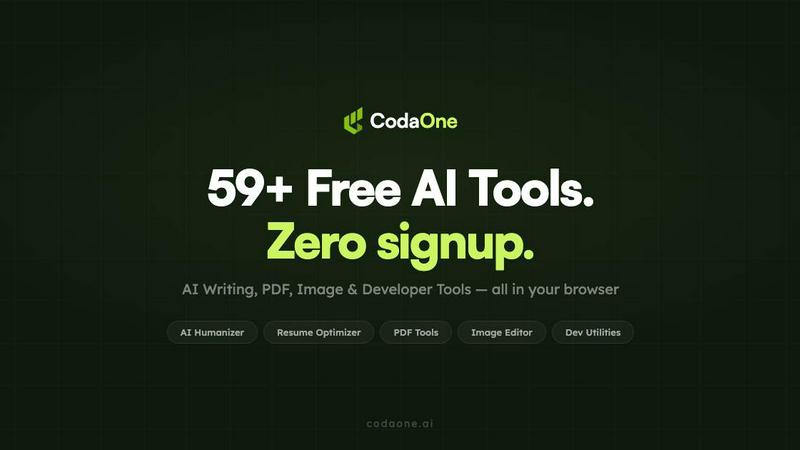
About CodaOne AI
CodaOne AI is a comprehensive online toolkit designed to streamline various tasks involving writing, document management, image processing, and development utilities. With over 59 free tools available across four main categories—AI writing, PDF tools, image tools, and developer utilities—CodaOne caters to a wide audience including students, professionals, and developers looking for efficient solutions. The standout feature, the AI Humanizer, transforms AI-generated text into natural, human-like writing, ensuring that content remains engaging and relatable. Additionally, the AI Detector helps users identify AI-generated text, providing assurances of authenticity. The platform is entirely browser-based, meaning all operations occur locally without uploading files to external servers, ensuring privacy and security. Whether you need to rewrite content, edit PDFs, or decode JSON files, CodaOne AI offers a user-friendly interface that requires no signup or credit card, making it accessible and straightforward for everyone.
Features of CodaOne AI
AI Humanizer
The AI Humanizer is CodaOne's flagship tool that converts AI-generated text into a more natural, human-sounding format. With nine different writing modes, including Standard, Academic, and Blog styles, users can select the best fit for their context. This feature ensures that the core message remains intact while modifying the phrasing, making it less detectable by AI detection tools.
AI Detector
The AI Detector provides users with an unlimited, free service to check any text for AI fingerprints. This tool employs a statistical model to identify patterns indicative of AI-generated content, allowing writers to ensure their text appears human-written. It supports a seamless workflow when paired with the Humanizer, enabling users to write, check, and iterate easily.
PDF Tools
CodaOne's PDF tools offer a robust suite of functionalities including merging, splitting, compressing, and converting PDF files—all processed in-browser via WebAssembly. Users can enjoy unlimited access to these features without any watermarks or signup requirements, making document management efficient and hassle-free.
Image Tools
The image tools suite enables users to perform essential image editing tasks directly in their browser. Users can remove backgrounds, convert formats, and compress images without sacrificing quality. These tools are designed to run locally, ensuring that users retain control over their files and privacy at all times.
Use Cases of CodaOne AI
Academic Writing
Students can leverage CodaOne AI for academic writing by utilizing the AI Humanizer to revise essays and research papers generated by AI tools. This ensures their submissions sound original and comply with academic standards while avoiding potential plagiarism issues.
Content Creation
Bloggers and content creators can utilize the AI Humanizer to transform initial drafts into polished articles that engage readers. By selecting the appropriate writing mode, they can maintain their unique voice while enhancing the clarity and flow of their content.
Document Management
Professionals can take advantage of CodaOne's PDF tools to manage documents efficiently. Whether they need to merge multiple files into one PDF for presentations or compress documents for easy sharing, these tools provide a seamless experience without the need for external software.
Development Utilities
Developers can use the specialized developer tools to streamline their workflow. From decoding JWTs to testing regular expressions, these tools facilitate quick validation and processing of code-related tasks, making it easier for developers to focus on their core work without switching between multiple platforms.
Frequently Asked Questions
What are the main features of CodaOne AI?
CodaOne AI includes a range of features such as the AI Humanizer for rewriting content, the AI Detector for checking text authenticity, comprehensive PDF tools for document management, and image tools for quick edits, all accessible without signup.
Is CodaOne AI completely free to use?
Yes, CodaOne AI offers a generous free tier that includes unlimited access to PDF and image tools, along with three AI writing uses per day. There are also affordable paid plans available for those needing additional AI writing capabilities.
How does CodaOne AI ensure user privacy?
All tools within CodaOne AI operate locally in the user's browser through WebAssembly, meaning files and data do not leave the user's device. This design prioritizes user privacy and security by eliminating the need for server uploads.
In which languages is CodaOne AI available?
CodaOne AI is available in seven languages: English, Arabic, Turkish, Spanish, Chinese, Portuguese, and Indonesian, making it accessible to a diverse global audience.
Similar to CodaOne AI

Apps and files on an infinite canvas where people and AI agents work together.

Privacy-first, cookieless web analytics that ties your traffic and marketing channels to real Stripe revenue.

No-code 2D game editor: visual node logic, drag-and-drop scenes, live preview. Exports to Windows, macOS, Linux, Android, iOS, Web.

Online tally counter for tracking attendance, workouts, inventory, visitors, sports scores, habits, and everyday counting tasks.

SnitchFeed is an agentic social listening tool that surfaces high-intent conversations on LinkedIn, X, Hackernews, and more for GTM and product teams.


Explore Flux LoRA online workflows in a browser-based AI Studio, with a roadmap for dedicated Flux LoRA models, generation, and training.

Create readable text, logos, posters, ads, packaging, and ecommerce visuals with Ideogram 4 AI workflows.