
Interhubz
Interhubz seamlessly syncs Intercom chats to HubSpot, ensuring clean, organized timelines with automated ticket.
Visit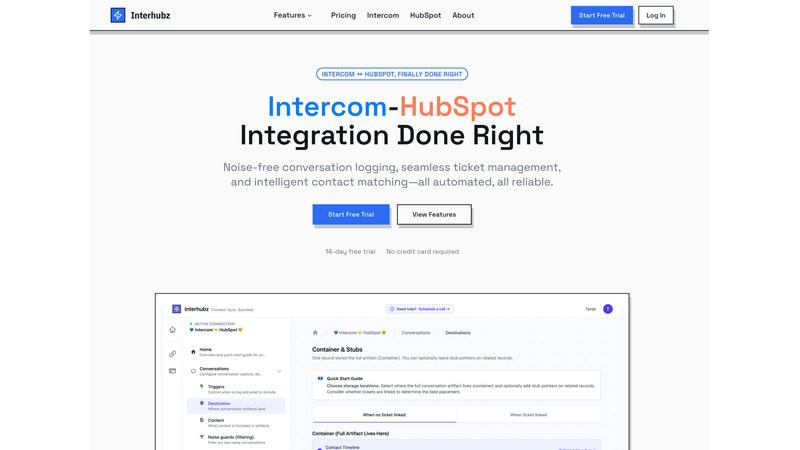
About Interhubz
Interhubz is an innovative integration solution designed to bridge the gap between Intercom and HubSpot, two powerful platforms used for customer support and sales. It addresses the common pain points of integration by providing a seamless way to sync conversations, tickets, and contact information without the clutter typically associated with such processes. This tool is particularly valuable for teams where support operates through Intercom while sales and customer success teams rely on HubSpot. By consolidating multiple timeline entries into a single, readable note, Interhubz streamlines communication and enhances team collaboration. With features like intelligent contact matching, one-click ticket creation, and noise guards, Interhubz ensures that users can focus on meaningful interactions while keeping their CRM organized and efficient.
Features of Interhubz
One Note Per Conversation
Interhubz transforms every Intercom conversation into one well-structured HubSpot entry, eliminating the confusion caused by multiple fragmented notes. This single note includes the full transcript, summary, and any attachments, allowing sales and support teams to easily access and understand the context of each interaction.
Intelligent Contact Matching
This feature employs advanced algorithms to match contacts and companies based on email, phone, and custom properties. By ensuring that there are zero duplicates, Interhubz enhances data integrity within HubSpot, making it easier for teams to manage their relationships without redundant information.
One-Click Ticket Creation
With Interhubz, users can create HubSpot tickets directly from within Intercom. This feature includes bi-directional status sync, meaning that any changes made to a ticket's status in one platform automatically reflect in the other, significantly reducing manual work and the risk of miscommunication.
Noise Guards
Interhubz comes equipped with smart noise guards that automatically filter out irrelevant bot conversations and spam. Users can customize these filters based on their preferences, ensuring that only significant interactions reach HubSpot, thus maintaining a clean and organized CRM.
Use Cases of Interhubz
Streamlining Customer Support
Support teams using Intercom can utilize Interhubz to ensure that all conversations are logged in HubSpot as comprehensive notes. This enables customer success teams to have complete visibility of customer interactions, leading to more informed decision-making and improved service.
Enhancing Sales Efficiency
Sales teams can benefit from the one-click ticket creation feature, allowing them to quickly respond to customer inquiries without switching between platforms. This efficiency leads to faster response times and a better overall customer experience.
Maintaining Data Integrity
By employing intelligent contact matching, organizations can ensure that their CRM data is accurate and devoid of duplicates. This is particularly important for managing relationships and tracking customer interactions without confusion.
Reducing Operational Overhead
With the automation of conversation logging and ticket management, teams can focus on strategic initiatives rather than manual data entry. Interhubz helps reduce operational overhead, allowing staff to dedicate more time to high-value tasks that drive business growth.
Frequently Asked Questions
How does Interhubz improve conversation logging?
Interhubz consolidates multiple entries from Intercom into one clean HubSpot note, providing a complete transcript and context for every conversation. This reduces timeline clutter significantly.
Can I customize the filters used by noise guards?
Yes, Interhubz allows users to customize the noise guard filters to block bot conversations, spam, and other low-value interactions. You can set thresholds based on your team's needs.
How long does it take to set up Interhubz?
Setting up Interhubz is quick and straightforward. It typically takes just a few minutes to connect both platforms, configure matching strategies, and set noise filters, allowing you to start syncing immediately.
What happens to my existing data when I start using Interhubz?
Interhubz syncs new data going forward and does not alter existing data in either Intercom or HubSpot. You can confidently use Interhubz without worrying about disrupting your current records.
Explore more in this category:
Similar to Interhubz

AI Email Filter sorts incoming mail into folders using plain-language prompts you write. Works with any IMAP mailbox; bring your own LLM if you want.

Residential and datacenter proxy provider with 50M+ ethically sourced IPs across 150+ countries. Unlimited from $4.08/hr, pay-per-GB from $1.64/GB.


Find an AI tool by the job you need done, not the buzzword.

Get your SaaS tool discovered. Free listing, honest screening, a dofollow link — and no way for anyone to outbid you.

privacy-first, AI-powered contact management platform

Tools Network is a curated directory of the best AI tools across 25+ categories. Compare ratings, pricing, and features to find the right one fast.
