

Alternatives to Caption.IM
Caption.IM turns any Mac audio into real-time captions, translations, and summaries with privacy-first local AI processing.
Explore 20 alternatives to Caption.IM. Compare features, pricing, and find the best fit for your needs.

@fuck.it - email with attitude
Private email. Pure. Secure. Exclusive. No ads, no tracking, no data selling. GDPR compliant, EU-hosted.



Panzoe
Panzoe is an all-in-one AI platform for personal productivity, business automation, AI assistants, content creation, and custom AI solutions.

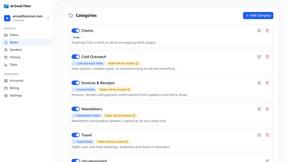
AI Email Filter
AI Email Filter sorts incoming mail into folders using plain-language prompts you write. Works with any IMAP mailbox; bring your own LLM if you want.


Egmatic
No-code 2D game editor: visual node logic, drag-and-drop scenes, live preview. Exports to Windows, macOS, Linux, Android, iOS, Web.
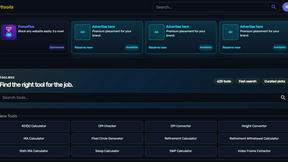
Kody Tools
Free collection of online developer utilities, code formatters, and digital converters designed to streamline your daily workflow.
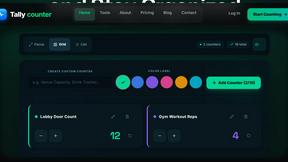
Tally Counter
Online tally counter for tracking attendance, workouts, inventory, visitors, sports scores, habits, and everyday counting tasks.
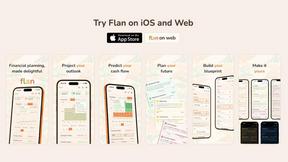
Flan
Visual financial timelines for couples and young professionals: model cash flow, life events, and shared goals.
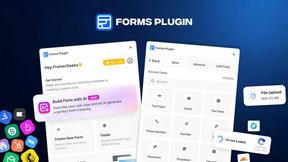
Forms Plugin
The #1 Native Form Builder Plugin for Framer - No Code, No Embeds, No External Platforms.

Product Launch Checklist
A free launch checklist for SaaS, apps, AI tools and more. Every step says why it matters and when you can skip it.

HomeAnswerBook
Practical, independent guides to home repairs, maintenance, costs, troubleshooting, and everyday fixes.

BlazePDF
Highlight faster. Study in flow with custom shortcuts and a workflow built around you. Print smarter, or turn any page into a tiled poster.


Video2URL
Turn videos, images, and files into secure direct links for sharing, embedding, and automated workflows.

Build Mode for Mac
Build Mode is a Mac app that turns focused sessions into visible progress, so you can see the work adding up before the results arrive.


About Caption.IM Alternatives
Caption.IM is a privacy-focused AI captioning tool designed specifically for macOS users, falling under the productivity and management category. It works by capturing system audio locally to generate real-time captions, translations, and summaries across various applications like Zoom, Google Meet, and YouTube. While it offers a robust set of features, users often look for alternatives due to platform limitations, as Caption.IM is exclusive to macOS, or because they need different pricing structures, more advanced collaboration features, or support for additional operating systems like Windows or Linux. When evaluating alternatives to Caption.IM, you should prioritize tools that align with your specific workflow and device ecosystem. Key factors to consider include cross-platform compatibility, the method of audio capture (system-level vs. browser-based), privacy and data handling policies, and the depth of translation or summarization capabilities. Look for solutions that offer real-time processing without requiring meeting bots or complex setups, and ensure the pricing model fits your usage, whether you need free basic features or a paid plan for advanced analytics and team integration.
FAQs about Caption.IM Alternatives
What is Caption.IM?
Caption.IM is a privacy-first AI captioning assistant designed exclusively for macOS. It captures system audio directly to provide real-time captions, instant translations, recordings, and structured meeting notes without relying on browser extensions or meeting bots. The tool works across a wide range of applications including Zoom, Google Meet, Microsoft Teams, YouTube, and podcasts, processing everything locally on your device.
Who is Caption.IM for?
Caption.IM is ideal for macOS users who need real-time captioning and translation during meetings, online courses, webinars, or while consuming multimedia content. It is particularly useful for professionals who value privacy, accessibility advocates, non-native speakers requiring live translation, and anyone looking to generate structured summaries and action items from audio without third-party bots joining their conversations.
Is Caption.IM free?
Based on the available product description, Caption.IM is positioned as a premium productivity tool with a focus on local AI processing, but specific pricing or free tier details are not provided in the given content. Users should check the official website for the most accurate and up-to-date information on pricing plans, free trials, or any freemium features that may be available.
Why choose Caption.IM?
You should choose Caption.IM if you need a seamless, privacy-focused captioning solution that works across virtually any application on your Mac without requiring browser dependencies or meeting bots. Its key advantages include local AI processing for enhanced privacy, real-time translation capabilities, and the ability to transform long audio sessions into clear summaries, action items, and mind maps, all while keeping your conversations secure on your own device.