

Alternatives to Easymotion - AI Motion Graphic Generator
Easymotion lets you create professional motion graphics, map animations, and social media videos in minutes by simply chatting with AI.
Explore 20 alternatives to Easymotion - AI Motion Graphic Generator. Compare features, pricing, and find the best fit for your needs.
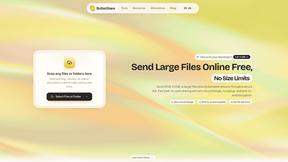
ButterShare
Send files straight between two browsers with a 6-digit key. No signup, no install, nothing stored on a server.
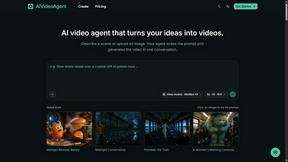
AIVideoAgent
Turn text ideas or reference images into videos through conversation, with agent-assisted prompts and a choice of video models.

Easemic
Open-source Android comic & manga reader with encrypted cloud streaming and AI ad-page stripping.


Manifolds
Manifolds deanonymizes and researches your users at signup, so you can know who your users actually are.

JoMatter
Jomatter provides free online tools for HTML, CSS, and JavaScript developers, helping simplify common web development and coding tasks.

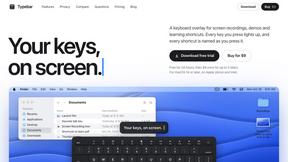
Typebar
Every key you press lights up on an on-screen keyboard, and each shortcut is named as you press it.
GenX
All-in-one AI workspace to generate images, videos, and audio with multiple leading AI models.

Bloom
An adaptive AI tutor that turns topics or your materials into courses, lessons, and answers tailored to how you learn.
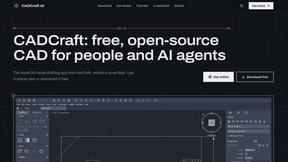
CADCraft
Free, open-source 2D CAD app in Rust: command-line drafting, layers, dimensions, DWG/DXF support, and AI-agent automation via MCP/CLI.
FreeCreate
Free AI image and video studio with no sign-up: generate images from text or photos, turn prompts into short videos, plus editing and upscaling.

YIX
AI image and video generation, photo editing, restoration and free prompt tools in one browser studio.

Nano AI
Create and edit AI images, generate videos, and compare models in one creative workbench.

Mainspring
Mainspring turns the settings macOS hides into 90+ one-click, fully reversible power-ups for Finder, Dock, screenshots and more. $29 once.

Crumb
A Mac menu bar app for a full disk. See what is using your space, read whether it comes back on its own, and remove only what you tick.
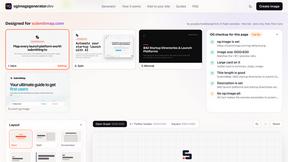
ogimagegenerator.dev
Paste a URL and AI designs on-brand Open Graph images from your page's colours, fonts and logo. Free, no sign-up.
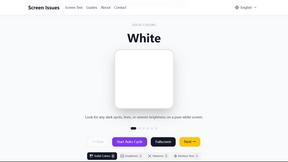
Screen Issues
Free Online Screen Test Tool - Instantly diagnose dead pixels, lines, color issues, and flickering. Multiple test modes, no download needed.


FreeVideoGenerator
Free AI video generator for text and photos, with Sora 2, Veo 3.1 and Wan. Starter credits and watermark-free downloads.
About Easymotion - AI Motion Graphic Generator Alternatives
Easymotion is an AI-powered motion graphics generator that falls under the categories of AI Assistants, Content Creation, Video, and Dev Tools. It is specifically designed to help content creators, editors, founders, and marketers turn static visuals, spreadsheets, and prompts into polished animated videos without needing to master complex timeline-based editing software. While Easymotion solves a significant pain point for non-designers who need motion graphics quickly, users commonly look for alternatives due to specific constraints such as budget limitations, the need for more granular control over animation timing, or a requirement for integration with specific video editing ecosystems. Others may find that their workflow demands a different pricing model, such as a one-time purchase versus a subscription, or they may need features like advanced 3D rendering or a larger library of pre-built map data that another platform might offer. When evaluating an alternative to a tool like Easymotion, you should prioritize platforms that match your specific output needs, such as the ability to handle map animations or flowchart explainers without forcing you to learn code or complex keyframes. Look for solutions that offer a clear path from static assets to animated video, ideally with AI-assisted editing that reduces manual labor. Consider the export flexibility, ensuring the alternative supports the video formats and aspect ratios your projects require, such as transparent backgrounds for editing workflows or specific social media dimensions. Finally, assess the learning curve and template library quality, as the best alternative will minimize the time you spend on setup and maximize the speed at which you can deliver professional-looking results.
FAQs about Easymotion - AI Motion Graphic Generator Alternatives
What is Easymotion - AI Motion Graphic Generator?
Easymotion is an AI motion graphics generator and map animation platform that helps users turn ideas, files, and static visuals into polished animated videos without relying on complex timeline editing. It supports motion graphics such as SaaS product promos, flowcharts, animated charts, UI explainers, and quizzes, and also functions as a map animation maker for flight routes and geographic storytelling. Users can start from a prompt or convert images, spreadsheets, and PDFs into animation-ready scenes.
Who is Easymotion - AI Motion Graphic Generator for?
Easymotion is built for content creators, editors, founders, and marketers who need a faster way to create motion graphics, map animations, and reusable video assets directly in the browser. It is ideal for professionals who want to produce polished animated videos for social media, product marketing, presentations, and client deliverables without mastering complex timeline-based editing software.
Is Easymotion - AI Motion Graphic Generator free?
Based on the provided information, Easymotion offers a premium template library and a browser-based workflow, but the specific pricing model is not detailed in the given content. Users should check the official Easymotion website for the most current information on free tiers, trial periods, or subscription plans.
What are the main features of Easymotion - AI Motion Graphic Generator?
Key features include the ability to generate animations from text prompts, images, spreadsheets, and PDFs, as well as a chat-based editing system for adjusting colors, pacing, labels, and layout. It offers a premium template library for starting from proven motion graphics layouts and supports exporting as MP4 or MOV, including videos with transparent backgrounds. The platform also supports multiple aspect ratios including 16:9, 9:16, 1:1, and 4:5 for various social and presentation formats.