

Alternatives to JustPDF
JustPDF is a privacy-first toolkit that lets you edit, convert, and compress PDFs directly in your browser without uploading your files.
Explore 20 alternatives to JustPDF. Compare features, pricing, and find the best fit for your needs.

Safe Outreach
AI-powered platform that evaluates the safety of LinkedIn automation tools and helps reduce the risk of account restrictions.

How Long How Many Tool
Timers and hourly checks to figure how out long until a certain time or how many days away.
ButterShare
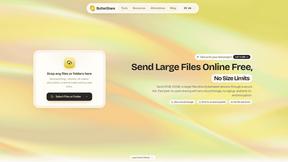
Send files straight between two browsers with a 6-digit key. No signup, no install, nothing stored on a server.
Emailyy
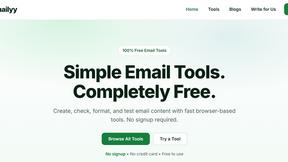
Free email tools for signatures, subject lines, HTML previews, word counts, and email headers. Browser-based, simple to use, and no signup required.
Foreman
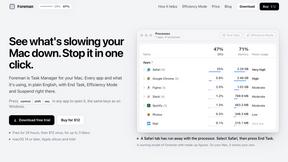
See every app and what it's using in plain English, and end or slow down the one that's hogging your Mac.
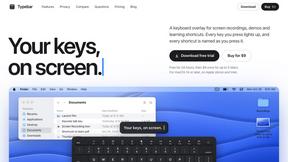
Typebar
Every key you press lights up on an on-screen keyboard, and each shortcut is named as you press it.

Uniclip
Clip pages, take full-page screenshots and batch-capture list data to Notion, Feishu, Obsidian, Markdown, CSV or JSON.

TroveKey
Search tabs, Chrome bookmarks and history, run browser commands, and save webpages and social posts locally—no account.
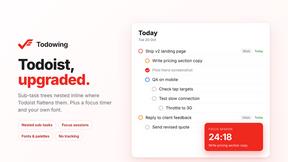
Todowing
Chrome extension that nests sub-tasks under their parents in Todoist's Today, Upcoming, Filter and Label views. Free tier, $19.99 one-time unlock.

Notchpals
Little characters peek out of your Mac's notch to remind you to drink water, eat, sit up and get to bed. Quiet during calls. $4.99 once.

LightScreen
Free fullscreen light screen tool online. Turn any display into a flashlight, ambient light, or solid-color screen. No download or sign-up.

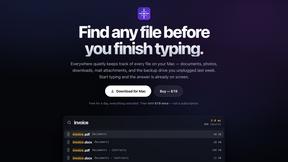
Everywhere
Fast file search for the Mac. Results as you type, files inside Mail and Photos, works with Wi-Fi off. $19 once.
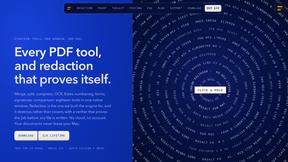
Basalt
Eighteen PDF tools in one native Mac window: merge, split, compress, OCR, Bates numbering, forms, signing and redaction. Offline. $29 once.
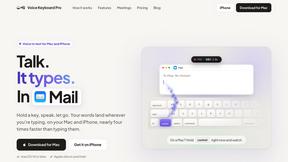
Voice Keyboard Pro
Hold a key, say what you mean, let go. Clean, punctuated text lands at the cursor in any app on your Mac or iPhone.
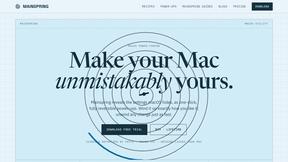
Mainspring
Mainspring turns the settings macOS hides into 90+ one-click, fully reversible power-ups for Finder, Dock, screenshots and more. $29 once.
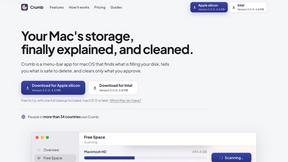
Crumb
A Mac menu bar app for a full disk. See what is using your space, read whether it comes back on its own, and remove only what you tick.

About JustPDF Alternatives
JustPDF is a privacy-first PDF toolkit that falls into the productivity and document management software category. It offers a suite of 17 essential tools, from merging and compressing to converting and signing PDFs, all designed to operate directly within your web browser. This client-side processing model is its defining characteristic, ensuring that your sensitive documents never leave your computer to be uploaded to a remote server. Users often explore alternatives for various practical reasons. Common motivations include needing a different pricing structure, such as a one-time purchase instead of a subscription, or requiring specific advanced features not available in a basic toolkit. Others may need a desktop application for offline use, prefer integration with a specific cloud storage service, or simply seek a different user interface. When evaluating other options, key considerations should be the tool's security model, the total cost of ownership, the range of features offered, and whether it meets any platform-specific requirements you have.
FAQs about JustPDF Alternatives
What is JustPDF?
JustPDF is a privacy-first, professional-grade PDF toolkit that provides 17 different tools for managing PDF files. Its core technology is built on JavaScript and WebAssembly, allowing all file processing—such as merging, splitting, compressing, and converting—to happen entirely within your web browser. This means your documents are processed locally on your device and are never uploaded to any remote server, which you can verify by checking your browser's Developer Tools Network tab.
Who is JustPDF for?
JustPDF is ideal for anyone who prioritizes document privacy and security, including students, educators, legal professionals, and business users handling sensitive information. Its FERPA compliance makes it particularly suitable for educational use. The free tier is perfect for individuals with occasional PDF needs, while the affordable Pro subscription caters to power users, administrators, and professionals who require unlimited, daily access to its full suite of tools.
Is JustPDF free?
Yes, JustPDF offers a robust free tier that requires no account creation. Free users can perform up to 3 operations per day using any of the 17 tools. For users with higher volume needs, a Pro subscription is available starting at $4 per month, which provides unlimited access to all tools without any daily restrictions.
Why choose JustPDF?
You should choose JustPDF if your top priority is keeping your PDF documents completely private and secure. Its unique client-side processing guarantees that your files never leave your computer, eliminating the risk associated with server uploads. This, combined with a comprehensive set of 17 essential tools and a transparent free tier, makes it a standout solution for security-conscious individuals and organizations.