
Budgeting App
Stop juggling apps and let Walleta's AI scan your receipts, set monthly budgets, and track every expense on your iPhone.
Visit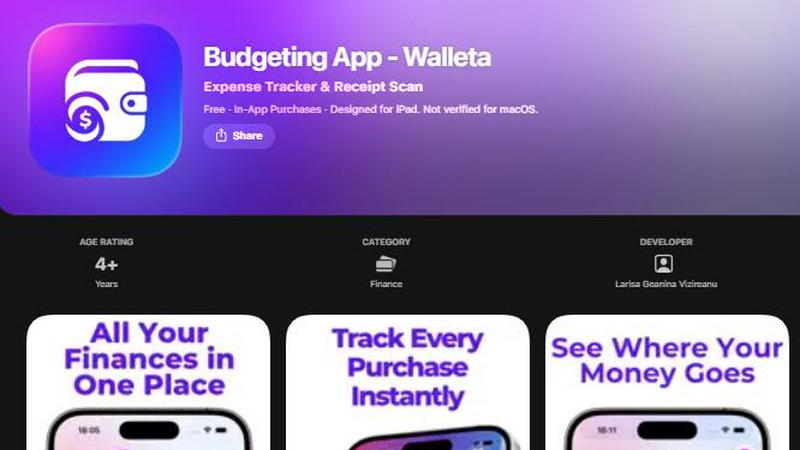
About Budgeting App
Budgeting App, also known as Walleta, is a free iOS budget planner and AI expense tracker designed for iPhone users who want complete control over their personal finances without linking a bank account. This app solves the common problem of juggling multiple finance tools by combining receipt scanning, manual expense logging, monthly budget caps, and detailed analytics into one private, on-device workflow. Walleta is specifically built for travelers, expats, students, and privacy-conscious households who need to track spending without sharing financial data, creating accounts, or using cloud sync. The core value proposition is simple: snap a receipt, let on-device AI extract the merchant, total, date, and category, then verify and save. Users can log spending in seconds using fourteen built-in categories including food, groceries, transport, shopping, health, rent, bills, subscriptions, coffee, travel, and fun. Monthly budget caps show real-time progress with alerts when spending nears limits, while pie charts, bar graphs, calendar day views, multi-currency codes, and spending history archives support weekly, monthly, and yearly review. All data stays on the user's device with no bank connection, email signup, cloud sync, or ad tracking pixels. Walleta is available on the App Store for iPhone and iPad, requiring iOS 18.2 or later, and offers a free tier with three AI receipt scans to try the feature before upgrading to Walleta Pro for unlimited scans.
Features of Budgeting App
AI Receipt Scanning
Point your camera at any receipt and Walleta's on-device AI reads the merchant name, total amount, date, and category instantly. This eliminates manual typing and reduces data entry time to seconds. Users simply snap a photo, review the extracted details, and save the expense to their spending history. Free users get three AI scans to test the feature, while Walleta Pro unlocks unlimited scans. The AI works best with clear, readable receipts where all key information is visible.
One-Tap Category Logging
Log spending in seconds by selecting from fourteen built-in categories including Food, Groceries, Transport, Shopping, Health, Rent, Bills, Subscriptions, Coffee, Travel, and Fun. Each category is represented with a clear icon, making it easy to tap and record an expense without typing. This feature supports manual entry for receipts that are faded or unclear, ensuring every purchase gets logged accurately and quickly.
Monthly Budget Tracking
Define a spending limit for each month and watch your progress update in real time. Walleta displays a visual progress bar showing how much of your budget has been used, and sends alerts when you approach or exceed your cap. This proactive approach helps users avoid overspending by providing clear, actionable feedback on their financial habits throughout the month.
Comprehensive Analytics and Calendar View
Visualize spending patterns with pie charts, bar graphs, and category summaries for weekly, monthly, and yearly periods. The calendar view lets users browse expenses day by day across the month, showing exactly what was spent on any given date. Spending history archives allow users to review past cycles without losing data, making it easy to track trends and adjust budgets over time.
Use Cases of Budgeting App
Travelers and Expats Managing Multiple Currencies
Travelers and expats often struggle with tracking expenses in different currencies while abroad. Walleta supports multi-currency codes, allowing users to log spending in local currency or manually set any currency code. The app auto-detects the device's local currency, making it easy to record purchases in euros, dollars, pounds, or any other currency without manual conversion. This use case eliminates the need for separate currency tracking tools.
Privacy-First Households Avoiding Cloud Finance Sync
Many users are uncomfortable with cloud-based finance apps that store sensitive spending data on remote servers. Walleta keeps all data on the device with no bank connection, no email signup, no cloud sync, and no ad tracking pixels. Privacy-first households can track every expense with complete confidence that their financial information never leaves their iPhone. This is ideal for users who want full control over their personal data.
Students Tracking Limited Monthly Budgets
Students often have tight monthly budgets from part-time jobs or allowances and need to avoid overspending on categories like food, transport, and subscriptions. Walleta lets students set monthly budget caps, track real-time progress, and receive alerts when they approach limits. The one-tap logging and receipt scanning features make it easy to record expenses on the go without disrupting a busy schedule, helping students stay financially disciplined.
Freelancers and Side Hustlers Logging Business Expenses
Freelancers and side hustlers need to track business-related expenses like transport, supplies, and meals for tax purposes or reimbursement. Walleta's fourteen categories cover common business spending areas, and the receipt scanning feature captures merchant details and totals for documentation. The spending history archive allows users to review past cycles and export patterns, providing a clear record of business expenses without needing a separate accounting tool.
Frequently Asked Questions
Does Walleta connect to my bank account or require online banking?
No, Walleta does not connect to your bank account, require online banking credentials, or sync with any financial institution. All expense logging is done manually through receipt scanning or one-tap category entry. Your financial data stays entirely on your device with no cloud sync, account creation, or email signup required.
How many AI receipt scans do I get for free?
Free users get three AI receipt scans to try the feature and evaluate its accuracy. After using those three scans, you can continue logging expenses manually using the one-tap category system at no cost. Walleta Pro unlocks unlimited AI receipt scans for users who want to scan receipts regularly without counting scans.
What happens if my receipt is faded or unreadable?
AI receipt scanning works best with clear, readable receipts where the merchant, total, date, and category clues are visible. If a receipt is faded, crumpled, or blurry, Walleta recommends using the manual one-tap category logging feature instead. Simply select the appropriate category, enter the amount, and save the expense without relying on the scan.
Is Walleta available on Android or iPad?
Walleta is currently available on the App Store for iPhone and iPad, designed specifically for iOS devices. It requires iOS 18.2 or later to run. The app is not verified for macOS and is not available on Android devices at this time. Users can download it directly from the App Store on their compatible Apple devices.
Similar to Budgeting App

Visual financial timelines for couples and young professionals: model cash flow, life events, and shared goals.


Money Tracker App is a private iOS expense tracker that uses AI receipt scanning and on-device data for quick manual logging without bank links or.

CalcFi provides 500+ free financial calculators with live data and cited formulas to give you clear numbers for every money decision.

Effortlessly sync your Australian bank and brokerage data to Google Sheets and YNAB with real-time updates and no.

Ricco is a financial literacy game that teaches budgeting and investing through engaging real-life scenarios.

BudgetSheet seamlessly imports your bank transactions into Google Sheets for effortless budgeting and expense tracking.