
Filator
Filator is your seamless platform to create, convert, and automate tasks with powerful tools, all in one place.
Visit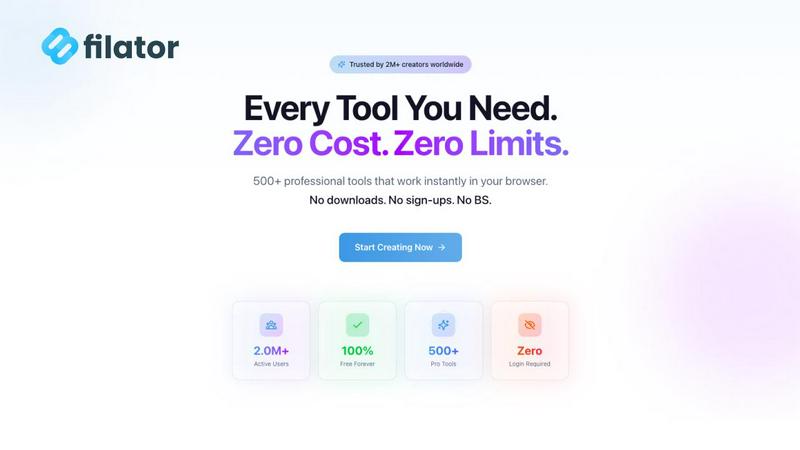
About Filator
Filator is the ultimate digital workspace tailored for professionals who prioritize efficiency and privacy. It serves as a comprehensive online platform that integrates over 500 specialized tools into a single, user-friendly browser-based environment. With Filator, users can say goodbye to the hassles of traditional online services such as sign-up requirements and paywalls. The platform's core philosophy revolves around providing instant access and client-side processing, allowing for seamless tasks like converting images in 132 formats, processing PDFs, generating AI content, and creating QR codes—all without uploading files to a server. This ensures that your data remains private and secure. Trusted by over 2 million users globally, including developers, designers, and marketers, Filator is designed to enhance productivity and streamline workflows. It is the ideal solution for anyone seeking to consolidate multiple online tools into one efficient platform, maximizing output without compromising on quality or privacy.
Features of Filator
Instant Access
Filator enables immediate results without any waiting times or queues. Users can access tools and receive professional-grade outputs instantly, ensuring that time is never wasted.
Zero Signup Required
One of Filator's standout features is its commitment to user convenience. There are no accounts to create, no emails to verify, and no passwords to remember. Just open the tool and start working.
Professional-Grade Outputs
Filator guarantees high-resolution results across all tools, providing users with professional-grade outputs every time they export their work, regardless of the format chosen.
Powerful Automation
Filator allows users to chain multiple tools together, automating repetitive tasks with smart workflows. This feature significantly reduces time spent on mundane activities, enhancing overall productivity.
Use Cases of Filator
Content Creation
Writers and marketers can leverage Filator's AI tools to generate high-quality content, such as essays or professional emails, without the need for multiple applications or subscriptions.
Document Management
Professionals can utilize Filator's PDF tools to merge, split, or compress documents efficiently, making it an essential tool for anyone who frequently handles digital paperwork.
Image Processing
Designers can benefit from Filator's image tools, which include background removal and format conversion, allowing them to enhance and prepare visuals for various projects effortlessly.
Social Media Engagement
Social media managers can create engaging content quickly using Filator's social media tools, such as the Fake Instagram Post and QR Code Generator, streamlining their workflow and enhancing audience interaction.
Frequently Asked Questions
What types of tools does Filator offer?
Filator offers a wide range of tools organized by category, including AI tools, PDF tools, image tools, social media tools, and QR & barcode generators, making it easy for users to find what they need.
Is there a cost associated with using Filator?
Filator provides a variety of free tools that can be used without any hidden costs. Users can also opt for premium plans that offer additional features and credits for more extensive usage.
How does Filator ensure user privacy?
Filator processes all files directly in the user's browser, which means that no data is uploaded to external servers. This approach guarantees complete privacy and security for users' information.
Can I use Filator for business tasks?
Yes, Filator is designed for professionals across various fields, including business tasks such as generating invoices, formatting JSON, and automating workflows, making it a versatile tool for any workplace.
Explore more in this category:
Similar to Filator

Signage and kiosk infrastructure for AI agents. Your agent publishes images, video, streams, web pages and apps to screens via one plugin.screenRIG is

AI Email Filter sorts incoming mail into folders using plain-language prompts you write. Works with any IMAP mailbox; bring your own LLM if you want.

Free YouTube transcripts on the web, a Chrome extension, and an API + MCP server so AI assistants can read YouTube.

Residential and datacenter proxy provider with 50M+ ethically sourced IPs across 150+ countries. Unlimited from $4.08/hr, pay-per-GB from $1.64/GB.

Soul Cinema turns a written shot into film-grade stills with cinematographer lighting, Soul ID character consistency across a sequence, reusable looks


Built2WinWeb builds high-performance custom PHP websites, ecommerce stores, and AI discovery infrastructure that make your site readable by AI.
