
HappyHorse AI
HappyHorse AI instantly creates cinematic videos for ads and social media from your text or images.
Visit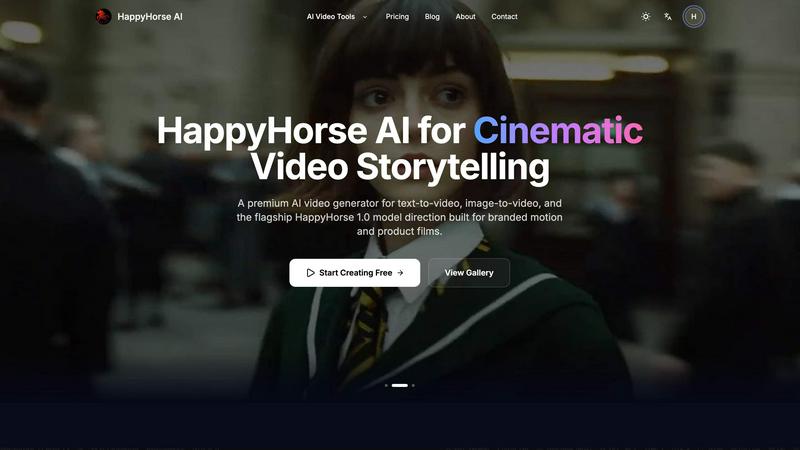
About HappyHorse AI
HappyHorse AI is a premium, browser-based AI video generator designed to solve a core problem for modern creators and businesses: the complexity and time investment required for professional video production. It empowers marketers, content creators, and teams to transform simple text prompts or static images into high-quality, cinematic videos in minutes, eliminating the need for advanced editing skills, expensive software, or local GPU hardware. The platform's core value lies in its streamlined, multi-model workspace, which allows users to access and compare leading AI video models—including its flagship HappyHorse 1.0 model for branded motion—from a single, intuitive interface. By prioritizing a clean creation loop of prompt, preview, and iterate, HappyHorse AI accelerates content workflows for engaging marketing materials, social media clips, product films, and creative storytelling. It turns the daunting task of video creation into a practical, efficient, and accessible process for anyone with a vision.
Features of HappyHorse AI
Multi-Model Video Workspace
This feature solves the problem of platform fragmentation by allowing you to compare and utilize various leading AI video models from one unified interface. Instead of managing separate accounts and juggling different tools for different visual styles, you can test and select the optimal model for your specific project—whether it's the cinematic HappyHorse 1.0 or other supported models—all within the same generator, streamlining experimentation and decision-making.
Text-to-Video & Image-to-Video Workflows
HappyHorse AI offers two primary, flexible pathways for creation. The text-to-video workflow lets you generate complete video concepts, ad scenes, and social clips directly from a written prompt, ideal for fast ideation. The image-to-video workflow allows you to upload product photos or portraits and animate them, preserving the original composition and tone while adding controlled motion. This dual approach ensures you can start from scratch or build upon existing visual assets.
Fast Iteration with Flexible Controls
The platform is built for rapid prototyping and refinement. You can quickly move from a prompt to a video preview and then adjust key parameters like aspect ratio, duration, and resolution without restarting your entire workflow. This solves the frustration of slow, linear creation processes, enabling you to test multiple directions (e.g., 16:9 for YouTube vs. 9:16 for TikTok) and hone in on the perfect result efficiently.
Commercial-Friendly Output
HappyHorse AI is designed with professional use in mind. It generates export-ready video files suitable for direct use in campaigns, client presentations, social media posts, and internal creative testing. The straightforward credit-based pricing model provides clarity for budgeting, and the output is intended for commercial workflows, helping teams scale content production without legal or operational hurdles.
Use Cases of HappyHorse AI
Social Media Content Creation
Marketers and social media managers can rapidly produce a high volume of engaging, platform-optimized clips for Instagram Reels, TikTok, YouTube Shorts, and Facebook ads. The fast iteration loop allows for testing different visual concepts and messaging, enabling teams to keep their social feeds fresh and aligned with trends without a large production budget or timeline.
Product Marketing and Demo Videos
Businesses can create compelling product films and animated demonstrations by uploading still product shots and using the image-to-video feature to add subtle, branded motion. This showcases products in a dynamic, professional light for websites, landing pages, and sales decks, significantly enhancing presentation quality over static images.
Creative Concept Testing and Storyboarding
Filmmakers, agencies, and creative teams can use the text-to-video function to quickly visualize scenes, test cinematic styles, and build animated storyboards. This solves the problem of communicating abstract visual ideas, allowing for fast client feedback and creative alignment before committing to expensive live-action shoots or animation production.
Internal Communications and Training
Teams can easily transform internal announcements, training material, or company updates into engaging video format. By simply scripting the message and generating a supportive visual narrative, organizations can improve information retention and engagement for remote or distributed teams, making internal comms more effective and less time-consuming to produce.
Frequently Asked Questions
What types of files can I upload for Image-to-Video?
You can upload up to 2 image files in formats including PNG, JPG, JPEG, and WEBP. Each file must be under 50MB. This allows you to use product photos, portraits, illustrations, or reference frames as the foundation for your animated video clip.
Do I need any technical skills or software to use HappyHorse AI?
No. HappyHorse AI is entirely browser-based and designed for simplicity. There is no need for local software installation, video editing skills, or powerful computer hardware (GPU). The process involves writing a prompt or uploading an image, selecting your settings, and generating the video directly in your web browser.
What is the HappyHorse 1.0 model best used for?
The flagship HappyHorse 1.0 model is specifically built for high-quality, cinematic output suitable for branded motion and product films. It is the ideal choice when you need a premium, polished visual style for professional marketing materials, commercials, or storytelling that requires a more refined and dynamic look.
Can I use the videos I generate for commercial purposes?
Yes. Videos generated on HappyHorse AI are intended for creative and commercial workflows, subject to the platform's terms of service and model-specific policies. This means you can typically use the clips in client campaigns, social media ads, website content, and other commercial projects, making it a viable tool for professional content production.
Similar to HappyHorse AI

Apps and files on an infinite canvas where people and AI agents work together.

Privacy-first, cookieless web analytics that ties your traffic and marketing channels to real Stripe revenue.

No-code 2D game editor: visual node logic, drag-and-drop scenes, live preview. Exports to Windows, macOS, Linux, Android, iOS, Web.

Online tally counter for tracking attendance, workouts, inventory, visitors, sports scores, habits, and everyday counting tasks.

SnitchFeed is an agentic social listening tool that surfaces high-intent conversations on LinkedIn, X, Hackernews, and more for GTM and product teams.


Explore Flux LoRA online workflows in a browser-based AI Studio, with a roadmap for dedicated Flux LoRA models, generation, and training.

Create readable text, logos, posters, ads, packaging, and ecommerce visuals with Ideogram 4 AI workflows.