
About OmniCanvas
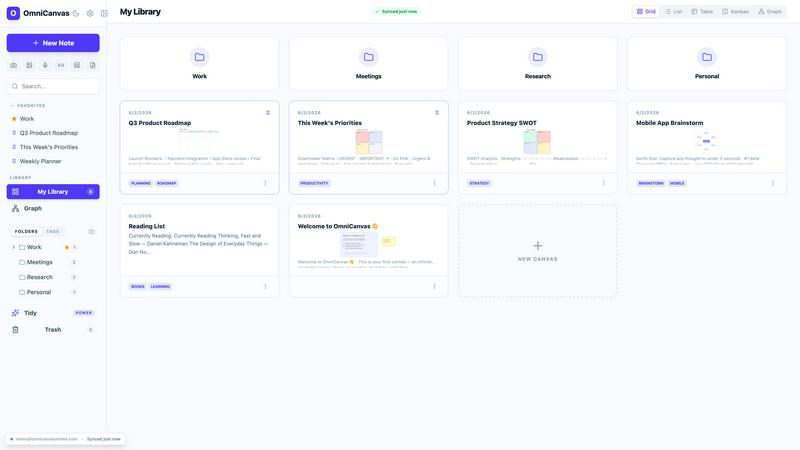
OmniCanvas is an infinite-canvas note-taking app for people who organize information spatially instead of in linear documents and nested folders. Notes, sketches, diagrams, images, and meeting transcripts live on the same zoomable workspace, connected by wiki-links and visualized in a graph view.
The free tier costs $0 and includes unlimited notes and canvases, cloud sync, folders, tags, full-text search, graph view, Kanban view, and optional end-to-end encryption. Pro is $8/month and adds 10 hours of monthly meeting transcription, semantic search, AI actions and custom prompts, handwriting OCR, web and YouTube clipping, and REST API and MCP server access.
OmniCanvas records meetings by capturing microphone and system audio directly - no bot joins your call - and puts the transcript and action items on the canvas beside your notes. OmniCanvas also publishes 40 free browser tools that need no account; the AI ones run locally, so files are never uploaded.
On the web and macOS.
Explore more in this category:
Similar to OmniCanvas

Free email tools for signatures, subject lines, HTML previews, word counts, and email headers. Browser-based, simple to use, and no signup required.

See every app and what it's using in plain English, and end or slow down the one that's hogging your Mac.

Every key you press lights up on an on-screen keyboard, and each shortcut is named as you press it.

Clip pages, take full-page screenshots and batch-capture list data to Notion, Feishu, Obsidian, Markdown, CSV or JSON.

Search tabs, Chrome bookmarks and history, run browser commands, and save webpages and social posts locally—no account.

Chrome extension that nests sub-tasks under their parents in Todoist's Today, Upcoming, Filter and Label views. Free tier, $19.99 one-time unlock.

Little characters peek out of your Mac's notch to remind you to drink water, eat, sit up and get to bed. Quiet during calls. $4.99 once.

Free fullscreen light screen tool online. Turn any display into a flashlight, ambient light, or solid-color screen. No download or sign-up.