
Product Launch Checklist
A free launch checklist for SaaS, apps, AI tools and more. Every step says why it matters and when you can skip it.
VisitPublished on:
September 19, 2026
Pricing:
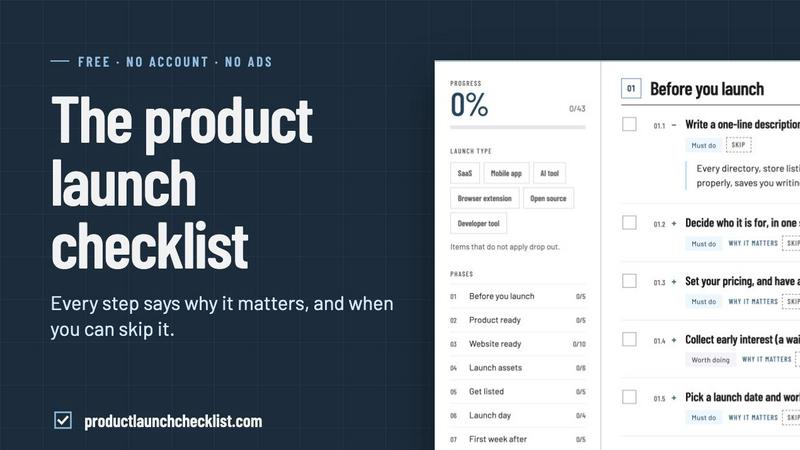
About Product Launch Checklist
Product Launch Checklist is a free, no-signup checklist that walks you through everything worth doing before, during and after a product launch. It covers pre-launch prep, the launch-day sequence, distribution channels, directory submissions, SEO basics, analytics and the follow-up work most teams forget.
What makes it different is that every single step explains why it matters and when it is safe to skip. A solo founder shipping a side project and a team launching a funded SaaS do not need the same list, so the checklist tells you which items apply to your situation instead of dumping 200 generic tasks on you.
It runs entirely in the browser, saves your progress locally, and costs nothing. No account, no email wall, no upsell.
Similar to Product Launch Checklist

Unveil your launch. A coming soon page that becomes the reveal on opening night. Permanent page citable by Google, ChatGPT, Perplexity & Claude.

Maker Launches: side projects shipped by makers, ranked by makers. Permanent page for every build, citable by Google, ChatGPT, Perplexity & Claude.

SaaS Directory List: top SaaS companies ranked weekly. Permanent page for every tool, citable by Google, ChatGPT, Perplexity & Claude.

Your brand debut. Premiering where people search. Permanent page with every launch detail, citable by Google, ChatGPT, Perplexity & Claude.

Beast launches for beast builders. Beast Launches ranks the hottest product launches every week by real community votes. Every launch gets a permanent

Free email tools for signatures, subject lines, HTML previews, word counts, and email headers. Browser-based, simple to use, and no signup required.

A wall of 300 animated globs founders claim to show off their product

See every app and what it's using in plain English, and end or slow down the one that's hogging your Mac.