
Tally Counter
Online tally counter for tracking attendance, workouts, inventory, visitors, sports scores, habits, and everyday counting tasks.
VisitPublished on:
September 24, 2026
Pricing:
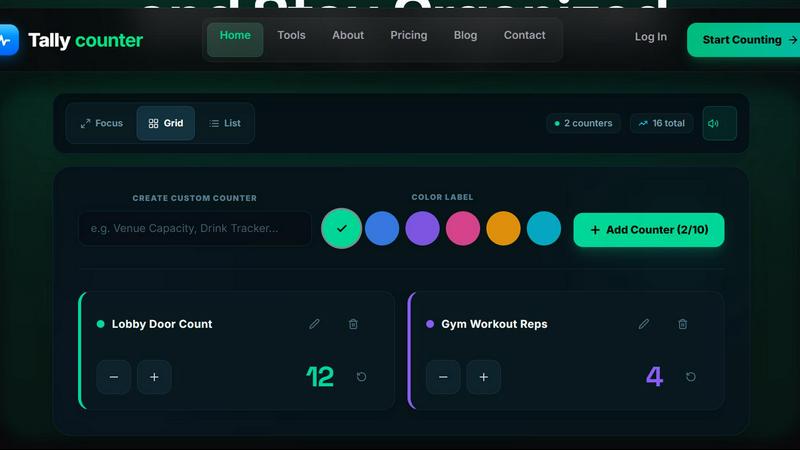
About Tally Counter
Tally Counter is a modern online counting and tracking tool designed for individuals, businesses, and teams. It provides a simple way to create and manage digital counters for attendance, workouts, inventory, visitors, sports scores, habits, classroom activities, tasbeeh, and other repeated counting tasks.
Users can create multiple counters, organize them with custom categories and colors, and keep counting progress automatically saved. Tally Counter supports real-time synchronization across supported devices, allowing users to continue counting from phones, tablets, and computers.
For teams, shared counters make it possible to collaborate on activities such as inventory tracking, attendance, event counting, and operational tasks. Users can also manage access roles, view activity history, and export counting data to CSV or Excel for reporting and analysis.
The platform offers a free basic experience, while premium plans add features such as more counters, extended data capabilities, advanced analytics, exports, team collaboration, automation, and other tools for organized counting.
Tally Counter is built to make digital counting fast, simple, organized, and accessible across devices.
Similar to Tally Counter


Send files straight between two browsers with a 6-digit key. No signup, no install, nothing stored on a server.


Free email tools for signatures, subject lines, HTML previews, word counts, and email headers. Browser-based, simple to use, and no signup required.


See every app and what it's using in plain English, and end or slow down the one that's hogging your Mac.

Every key you press lights up on an on-screen keyboard, and each shortcut is named as you press it.