

Alternatives to ButterKit
ButterKit helps developers boost app store conversions by streamlining the creation of stunning screenshots and translated metadata.
Explore 20 alternatives to ButterKit. Compare features, pricing, and find the best fit for your needs.

Ecommerce Data API
Amazon research data APIs for developers, sellers and AI agents. Integrate product, keyword and market research through REST APIs and MCP.

TrueProxies
Residential and datacenter proxy provider with 50M+ ethically sourced IPs across 150+ countries. Unlimited from $4.08/hr, pay-per-GB from $1.64/GB.

Egmatic
No-code 2D game editor: visual node logic, drag-and-drop scenes, live preview. Exports to Windows, macOS, Linux, Android, iOS, Web.

layahost
Jev-compatible typed decisions API: moderation, routing, intent and scoring for any text, hosted in the EU.
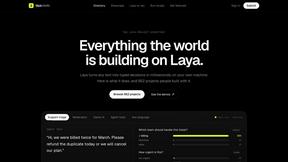
laya.tools
A free directory of 950+ projects built on Laya, the open-source decision model. Updated daily.
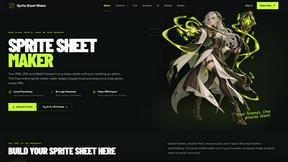
Sprite Sheet Maker
A free browser-based toolkit for creating, cutting, converting, and previewing sprite sheet animations.
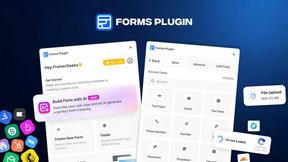
Forms Plugin
The #1 Native Form Builder Plugin for Framer - No Code, No Embeds, No External Platforms.



GPT Image 2 API
Generate and edit production-ready images with GPT Image 2 API, detailed prompts, reference images, clear text, and developer workflows.

Video2URL
Turn videos, images, and files into secure direct links for sharing, embedding, and automated workflows.


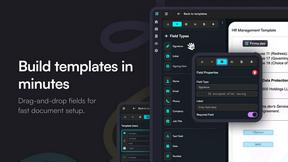
Firma.dev
Pay-as-you-go e-signature API and no-code sending. €0.049 per envelope, no monthly minimums, legally valid in 55+ countries.

Ornold
Ornold MCP lets AI agents control Chromium and antidetect browsers: click, type, read screens, record workflows, replay profiles without scripts.

AIQualityHQ
AIQualityHQ instantly checks your AI prompts for structure, safety, privacy, and accuracy with deterministic scores in under 10ms.
RedLinz
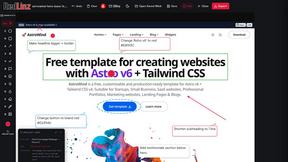
RedLinz turns screenshots into AI prompts by letting you circle and annotate exactly what you want an LLM to change.

About ButterKit Alternatives
ButterKit is a specialized native macOS application that falls within the developer tools category, designed specifically for Apple developers who need to streamline their App Store publishing workflow. It helps users automate the creation of high-quality App Store screenshots and manage metadata translation across 50 languages, all while integrating directly with Xcode Simulator and App Store Connect. While ButterKit offers significant efficiency gains, users commonly look for alternatives due to factors such as its macOS-only availability, subscription pricing models that may not fit every budget, or the need for more granular control over design assets that a single-purpose tool might not provide. Some developers also seek solutions that offer broader platform support or deeper integration with their existing design software stacks. When evaluating an alternative to ButterKit, you should prioritize tools that align with your specific workflow requirements, such as cross-platform compatibility if your team uses Windows or Linux, or more flexible pricing structures like one-time purchases versus recurring subscriptions. Look for solutions that offer robust automation capabilities, particularly around screenshot generation and metadata localization, as these are the core pain points ButterKit addresses. Additionally, consider the learning curve, template quality, and the level of support for CI/CD integration, as these factors will determine how seamlessly the alternative fits into your existing development pipeline without introducing new bottlenecks.
FAQs about ButterKit Alternatives
What is ButterKit?
ButterKit is a native macOS application designed to simplify and automate the App Store publishing workflow for Apple developers. It enables users to capture screenshots directly from the Xcode Simulator, place them into photorealistic 3D device frames, and translate app metadata into all 50 App Store Connect languages using advanced AI models. The tool also integrates with the App Store Connect API for one-click uploads of polished screenshots and metadata.
Who is ButterKit for?
ButterKit is tailored specifically for Apple developers who create and manage mobile applications for the App Store. It is particularly useful for indie developers, small teams, or solo developers who need to streamline repetitive tasks like screenshot creation and metadata localization. The tool is built by a solo developer for developers, emphasizing efficiency and automation in the publishing process.
Is ButterKit free?
Based on the available product description, ButterKit is not described as a free tool. It is a premium application developed by a solo developer that offers advanced features such as AI-powered translation, 3D device frames, and direct API integration. Users should check the official ButterKit website or pricing page for specific subscription or licensing details.
What are the main features of ButterKit?
ButterKit’s main features include capturing screenshots from the Xcode Simulator, placing them into photorealistic 3D device frames, and translating app metadata into 50 languages using AI models. It also integrates with the App Store Connect API for direct uploads, supports linking entire folders for input and output to fit CI/CD pipelines and Fastlane workflows, and offers professional templates for design creation.